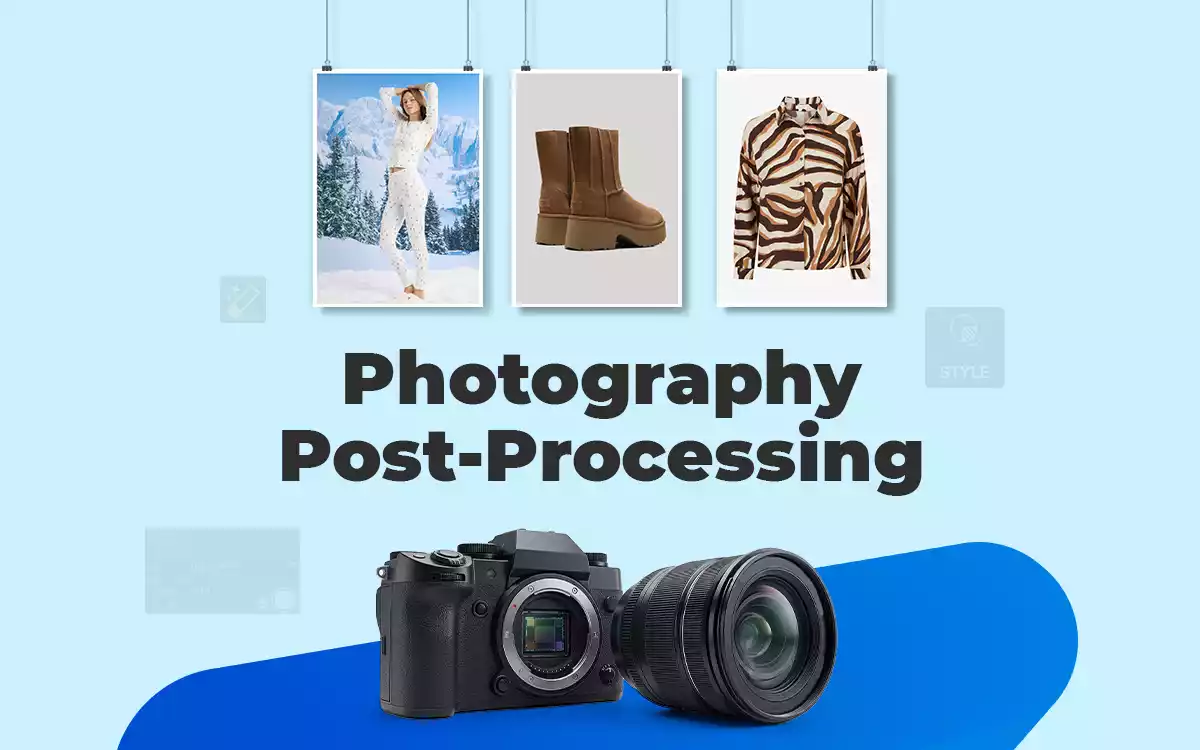
Post-processing photography is a subset of post production photography that covers editing, retouching, background removal, photo resizing, and eliminating imperfections performed through photo editing software. It is often interchangeably used with photo editing or post-production photography.
Post-processing is necessary to enhance photo quality, appearance, adjust light, colors, and shadows, and help eliminate technical flaws to create commercial standard photos. Expert photo editors use Adobe Photoshop, Adobe Lightroom, DxO PhotoLab, Capture One Pro, and Skylum Luminar Neo software to process images.
What is Post Processing in Photography?
Post processing in photography is the image editing techniques applied for enhancing and improving an image’s quality, appearance, colors, light, and shadow to highlight the subject in its best to fulfill commercial purposes. Photography post-processing includes several editing and adjustments such as exposure correction, color balance, retouching, sharpening, and background refinement to transform raw photos into polished visuals ready for professional or commercial use.
The purposes of post-processing in photography are as follows.
- Creates a polished and visually balanced image by fixing exposure, white balance, noise, and lens distortions.
- Improves sharpness, contrast, color accuracy, and tonal depth to make images clearer and more vibrant.
- Create a consistent visual style through applying color grading and tonal adjustments for portfolios and marketing visuals.
- Refines backgrounds, shadows, and composition to create professional images for e-commerce product listings and advertisements.
- Enable efficient high-volume editing by using professional workflows or outsourcing to process large batches while saving time.
What is the Difference Between Post-Production and Post-Processing in Photography?
The key difference between post-production and post-processing photography is the scope of work they include during processing. Post-production covers all types of editing and changes applied to the raw images to prepare the final output, while post-processing particularly focuses on improving the visual quality of photos through editing adjustments.
In photography, the terms are sometimes used interchangeably, but technically, post-processing is one part of the larger post-production stage. More differences between post production and post-processing are as follows.
| Topic | Photography Post-Production | Image Post-Processing |
|---|---|---|
| Definition | Photography post-production is the complete process, starting from photo culling to photo distribution. | Post-processing covers the tasks a photo editor does using photo editing software. |
| Included Tasks | Image sorting, cropping, editing, retouching, special effects, color correction, file format exporting, delivery, distribution, and archiving. | Basic photo editing to an advanced level: color correction, sharpening, background removal, noise reduction, etc. |
| Process | Extends to photo management and requires the collaboration of different skills, media, and tools to support the workflow. | A straightforward process, experts can manage the whole workflow by using software. |
| Purpose | Prepares images in various file formats ready to publish. | Enhances overall image resolution and quality. |
| Use in Photography | Often used as a general term for all finishing processes. | Used specifically for photo enhancement and adjustments. |
| Completion Time | Varies between a few hours and around 3 (or more) days. | Vary between 5 minutes and 7 hours. |
What is the Difference Between Photo-Processing and Photo Editing?
The key difference between photo processing and photo editing is the depth of adjustments applied to photos. Image processing is a mandatory part covering different types of photo editing techniques to improve image quality and resolution, while editing is an optional part covering basic changes or enhancements.
Other differences between image processing and image editing are as follows.
| Topic | Photo Processing | Photo Editing |
|---|---|---|
| Definition | Technical adjustments are applied to improve the overall quality and accuracy of an image. | Modifying or enhancing specific elements of an image to achieve a desired visual style or creative effect. |
| Primary Goal | Focuses on correcting color balance, exposure, noise, and tonal range to make the photo technically accurate. | Focuses on improving the visual impact by altering colors, removing objects, or adjusting specific areas. |
| Applied Techniques | Exposure correction, noise reduction, white balance adjustment, sharpening, and lens correction. | Retouching, background removal, object removal, color grading, and compositing. |
| Used tools | RAW processors and basic adjustment tools in software like Adobe Camera Raw or Lightroom. | Advanced editing tools in software like Adobe Photoshop for detailed manipulation. |
| Workflow Stage | The first stage after capturing RAW images is to prepare them for further work. | Comes after processing to refine details and create the final look. |
What is the Difference Between Pre-Processing and Post-Processing in Photography?
The primary difference between pre-processing and post-processing is the nature of work: Pre-processing focuses on preparing the images for processing, and post-processing focuses on image enhancement to attract viewers.
Other differences between pre-processing and post-processing are as follows.
| Topic | Pre-Processing | Post-Processing |
|---|---|---|
| Definition | Pre-processing refers to preparation and adjustments made before capturing the photo. | Post-processing refers to editing and enhancements applied after the photo is captured. |
| Workflow Stage | Happens during planning and setup before the shutter is pressed. | Happens after the shoot during the editing and refinement stage. |
| Priority | Focuses on lighting setup, camera settings, composition, and scene preparation. | Focuses on improving image quality, correcting issues, and enhancing visual appearance. |
| Works Included | Adjusting exposure settings, setting white balance, arranging lighting, choosing lenses, and positioning subjects. | Color correction, retouching, sharpening, background cleanup, noise reduction, and color grading. |
| Impact on Image Quality | Reduces the need for heavy editing by capturing a well-balanced image. | Enhances and finalizes the image for publishing, marketing, or portfolio use. |
Why is Post Processing Important in Photography?
Post processing is essential in photography because it enhances photo quality, appearance, adjusts light, colors, and shadows, and helps eliminate technical flaws, which overall produce a consistent and professional look. Photography post-production helps photographers achieve their target style, improve storytelling, and adapt photos for different online and offline uses. It results in increasing professional value, audience engagement, and commercial effectiveness across industries and platforms.
Why is Post-Processing Important in E-Commerce Product Photography?
Post-processing is important in e-commerce business for 3 main reasons: it improves image quality, creates a positive perception of the product, and contributes to conversion. Editing product images makes them appear clean, detailed, and professional. Professionally processed e-commerce photography increases buyer trust, engagement, and conversion rates when published while meeting marketplace standards and improving overall online store performance.
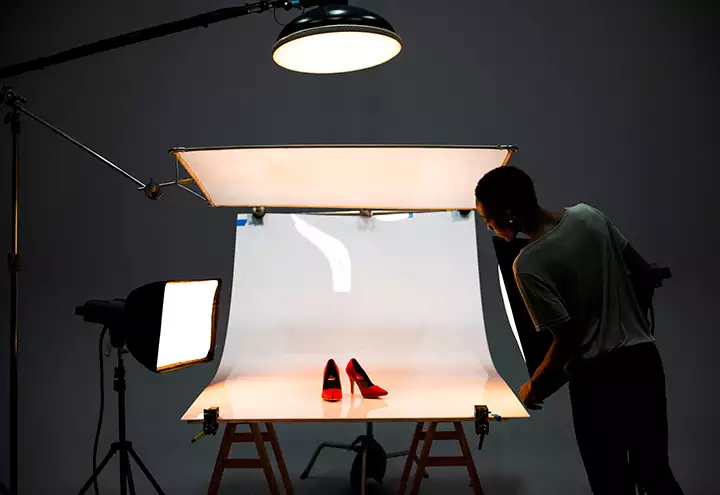
Other reasons why post-production is used in e-commerce product images are as follows.
- Accurate color and background presentation
- Lightness and Shadow adjustment
- Creating images in the right size and aspect ratio
- Conversion rate improvement
Why is Post-Processing Important in Wedding Photography?
Post-processing is necessary for wedding photographers to deliver flawless and glorious photos of the marriage ceremony. By editing, they correct lighting inconsistencies, enhance skin tones, and create a consistent romantic style across hundreds of images, creating polished, emotional, and timeless images, helping clients preserve their special day in album-quality standards.
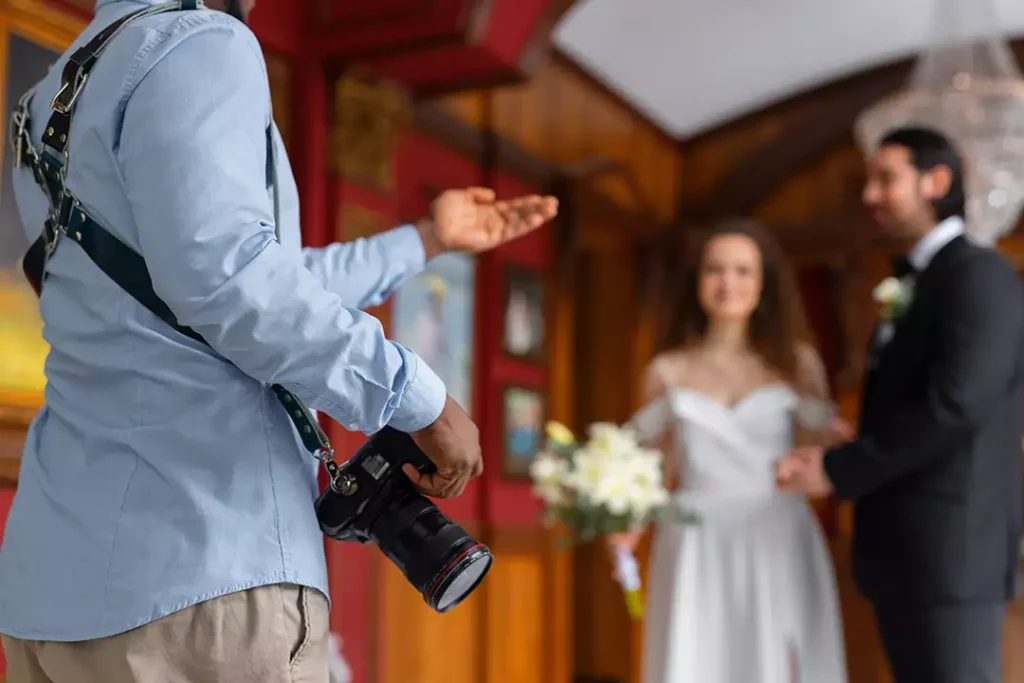
Other reasons wedding images are edited are as follows.
- Album consistency
- Highlight key moments
- Noise reduction in low light
- Print-ready images
Why is Post-Processing Important in Portrait Photography?
Post-processing is vital for portrait photography because it allows portrait photographers to refine skin tones, remove temporary marks, and enhance facial features while keeping a natural look. They apply non-destructive editing, which helps to highlight people’s personalities, improve client satisfaction, and meet commercial or personal specifications.

- Skin tone accuracy
- Background cleanup
- Brand-ready visuals
- Client personalization
Why is Post-Processing Important in Fashion Photography?
Post-processing is crucial for fashion photography to bring out a glamorous and convincing look by retouching colors, textures, and garment details. It enhances model appearance, removes distractions, and creates high-end visuals required for magazines, campaigns, and e-commerce. As a result, products and styling stand out professionally.

Other reasons for post-processing applied in fashion photos are as follows.
- Color consistency
- Editorial-quality finish
- Distraction removal
- Campaign-ready outputs
Why is Post-Processing Important in Real Estate Photography?
Post-processing is required in real estate photography to balance exposure, correct perspectives, and enhance lighting to showcase properties accurately. By applying edits, they make a brighter interior, an appealing space, and competitive listings, building buyers’ trust and increasing engagement in property marketing platforms.
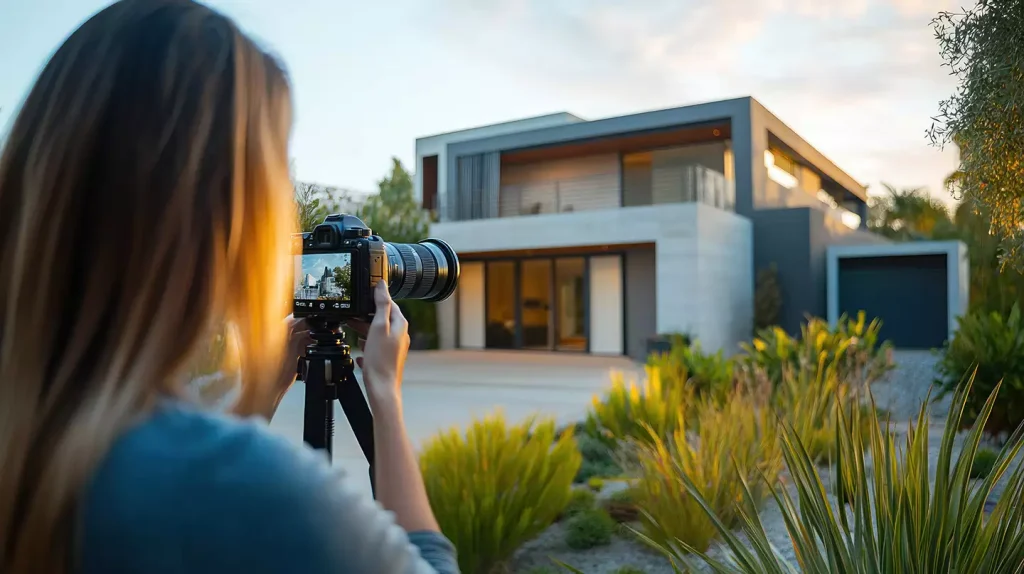
The benefits of real estate image post-processing are as follows.
- Perspective correction and HDR blending
- Window detail recovery
- Space optimization
- Listing appeal boost
Why is Post-Processing Important in Food Photography?
Post-processing is important in food photography for enhancing colors, textures, and freshness, making dishes look more appetizing. Editors adjust lighting issues, refine lighting and brightness, cleans distraction, helping restaurants, consumer brands, and advertisers create mouth-watering images to boost sales.
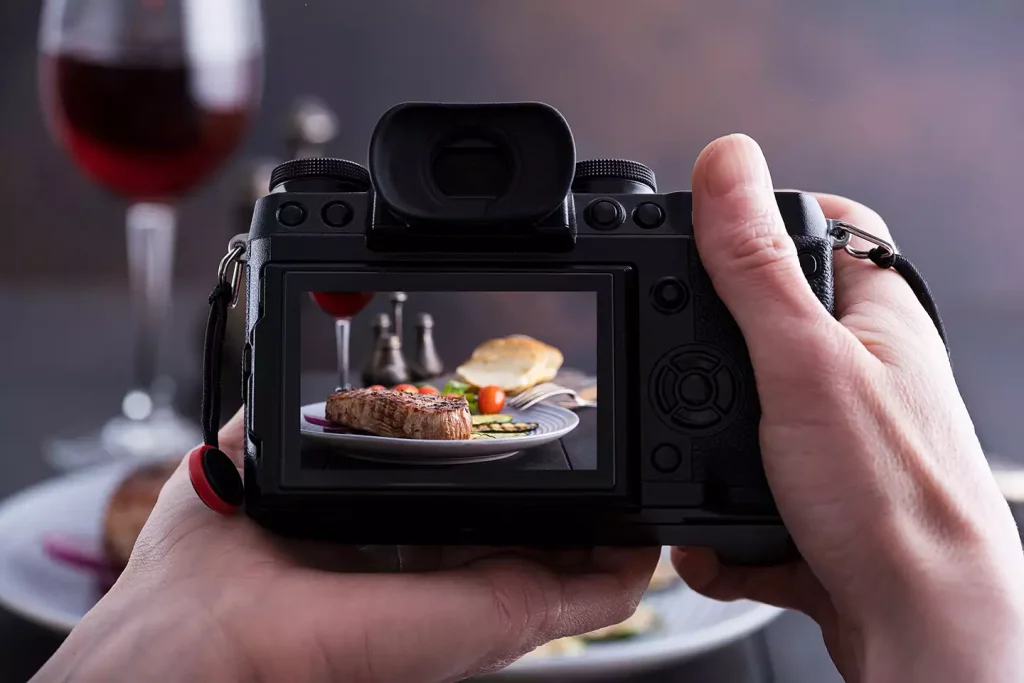
The benefits of post-processing in food photography are as follows.
- Color vibrancy boost and texture sharpening
- Plate cleanup
- Lighting correction
- Menu-ready visuals
Why is Post-Processing Important in Landscape Photography?
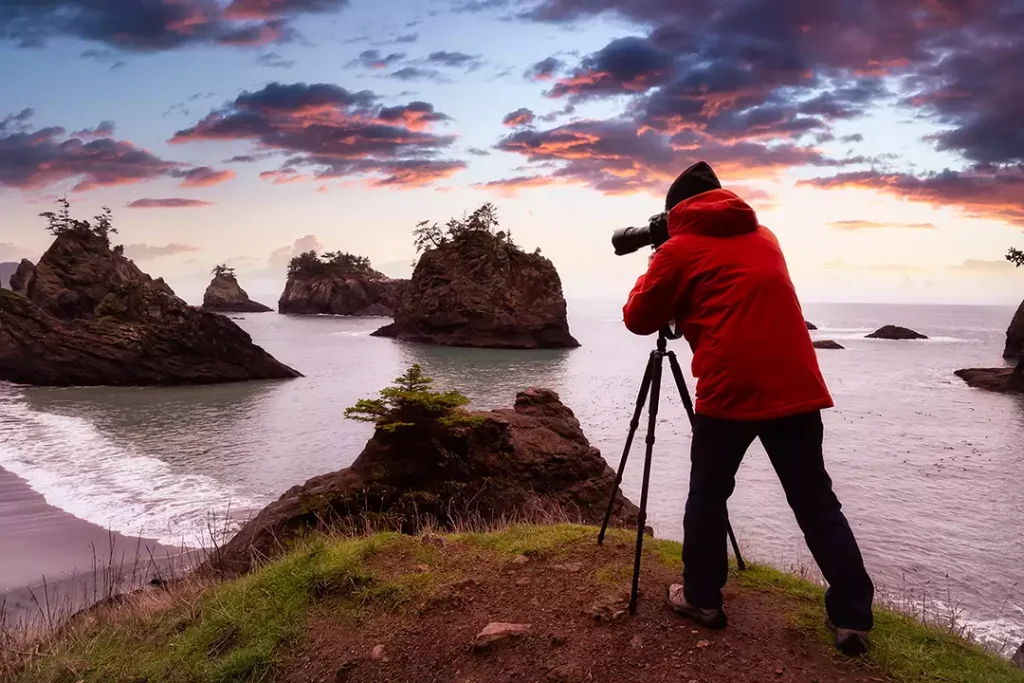
Post-processing is required in landscape photography for recovering details, balancing dynamic range, and enhancing colors naturally. The process recreates the scene as experienced in real life, improving depth, contrast, and mood while maintaining authenticity for prints, portfolios, or commercial use.
- Dynamic range recovery
- Depth improvement
- Color balance
- Print optimization
Why is Post-Processing Important in Event Photography?
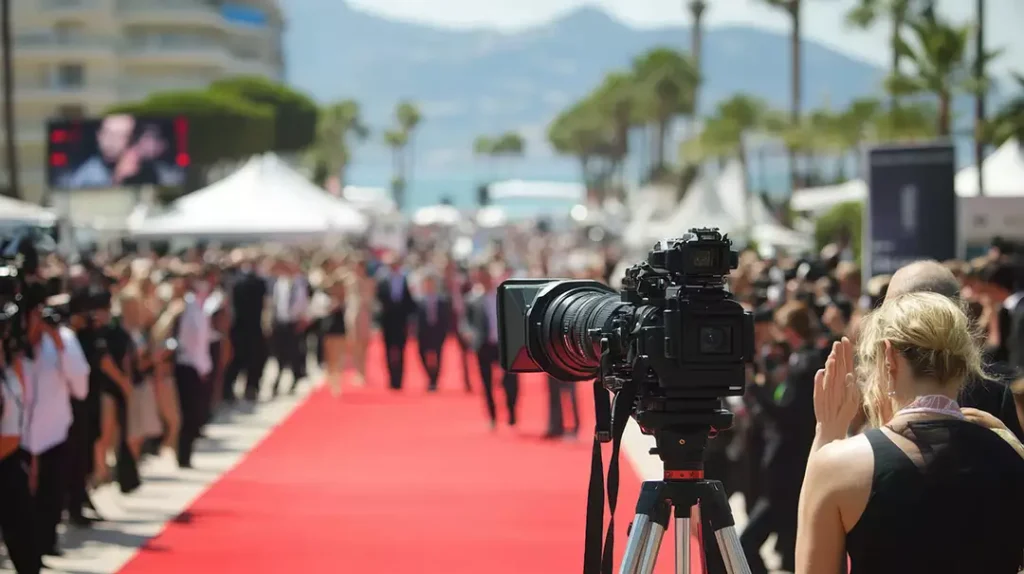
Post-processing is important in event photography as it enables event photographers to handle inconsistent lighting, correct colors, and deliver cohesive image sets quickly. It ensures all moments look polished and professional, helping clients receive high-quality photos suitable for sharing, archiving, or promotional use.
- Batch editing efficiency
- Lighting consistency
- Highlight selection
- Share-ready outputs
Why is Post-Processing Important in Advertising Photography?
Post-processing is essential in advertising photography as this produces visually striking, on-brand images for promotional activities. Photo editors refine every detail, enhance product appeal, and ensure consistency across campaigns and listings. Upon publishing those images, e-commerce and online businesses attract attention, communicate value, and drive conversions.

Here are reasons why advertising photos need processing.
- Brand consistency
- Product enhancement
- Campaign alignment
- Conversion-focused visuals
Why is Post-Processing Important in Social Media Photography?
Post-processing is important in social media photography for creating high-quality, consistent, and attractive visuals optimized for social platforms. The process enhances brightness, colors, and compositions and emphasizes storytelling through engaging visuals. It forms more audience connection, increases sharability, and builds identity across competitive social feeds.
Other benefits social media edited photos get are as follows.
- Building identity
- Feed consistency
- Platform optimization
- Trend alignment
What is the Best Photography Post-Processing Software?
The best photography post-processing software includes Adobe Photoshop, Adobe Lightroom, DxO PhotoLab, Capture One Pro, and Skylum Luminar Neo. These tools offer plenty of tools and features with updates, and allow photo editors to perform advanced retouching, color correction, layers and masking, AI-powered automation, and export options for professional-quality post-processing.
- Adobe Photoshop
Adobe Photoshop offers advanced retouching, compositing, and layer-based editing, enabling precise control over every image element, making it essential for high-end commercial photography and detailed post-processing workflows.
- Adobe Lightroom
Adobe Lightroom features efficient batch editing, color correction, and non-destructive workflow, ideal for managing and processing large volumes of images while maintaining consistency across photography projects.
- DxO PhotoLab
DxO PhotoLab is equipped with powerful noise reduction, lens correction, and AI-driven enhancements, helping photographers recover details and improve image quality, especially in challenging lighting conditions.
- Capture One Pro
Capture One Pro is known for superior color grading and tethered shooting, it offers precise control over tones and details, widely used in studio and fashion photography workflows.
- Skylum Luminar Neo
Skylum Luminar Neo uses AI-powered tools for quick enhancements like sky replacement, relighting, and background editing, making post-processing faster and more accessible for photographers of all skill levels.
How Do You Do Photography Post Processing?
Follow these steps to do photography post processing in Photoshop.
Step 1: Import and Duplicate the Image
Click File > Open to import your image. Then press Ctrl + J to duplicate the layer for starting non-destructively editing.

Step 2: Adjust Exposure and Color
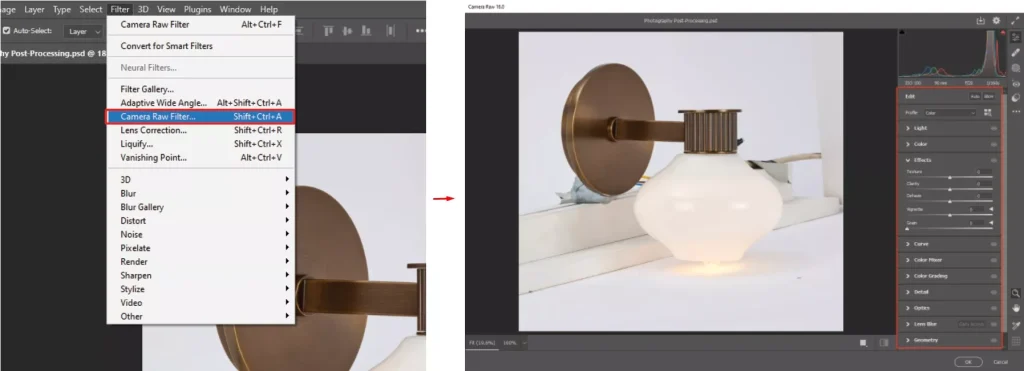
Click Filter > Camera Raw Filter, then adjust Exposure, White Balance, Contrast, and Highlights to correct overall lighting and color balance.
Step 3: Retouch and Clean Up
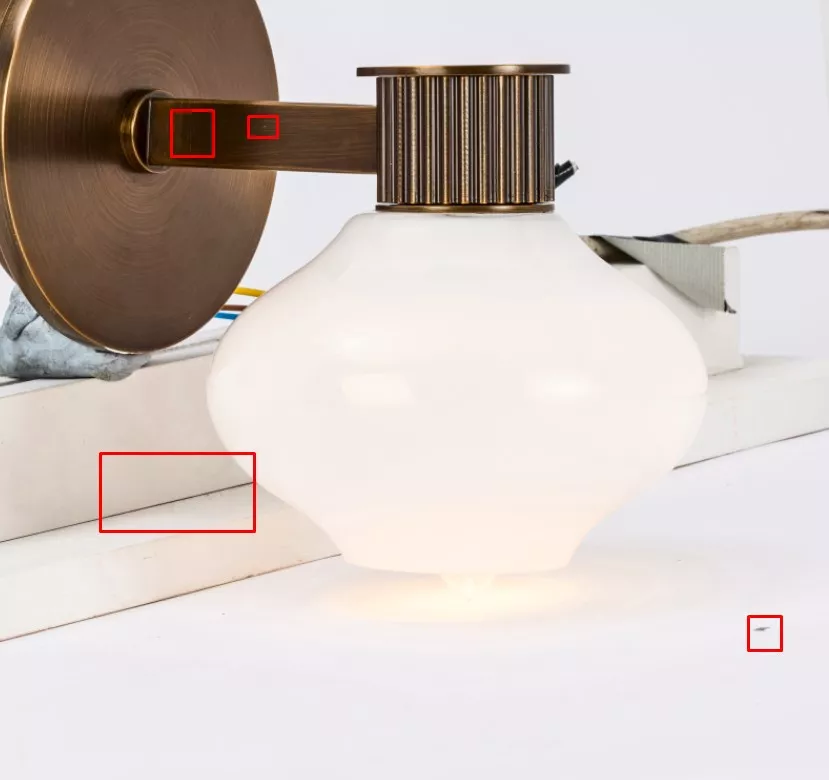
From the Photoshop toolbar, select the Healing Brush (J) or Clone Stamp (S) tools, then click and paint over blemishes or unwanted objects to remove them.
Step 4: Enhance Details
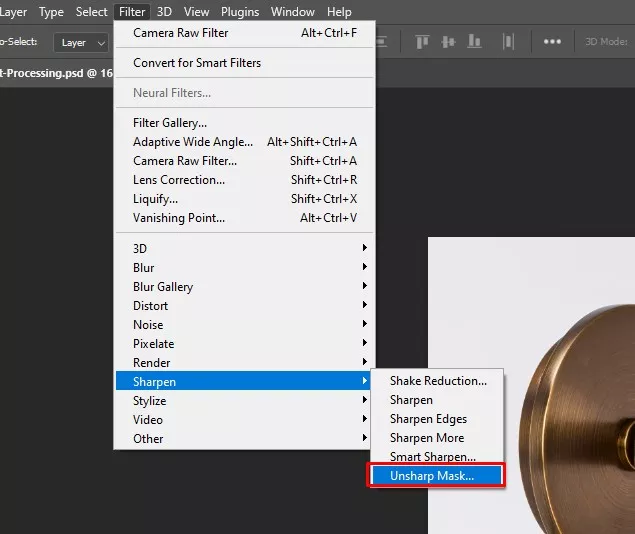
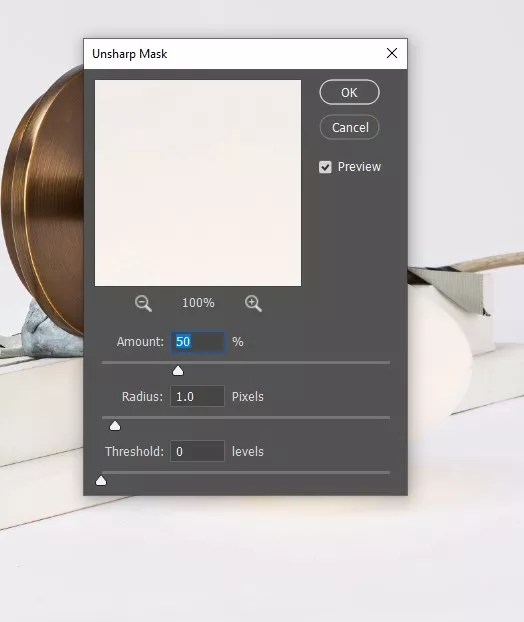
- Go to Filter
- Click Sharpen
- Click Unsharp Mask to sharpen details
Use Filter, then Noise, then click Reduce Noise to smooth grainy areas.
Step 5: Refine Composition
Click the Crop Tool (C), adjust the frame, straighten the image, and apply composition rules like the rule of thirds for better balance.
Step 6: Add Final Effects and Export
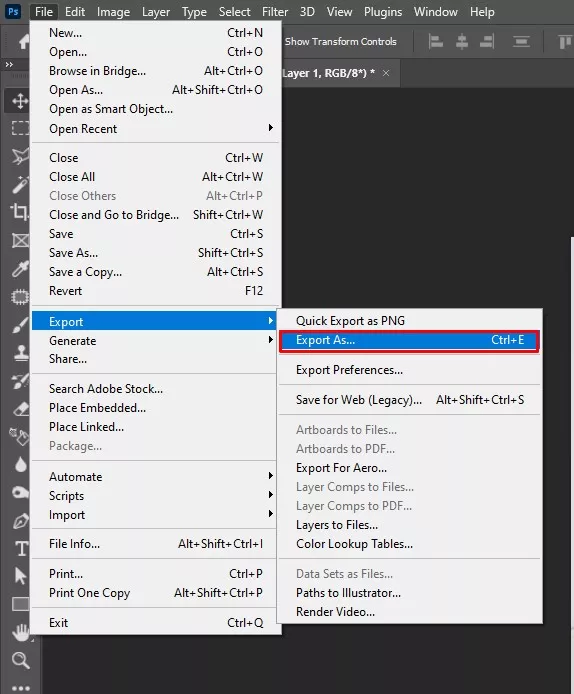
Click Layer > New Adjustment Layer to add color grading, then go to File > Export > Export As to save in your desired format and resolution.
How Long Does Post-Processing Take for Professional Photographers?
Post-processing for professional photographers takes from minutes to weeks, depending on their clients’ project volume, complexity, etc. Photographers handle the edits if the workload is manageable, but hire photo editors or outsource during high-volume projects. Outsourcing photo processing service takes 1 hour to 1 week, depending on editing type, editors’ expertise, project volume, turnaround, level of editing, purpose, etc.
What are the Common Mistakes in Photography Post-Processing?
Some common post-processing mistakes include editing the original file, ignoring surrounding elements, incorrect cropping, unrealistic retouching, over-editing, and neglecting export requirements. Identifying these issues helps photographers maintain image quality, consistency, and professional presentation.
1. Working on The Original File
Editing the original RAW or image file removes the safety of reverting to an untouched version.
Solution: Always duplicate the file or work with adjustment layers to preserve the original image.
2. Ignoring the Surroundings
Focusing only on the subject can leave distracting backgrounds or overlooked details in the frame.
Solution: Review the entire frame and remove or reduce distractions that compete with the subject.
3. Miscalculated Cropping
Poor cropping may cut essential elements or disrupt composition balance.
Solution: Use composition guides and keep adequate negative space to maintain a natural layout.
4. Unnatural Model Retouching
Excessive skin smoothing or body edits can make human subjects look unrealistic.
Solution: Apply subtle retouching that preserves natural skin texture and authentic facial features.
5. Image Over-Editing
Heavy filters, extreme saturation, or oversharpening can distort colors and reduce realism.
Solution: Make gradual adjustments and compare with the original to maintain natural tones.
6. Neglecting File Requirements
Incorrect formats, large file sizes, or wrong aspect ratios may cause issues across platforms.
Solution: Export images using optimized formats like JPG, PNG, or WebP with platform-appropriate sizes.
7. Inconsistent Color Correction
Colors may vary across images in the same set, reducing visual consistency.
Solution: Maintain consistent white balance and color grading across the entire batch.
8. Over-Sharpening Images
Excessive sharpening introduces halos and digital noise.
Solution: Apply sharpening moderately and check details at full zoom before exporting.
Where to Get a Photography Post Processing Service Provider in the USA?
You can get reliable photography post-processing service providers in the USA through Google searches, professional referrals, and community platforms like Reddit or Quora, where photographers share real experiences and recommendations. Many service providers run globally, allowing remote collaboration. Before selecting one, always evaluate their experience and tools expertise, portfolio quality, free trial, turnaround time, pricing, data security, and revision policy.
Here is a list of 7 top post-processing service providers in the US.
[Disclaimer: Companies are listed based on service relevance, not review ratings.]
1. Offshore Clipping
Review: 4.2 on Google
Offshore Clipping excels in e-commerce image editing as it produces professional quality photo, widely used by US photographers and e-commerce brands. Services are offered in 8 different categories, supporting advanced and custom image processing, anytime, any volume, as per the client’s budget.

Reasons to Choose: Scalable production, flexible pricing, multiple service categories, bulk capacity, and consistent quality for ecommerce and studio workflows.
2. Pixelz
Review: 4.5 on Trustpilot
Pixelz specializes in e-commerce image editing with AI-assisted workflows, delivering consistent results, fast processing, and seamless integration for high-volume product photography businesses.

Reasons to Choose: AI-driven workflow, seamless integration, fast turnaround, catalog consistency, and efficient handling of large product photography volumes.
3. Clipping Path Studio
Review: 4.2 on Trustpilot
Clipping Path Studio provides hand-drawn image processing solutions for online store owners, retailers, brands, and online magazines, with consistent image quality, easy onboarding, and reliability.

Reasons to Choose: Hand-drawn precision, reliable turnaround, consistent quality, ecommerce-focused services, and easy onboarding for bulk image editing.
4. Path Edits
Review: 4.8 on Trustpilot
Path Edits delivers hand-drawn clipping paths, retouching, and ghost mannequin services, helping brands and studios maintain high-quality visuals with efficient turnaround and dedicated editing teams.

Reasons to Choose: Dedicated editing teams, consistent quality, ecommerce specialization, predictable turnaround, and scalable editing support.
5. FixThePhoto
Review: 2.6 on Trustpilot
FixThePhoto offers portrait retouching, wedding editing, and advanced manipulation, both manual and AI-supported services, with flexible pricing models.

Reasons to Choose: Photographer-focused services, flexible pricing, customized retouching, fast delivery, and support for both basic and advanced edits.
6. Color Experts International
Review: 4.0 on Trustpilot
Color Experts International provides comprehensive image editing, prepress, and retouching solutions for global clients. It supports large-scale image production.

Reasons to choose: Enterprise-level production, color accuracy, experienced team, large-volume handling, and print-ready output support.
7. RetouchUp
Rating: –
RetouchUp is known for easy-to-use editing services for photographers, offering portrait retouching, restoration, and basic corrections.

Reasons to choose: Simple workflow, predictable pricing, quick edits, photographer-friendly service, and consistent everyday retouching results.