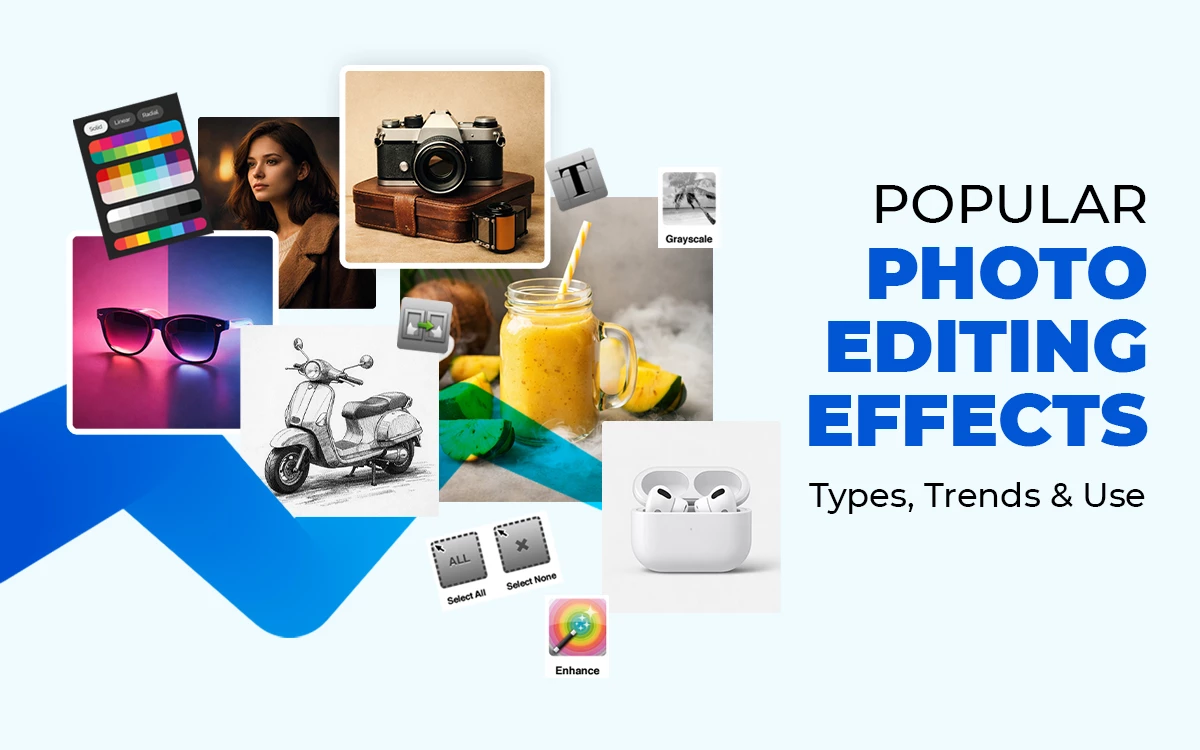
Photo editing effect is an artificial touch used in photos to shape the mood, refine details, and influence the viewer of the image. Some popular photo editing effects are vintage, cinematic, moody, bold, vibrant, and artistic styles, as well as pop art, sketches, and taking out the background. Color grading helps set the tone, mood, and retouching removes distractions, and special effects enhance an image’s personality. Keeping up with these trends lets you select the best edits to support your message.
What you’ll learn in this article
- 1 What are Photo Editing Effects?
- 2 What are the Different Types of Photo Editing Effects?
- 2.1 1. Glitch Effects for a Retro Vibe
- 2.2 2. Double Exposure for Artistic Photos
- 2.3 3. Bokeh Effects
- 2.4 4. Light Leaks Effects for a Dreamy Look
- 2.5 5. Vintage Film Effects for a Nostalgic Feel
- 2.6 6. Watercolor and Painting Effects for Unique Creations
- 2.7 7. Cinematic Color Grading for a Professional Finish
- 2.8 8. Motion Blur Effects for Dynamic Images
- 2.9 9. Grunge and Acid Effects for an Edgy Style
- 2.10 10. HDR (High Dynamic Range) Effect
- 3 Which Vintage Photo Editing Effects are Trending Now?
- 4 How Do Photo Editing Effects Improve Image Quality?
- 5 How to Add Popular Photo Editing Effects to Product Images?
- 6 Which Software Offers the Best Photo Editing Effects?
- 7 What Mistakes to Avoid When Applying Photo Editing Effects?
- 8 FAQ’s
- 8.1 What are the best photo editing effects for portrait retouching?
- 8.2 Which photo editing effects are best for social media images?
- 8.3 How do black-and-white effects influence mood and storytelling?
- 8.4 How can blur effects be used creatively in photo editing?
- 8.5 Why do photographers use negative effects in photo editing?
What are Photo Editing Effects?
Photo editing effects are a digital technique used to improve the overall appearance of an image. It enhances the image quality, corrects blemishes, or brings out the mood you wanted, style, and makes images visually impactful.
With the use of this technique, any photographer, designer, or content creator can convey their vision effectively by applying various adjustments and manipulations to their image. Photo editing effects include:
- Basic enhancements and adjustments, for example, brightness, contrast, and sharpness
- Color and tone balancing
- Removing imperfect objects, such as blemishes
- Creative filters and overlays
- Photo editing special effects, for instance, vignettes, blurs, or animations
- Advanced manipulations, for example, retouching, restoration, compositing, or surreal transformations
What is the Difference Between Basic and Advanced Photo Editing Effects?
The differences between basic and advanced photo editing effects are that basic photo editing effects enhance an image’s appearance with simple adjustments such as brightness, contrast, and color. While advanced photo editing effects, such as retouching, compositing, or creative transformations, are used to change the image’s look or style.
Below you’ll find a clear snapshot highlighting how these two categories diverge in purpose, depth, and creative potential.
| Topic | Basic Photo Editing Effects | Advanced Photo Editing Effects |
|---|---|---|
| Purpose | Simple corrections and quick improvements | Creative control, style changes, and complex transformations |
| Common tools | Brightness, contrast, saturation, cropping, and basic filters | Cinematic grading, double exposure, selective color, retouching, artistic photo editing, special effects |
| Skill Level | Beginner-friendly | Requires more precision and intent |
| Use cases | Everyday posts, simple photo editing for portraits, fast edits | Conceptual edits, dramatic looks, professional workflows |
| Flexibility | Limited flexibility works within the original look | High flexibility lets you experiment with deeper types of photo editing and unique photo editing effects ideas |
| Risks | Usually safe from overprocessing | Higher chance of unnatural results or negative effects of photo editing if overdone |
| Availability | Found in most photo editing effects online and mobile apps | Often built into pro software or advanced tools inside editing apps |
What is the Difference Between Filters and Photo Editing Effects?
The differences between filters and photo editing effects are that filters apply a preset look to the whole picture, while editing effects let you make more specific changes and give you more creative options. Both are important for setting the tone, style, and how the picture looks in the end. Here’s a look at how each one is different in what they do, how flexible they are, and how much they change the picture.
| Topic | Filters | Photo Editing Effects |
|---|---|---|
| Purpose | Apply a consistent, preset look to the whole image | Allow selective, customizable adjustments across specific parts of an image |
| Common Tools | Designed for quick styling and mood changes | Used for refining details, enhancing subjects, or creating artistic transformations |
| Skill Level | Minimal control beyond intensity adjustments | High level of control over color, light, texture, and composition |
| Use Cases | Ideal for achieving uniform aesthetics or matching themes | Ideal for unique edits, creative concepts, and professional results |
| Flexibility | Beginner-friendly and fast to apply | Requires more intention and understanding of tools |
| Risks | Limited flexibility due to preset nature | Highly flexible and adaptable to different editing goals |
| Availability | Found in nearly all photo editing apps with filters and effects | Found across mobile apps, pro software, and online editing tools with deeper customisation options |
What are the Different Types of Photo Editing Effects?
The different types of photo editing effects include color correction, glitch effects, double exposure, bokeh and light leaks, and cinematic color grading. Color correction is commonly used for portraits, as it refines skin tones, balances lighting, and gives a polished but natural look.
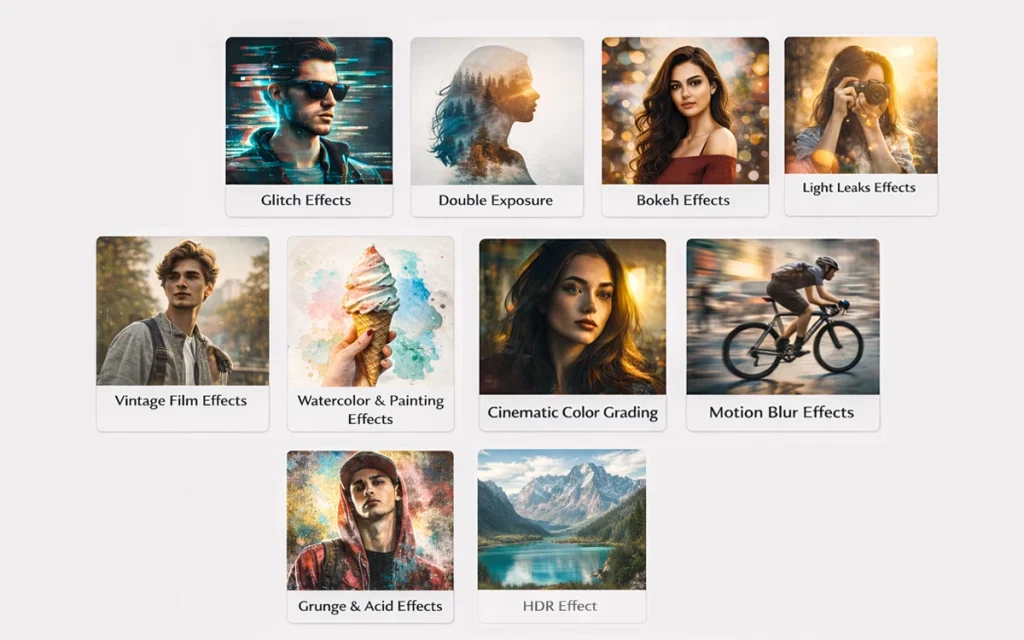
These effects, available in apps and online, allow creators to improve image quality while keeping an authentic vibe.
Let’s explore some different photo editing effects and see how small changes and more complex methods can change your images.
1. Glitch Effects for a Retro Vibe
Glitch effects are a popular type of photo editing effect which gives a digital distortion and visual noise to images. It can also shift the mood from clean to chaotic by giving the photo a retro and futuristic vibe. Even though not so common in traditional e-commerce product listing, but yet helps to stand out in the case of promotional banners or campaign visuals.
2. Double Exposure for Artistic Photos
Double exposure merges two or more different images into one composition, resulting in surreal and artistic visuals. This photo editing method is often used by graphic designers and professional photographers to explore different innovative visual concepts. And in case of e-commerce, this effect is the best choice for brand storytelling, seasonal promotions and in the hero banner.
3. Bokeh Effects
Bokeh effects simulate lens qualities to create soft backgrounds and ethereal lighting. The bokeh effect is mostly popular for portraits because it adds visual depth and artistic touch to the image in a very subtle way. In e-commerce, these effects help isolate products by cutting down on what distracts customers and drawing attention to the item itself.
4. Light Leaks Effects for a Dreamy Look
Light leaks resemble unexpected bursts of color and brightness in a photograph. They add warmth, softness, and a natural, film-like feel. This look is often seen in both everyday photography and vintage-themed visuals. In the case of e-commerce, it can make catalogue photos more emotionally appealing, especially for things like clothing, outdoor equipment, and crafts.
5. Vintage Film Effects for a Nostalgic Feel
Vintage film effects keep the same color, grain, and contrast as it used to be in any old photograph. This effect is very popular because it creates a nostalgic feeling. Vintage film effects are commonly available in online and offline photo editing apps. In the case of e-commerce, using these effects can give products such as clothes, accessories, or handmade items a unique and stylish look.
6. Watercolor and Painting Effects for Unique Creations
Watercolor and painting effects can turn your photos into artistic images, opening up some unique creative possibilities. These effects are perfect for any experimental project and broaden your photo editing skills while keeping things artistic. For e-commerce, this photo editing effect is helpful for promotional ads, custom prints, and peeks at product packaging.
7. Cinematic Color Grading for a Professional Finish
Cinematic color grading adjustments play a huge role in achieving a professional and cohesive visual style by adjusting the tone, contrast, and color palette of an image. This type of editing effect is commonly used for portraits, editorial photography, and creative projects. And in the case of an e-commerce store, it helps to give every product a premium visual feeling.
8. Motion Blur Effects for Dynamic Images
Motion blur effect adds a sense of movement and energy to improve the visual storytelling. These types of photo editing effects are commonly applied in action photography, action or artistic, and experimental type photography. In the case of e-commerce owners use motion blur to improve brand storytelling or to click lifestyle shots or live movements.
9. Grunge and Acid Effects for an Edgy Style
Grunge and acid effects can transform any image bold, textured visual with high contrast and vibrant colors. These effect is commonly used by graphic designers, social media content creators, and portrait photographers to get distinctive and edgy aesthetics. And in the case of e-commerce store owners use this effect to build a strong alternative identity, especially for niche bands.
10. HDR (High Dynamic Range) Effect
HDR effect blends multiple images to enhance the brightness level and create a crisp, high clarity visual. This effect is commonly used in real estate photos or landscapes, or product shots which require expectational details. And in the case of an e-commerce store owner, use this effect to make their photo sharper and accurate.
Which Vintage Photo Editing Effects are Trending Now?
Currently popular vintage photo editing trends include faded effects, classic portraits, light leaks, and tintype looks. Now these retro styles are coming back in style, which can quickly give your photos a classic vibe.
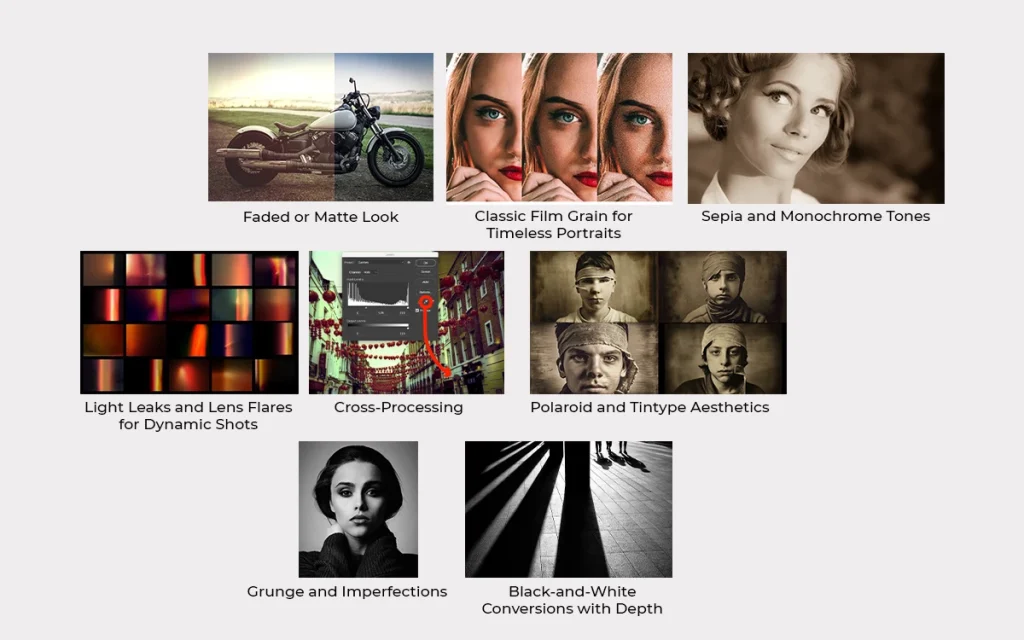
1. Faded or Matte Look
Soft, low-contrast tones create a dreamy, nostalgic feel, perfect for portraits or lifestyle shots. Many apps offer this style of filter, so it’s easy to try online.
2. Classic Film Grain for Timeless Portraits
Adding a bit of filmy grain can quickly give your photos a vintage feel. Commonly used for portraits, as it improves texture and keeps the visual look natural and soft. Many photographers enjoy this method.
3. Sepia and Monochrome Tones
Sepia and monochrome tones use one color palette, which gives a classic and timeless feel. They’re often used in portraits and artistic photos to reduce contrast and put more focus on shape and texture.
4. Light Leaks and Lens Flares for Dynamic Shots
Light leaks, flares, and soft glows remind us of old cameras, giving photos a natural, less predictable look. Photo editing apps usually have these tools, hence making it simple and easy to edit.
5. Cross-Processing
Bold color shifts and altered tones recreate the look of old film experiments, giving images a striking, retro vibe. Many photo editing apps with filters now include cross-processing tools, making it easy to try this effect online.
6. Polaroid and Tintype Aesthetics
Instant film looks are special because they have borders, textures, and soft colors similar to traditional photography. Lots of photo apps use these looks as filters and effects, which makes it easy to play around with different special effects on your pictures.
7. Grunge and Imperfections
Using scratches, dust, or paper textures can make digital images feel analogue. These ideas are perfect for storytelling visuals, but keep in mind the negative effects of editing if textures are overused.
8. Black-and-White Conversions with Depth
Although black-and-white photography is pretty basic, yet the popular one. It’s good for both portraits and street photography, proving that keeping things simple works well.
How Do Photo Editing Effects Improve Image Quality?
Photo editing effects improve image quality by bringing out what’s already there by shaping light, color, and detail in a way our eyes find more appealing.
A 2021 paper published in Clinical, Cosmetic and Investigational Dermatology by Harshit Agrawal and Sudha Agrawal reports that about 81% of participants edited a photo before posting it online. And that’s why e-commerce brands rely on editing to present products clearly and attract buyers.
Fashion photography uses it to refine details and create a polished visual style. Social media creators depend on it to boost image quality and maximise audience engagement.
Here’s what Photo Editing Effects actually do:
- Balance the light: The best way to recover hidden details in shadows and highlights, and make the light appear natural, is to adjust the exposure, brightness and contrast. Photos with over- or underexposed and flat-looking can be adjusted with poor lighting.
- Clarify details: To keep the subject focused and keep the edges and features stand out, image sharpening, texture enhancement, clarity adjustments, and solving the dull or blurry areas are necessary. And by doing so, ensures that every detail is noticeable without making the image look over-processed.
- Clean up distractions: Declutter the unwanted objects that can distract viewers, for instance, digital noise, blemishes, scratches, and distortions. And by doing so, you can solve all the imperfections caused while clicking and get a polished and professional-looking image.
- Improve color accuracy: The best way to improve color accuracy is to maintain a natural and stylish color harmony. To get rid of unnatural skin tone, color cast and inconsistent hues, you need to adjust tints, balance the white tone and enhance color tone.
- Fix camera limitations: To get the image exactly as the scene appeared in real life, one needs to balance the camera limitations, lens distortion, chromatic aberration and perspective issues. Hence, ensure straight lines, proper proportion and realistic depth.
- Guide the viewer’s eye: The best way to hold the viewer’s attention on the main subject and sharpen the visual story, the editor must use selective adjustment, dodge and burn and solve all types of compositional challenges.
- Unify the overall feel: To bring out the consistent look and mood in multiple images, an editor must apply filters, any global preset adjustments. Especially preferable for series photo, social media feeds or branding usage, hence solves any mismatch tones or inconsistent visual style.
Why Do E-commerce Owners Rely on Hand-drawn Photo Editing Effects?
E-commerce business owners often use hand-drawn photo edits because they add authenticity, human touch, and unique personality to their product images. This style gives a specific, unique look that standard digital filters can’t copy.
Since many product images follow a similar type of editing style with standard photo editing apps, here are 7 reasons why brands choose hand-drawn edits.
1. Authenticity and Human Touch: Genuine, well-edited images help customers see your products as relatable.
2. Differentiation: Unique photo styles and carefully edited photos can make your products different from the rest.
3. Emotional Connection and Storytelling: Images can tell stories that connect with people, making them more likely to remember your brand.
4. Brand Personality: Consistent editing style shows what your brand is about and strengthens your image.
5. Highlighting Key Details: Simple edits can draw attention to the best parts of your products.
6. Perceived Quality and Dedication: High-quality and polished images can maintain professionalism, care, and dedication to every detail.
7. Versatility: Well-edited images can be used across various social media platforms and e-commerce websites without losing their value.
How to Add Popular Photo Editing Effects to Product Images?
Making your product photos better with the right editing can help them stand out and quickly get people’s attention. You can use photo editing tools such as Canva, Photoroom, or Pixlr to add different effects to your images.
Here’s a simple guide to editing your product photo in just four easy steps:
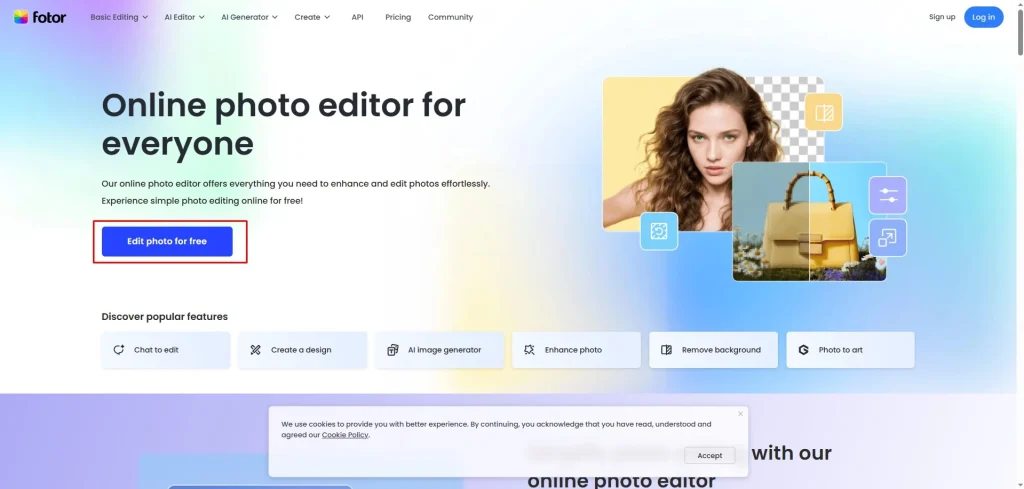
Step 1: Choose Your Editing Tool and Upload Your Photo
Start by selecting a photo editing app or an online tool that you feel comfortable with and that offers a variety of filters and effects. Once you’ve made your choice, upload the product image you want to enhance.
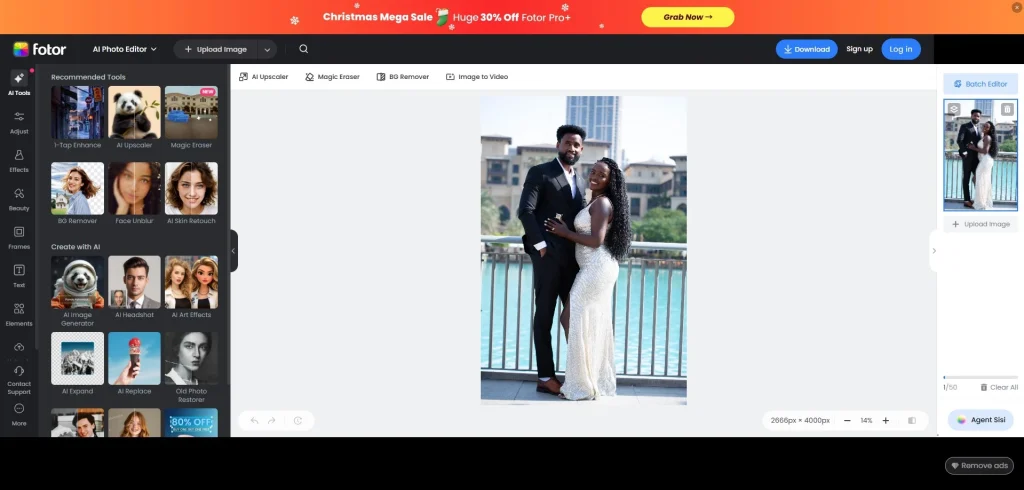
Step 2: Experiment with Filters and Effects
Browse through the different photo editing effects available. Play around with various styles to see which one highlights your product the best.
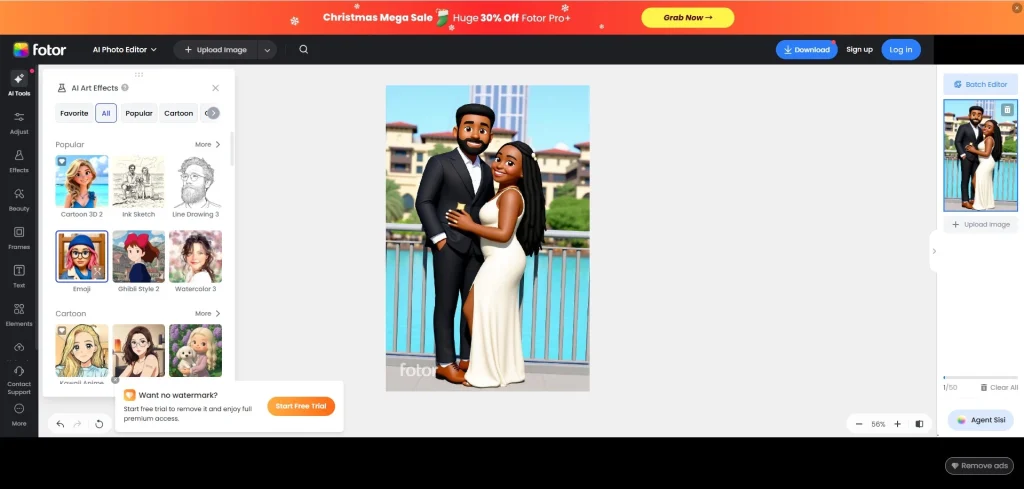
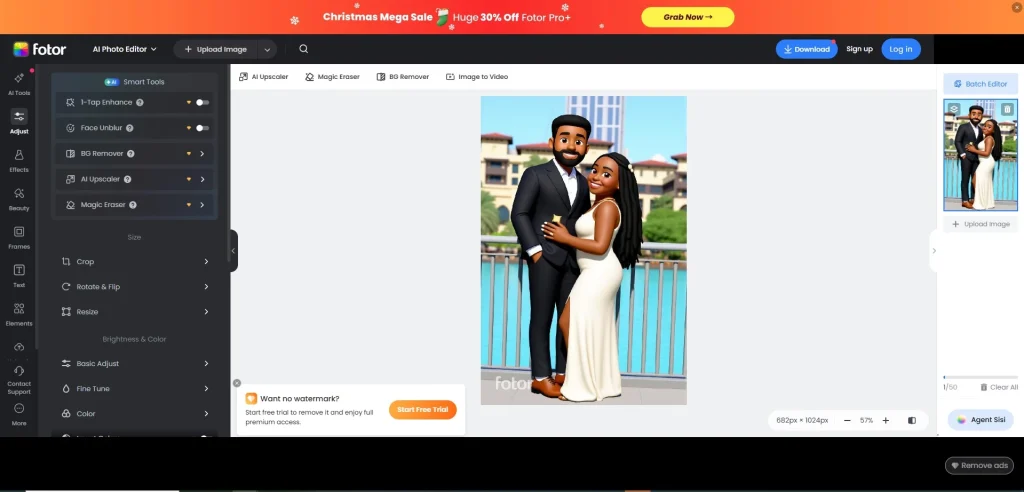
Step 3: Fine-tune the Image
Make adjustments to elements like brightness, contrast, and sharpness. A few small tweaks can help the effects look more natural and really showcase your product’s best features.
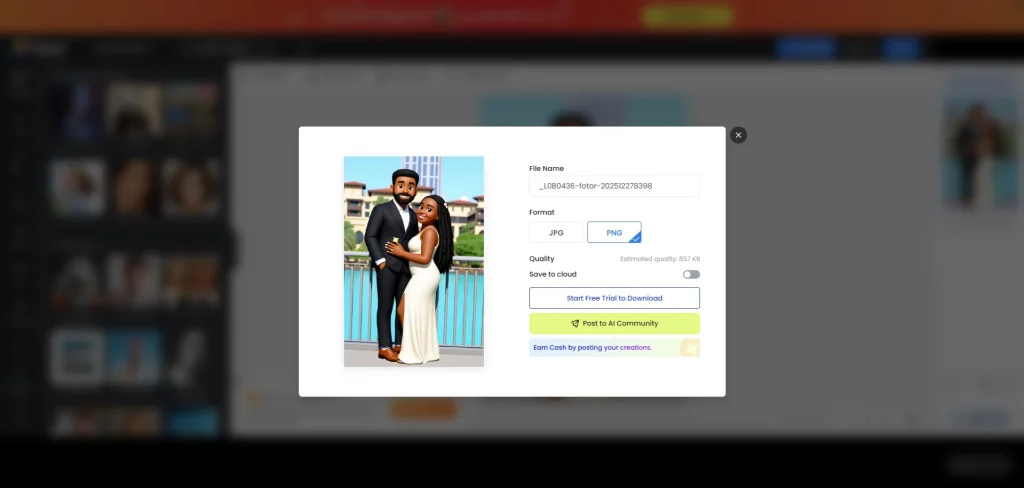
Step 4: Save Your Image
Before wrapping up, take a moment to review the edited image. Ensure that the changes enhance its appearance without overdoing it. Once you’re satisfied, export the photo in the format you need for online or print use.
Which Popular Photo Editing Effects are Used in E-commerce Photography?
E-commerce photography relies on popular image editing effects to make products look appealing and professional. Commonly used effects include the following ones.
- Background Removal and Replacement: Clean, distraction-free backgrounds make products stand out.
- Brightness, Contrast, and Saturation Adjustments: Enhance colors and highlight details naturally.
- Shadow and Reflection Effects: Adds depth and dimension to make products feel more realistic.
- Vignette and Focus Effects: Directs attention to key product features.
- Color Grading and Filters: Creates a consistent brand aesthetic across all images.
- Retouching and Cleaning: Removes imperfections, dust, or scratches to maintain quality.
- Special Effects: Subtle glows, lens flares, or texture overlays can enhance visual appeal when used sparingly.
- Ghost Mannequin Effect: Shows apparel on an invisible mannequin to highlight fit and details professionally.
- Image Resizing and Optimisation: Adjusts size and compresses images for faster loading without losing quality.
Which Software Offers the Best Photo Editing Effects?
Adobe Photoshop, Adobe Lightroom, Capture One Pro, Affinity Photo, etc, offer the best photo editing effects. There are thousands of photo editing software programs in the market, but the best one is the one that fulfils your requirements and your needs. Here are some top software for photo editing effects:
Adobe Photoshop
Adobe Photoshop is a professional-grade image editing software known for its precision, creative flexibility, and advanced image manipulation tools. It supports complex retouching, compositing, and photo enhancements, making it the go-to choice for photographers, designers, and digital artists who need complete control.
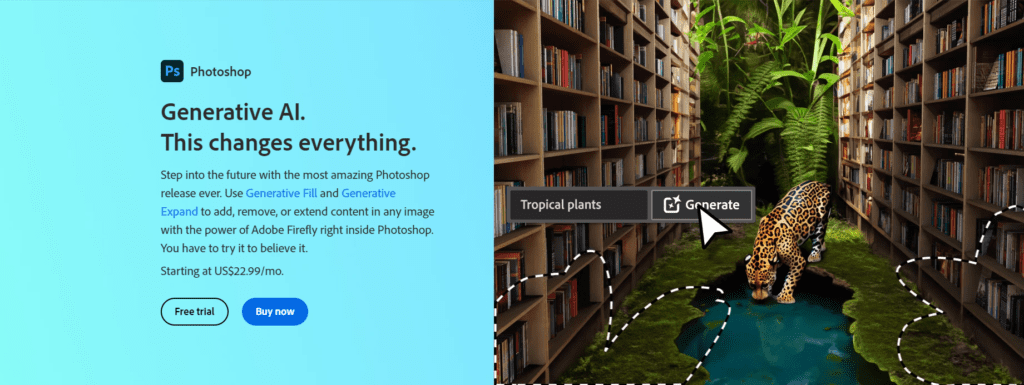
Image editing features
- Advanced retouching and healing tools
- Layer-based editing for complex compositions
- Smart filters and adjustment layers
- High-end image masking and selection controls
- Blend modes for creative effects
- RAW editing with Camera Raw
- AI-powered Generative Fill tools
- Extensive plugin and brush support
Adobe Lightroom
Adobe Lightroom is designed for quick, top-notch photo edits, color adjustments, and batch processing. It lets you edit without ruining the original and has handy presets to speed things up for photographers. It’s great for managing photos, making changes to many at once, and keeping a consistent look across all your images.
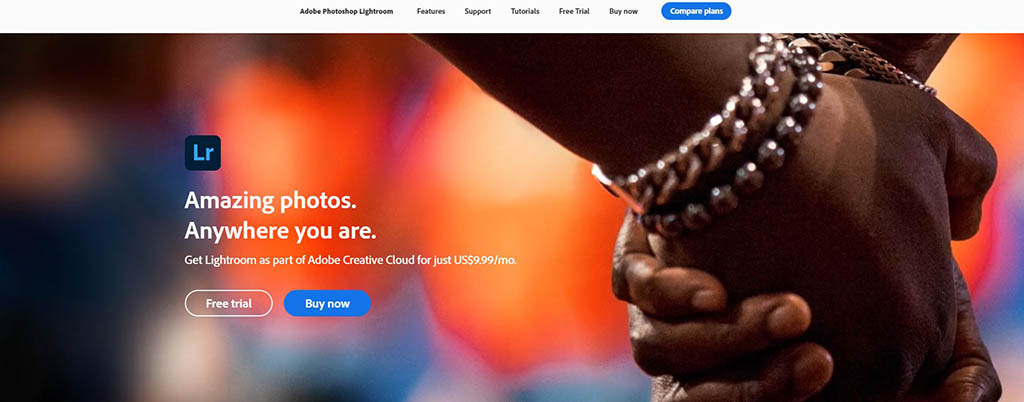
Image editing features
- Non-destructive global adjustments
- Advanced color grading and HSL tools
- AI-adaptive presets
- Lens correction and geometry tools
- Noise reduction and sharpening
- Masking with subject/sky detection
- Batch editing and syncing
- Built-in photo organisation and cataloguing
Capture One Pro
Capture One Pro is a photo editing platform for professionals. It is known for its great color handling, tethered shooting, and control over RAW files. Many high-end studios use it to make changes and keep image quality consistent during complex projects.
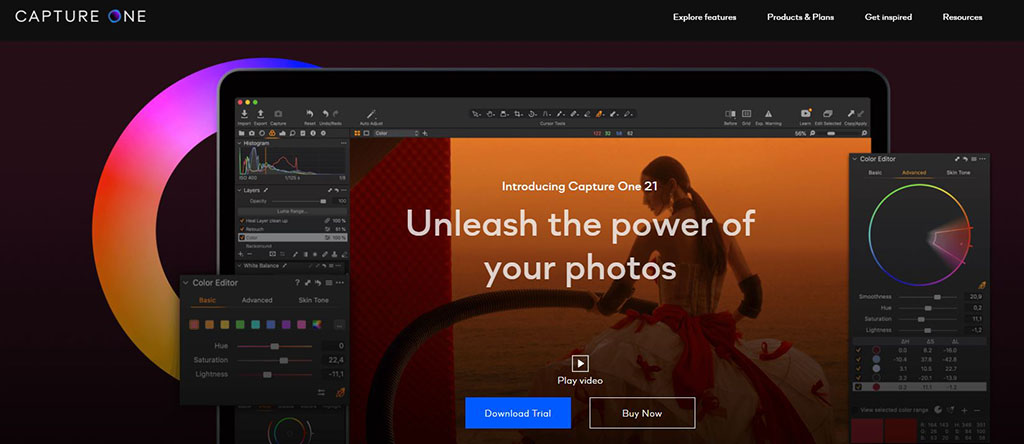
Image editing features
- Industry-leading color grading tools
- Precision RAW processing
- Professional tethered capture
- Layer-based adjustments
- Advanced masking tools
- Noise reduction and sharpening controls
- Styles and presets for color consistency
- High-detail drop shadow and highlight recovery
Affinity Photo
Affinity Photo offers editing tools for pros, such as live filter layers and in-depth retouching. It also has advanced compositing choices. It’s made for photographers and artists who need high performance and creative control in a one-time purchase program, without losing pro features.

Image editing features
- Live filters and real-time adjustments
- Frequency separation for retouching
- Advanced masking and selections
- HDR merge and tone mapping
- RAW processing workspace
- Unlimited layers and blend modes
- Panorama stitching
- Focus stacking
Fotor
Fotor is a user-friendly photo editor perfect for making quick fixes, prepping images for social media, and processing batches of photos fast. With its simple one-click settings, cool effect packs, and retouching options, it’s a great choice for beginners or anyone who wants professional-looking images without a bunch of complicated steps.

Image editing features
- One-click enhancement tools
- Filters and effect packs
- Basic color and tone adjustments
- Beauty retouching tools
- Background remover
- Collage and layout templates
- Batch editing
- HDR image processing
Snapseed
Snapseed, a product of Google, is a mobile photo editor. It lets you make adjustments at a pro level but has a simple design. It works with RAW files, has good filters, and gives you control over local edits. This makes it a good option for photographers wanting to do detailed edits right on their phones.

Image editing features
- RAW image editing
- Selective and local adjustments
- Tools like Tune Image, Curves, and Details
- Creative filters (Vintage, Drama, HDR)
- Healing and structure tools
- Perspective correction
- Brush and masking controls
- Non-destructive editing stacks
GIMP (GNU Image Manipulation Program)
GIMP is a free, open-source image editor that gives you a bunch of professional tools. You can use it for retouching photos, putting images together, and making graphics. It supports third-party plugins like G’MIC, so you can customize it a lot and add creative effects. The best part is that you don’t need to pay for a subscription.
Image editing features
- Layer-based editing
- Healing and clone tools
- Custom brushes and patterns
- Advanced selections and masks
- Color correction tools
- Support for third-party plugins
- G’MIC filters and effects
- Scripted automation options
Luminar Neo
Luminar Neo is a photo editor that uses AI to quickly improve your photos and fix common issues. It simplifies complicated edits like swapping out skies, touching up portraits, adjusting lighting, and improving details, so you can get professional-looking results without a ton of effort.
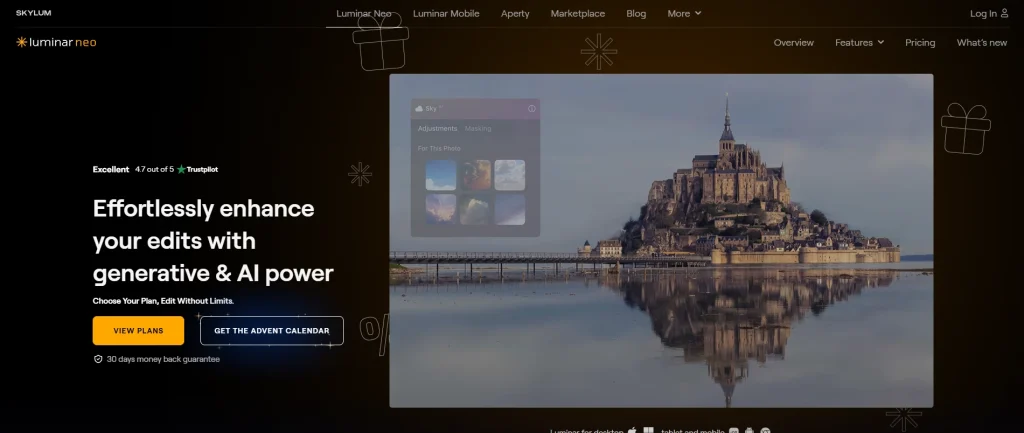
Image editing features
- AI sky replacement
- AI portrait and skin retouching
- Relight and structure enhancements
- Dust-spot and power-line removal
- Creative mood and atmosphere tools
- Layer-based editing
- Presets and LUT support
- Background removal AI
What Mistakes to Avoid When Applying Photo Editing Effects?
The best way to avoid mistakes in photo editing effects is not to over-edit. Because over-editing can make photos look fake and very amateur. Too much editing can take away from what you tried to portray and make the picture look unprofessional. Subtle changes that highlight the important parts often give the best, most believable results. Here are some common mistakes to avoid:
- Editing a poor original photo: Starting with a low-quality or poorly composed image makes it much harder to achieve professional results, no matter how skilled the editing.
- Not using layers: Working without layers limits flexibility, making it difficult to adjust or undo changes without affecting the entire image.
- Not shooting in RAW: JPEGs have limited data, which restricts your ability to recover highlights, shadows, and fine details during editing.
- Ignoring the histogram: Skipping this tool can lead to overexposed or underexposed images without realizing it, affecting overall tonal balance.
- Editing the image for only one output: Failing to consider different platforms (print, web, social media) can result in images that look great in one format but fail in another.
- Not stepping away: Continuously editing without breaks can lead to over-editing and missing subtle flaws or overdone areas.
- Overusing vignettes: Excessive vignetting can make an image feel unnatural and draw attention away from the main subject.
- Over-saturation: Pushing colors too far often results in unrealistic tones that distract from the intended look.
- Incorrect white balance: Wrong color temperature skews the image’s mood and can make skin tones or product colors appear unnatural.
- Too much contrast: Over-contrasting can cause loss of detail in shadows and highlights, reducing image quality.
- Bad cropping: Poor composition through cropping can cut off important details or create awkward framing.
- Ignoring the background: A messy or distracting background diminishes the impact of the subject and can make an image look unprofessional.
- Over-whitening eyes and teeth: Excessive brightening looks artificial and draws unwanted attention to edits rather than the subject.
- Over-smoothing skin: Too much retouching removes natural texture, making portraits appear plastic or unrealistic.
- Excessive sharpening: Over-sharpening introduces halos and noise, harming overall image quality.
FAQ’s
What are the best photo editing effects for portrait retouching?
Common effects include skin smoothing, blemish removal, gentle color grading, and subtle dodge and burn refine facial features. While preserving natural texture, skin tone, and expression, resulting in portraits that look polished, realistic, and flattering without appearing overly edited or artificial to viewers.
Filters, bold color grading, soft vignettes, and subtle creative effects help social media images stand out quickly, enhance mood, and maintain a consistent visual style that strengthens brand identity across posts, stories, reels, and multiple digital platforms.
How do black-and-white effects influence mood and storytelling?
Black-and-white effects remove color, emphasizing contrast, texture, and emotion, which enhances the mood and storytelling of an image, creating a timeless, dramatic, or nostalgic atmosphere while drawing attention to details and expressions that color might otherwise distract from.
How can blur effects be used creatively in photo editing?
Blur effects such as bokeh, motion blur, or selective focus direct attention to key subjects, add depth, create a sense of movement, and enhance atmosphere, making images more dynamic, cinematic, and visually engaging while emphasizing important details.
Why do photographers use negative effects in photo editing?
Photographers use negative effects to create experimental, artistic, or conceptual imagery, adding unique visual interest or emotional impact, though these effects are rarely used in commercial work due to their unconventional and often striking appearance.