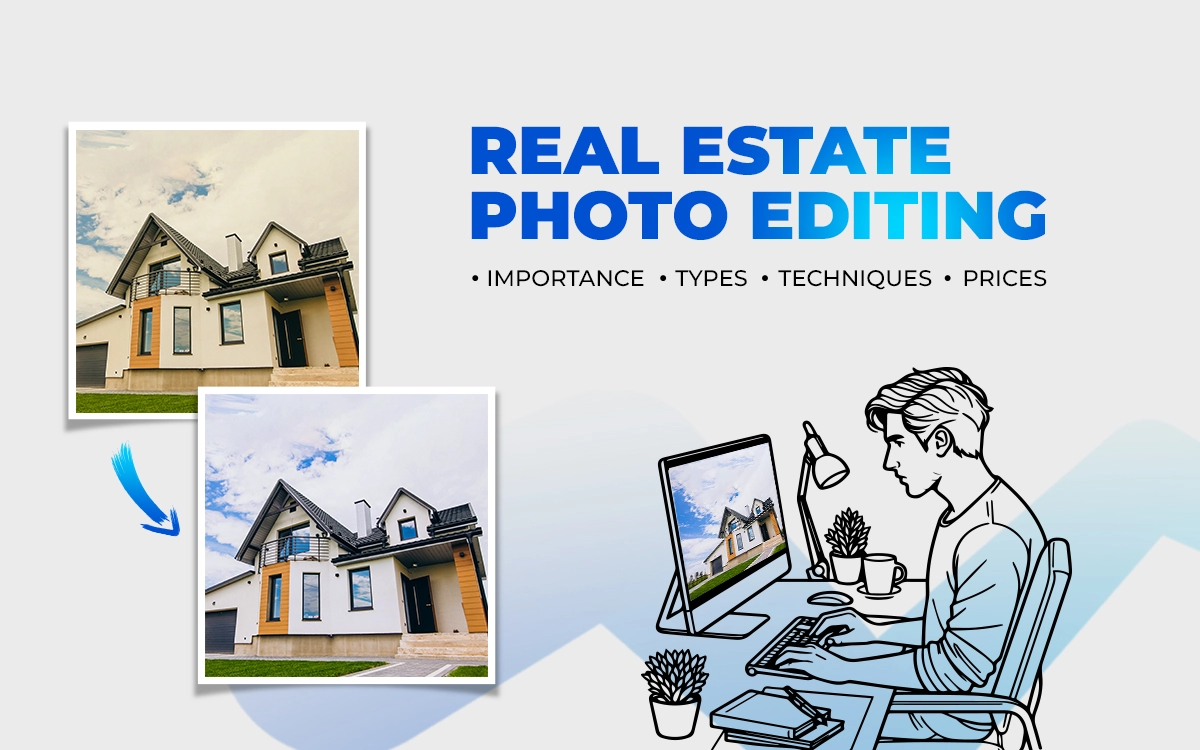
Real estate photo editing is the only technique that can turn any ordinary real estate photo into an eye-catching one. With professional real estate photo editing services, you can adjust any lighting, color, contrast, unwanted blemishes, and fix perspective issues. Refining each image creates clean lines, balanced lighting, realistic color, and a polished finish. Hence, make any real estate property photo look inviting, spacious, and worth a closer look without misleading the viewer.
What you’ll learn in this article
What is Real Estate Photo Editing?
Real estate photo editing is the process of enhancing property photos to make them clean, bright, and very realistic, making every corner feel spacious and inviting. Cameras often fail to capture a property as the human eye sees it, such as the room might look darker, wall colors might look crooked, the sofa might look dusty or spotted, etc.
Through real estate photo editing software, editors can apply techniques such as HDR merging, color correction, sky replacement, object removal, virtual staging, etc. A perfectly edited photo can make a home feel comfortable and visually appealing, helping buyers connect with the space before they ever step inside.
Real estate photo editing includes:
- Adjusting brightness, contrast, and color so rooms feel natural and inviting
- Correcting perspective so walls and lines are straight
- Balancing interior light with bright outdoor views through windows
- Removing small distractions like dust spots, cords, or minor clutter
- Enhancing skies, lawns, and exterior details without overdoing it
Is Outsourcing Real Estate Photo Editing Worth It?
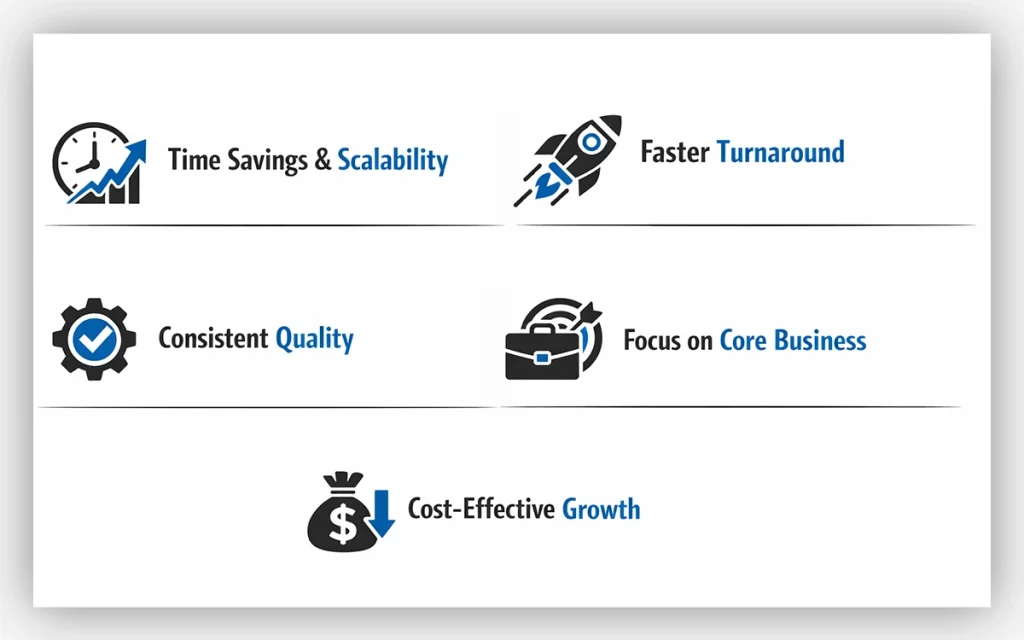
Yes, outsourcing real estate photo editing is absolutely worth it. Through outsourcing, photographers can get specialized real estate photo editing with faster turnaround at an affordable cost. A quality-focused real estate photo editing outsourcing partner can maintain a uniform consistency, help you manage workload, and deliver on time. Here are some key benefits of outsourcing real estate photo editing:
- Time Savings & Scalability: Handing over the post-production part to an outsourcing photo editing service helps you stay focused on shooting and taking on more projects.
- Faster Turnaround: Most outsourced photo editors work across time zones and often overnight, so images are delivered faster without delays.
- Consistent Quality: Real estate photo editing outsourcing relies on industry-standard software and workflow to maintain a uniform, professional look.
- Focus on Core Business: With an expert handling full post-production, photographers can spend more time growing their business and serving clients.
- Cost-Effective Growth: Hiring specialized outsourcing editors is often far more affordable than maintaining in-house staff with the same level of expertise.
Why is Real Estate Photo Editing Important?
Real estate photo editing is important because it modifies the raw footage into eye-catching and appealing images. High-quality and inviting visuals that highlight a property’s best features can attract buyers and make them click. Here are some crucial reasons:
- Boosts Buyer Interest: Professionally edited photos attract more attention, resulting in higher clicks, views, and enquiries from potential buyers.
- Increases Sales Speed & Price: Strong visuals help properties sell quickly and can positively influence perceived value and offers.
- Enhances Property Appeal: Editing corrects flaws, improves lighting, straightens angles, and brings out natural colors, making rooms feel brighter and more spacious.
- Creates Professionalism & Brand: Clean, consistent imagery strengthens credibility and reinforces a polished, trustworthy brand image.
What Types of Edits Should You Do in Real Estate Photo Editing?
There are different types of editing techniques you should use in real estate photography to enrich it visually, helping properties to stand out and sell faster. Here are the 17 types of real estate photo editing techniques, with pricing starting from $2:
1. White Balancing: Adjusts color temperature so whites look natural and the entire image feels true to life.
2. Image Sharpening: Enhances details to make photos look crisp and professionally finished.
3. Vertical & Horizontal Straightening: Corrects tilted lines so walls, windows, and structures appear perfectly aligned.
4. Remove Minor Blemishes: Eliminates small imperfections to keep surfaces clean and distraction-free.
5. Lens Distortion Removal: Fixes wide-angle distortion to restore accurate room proportions.
6. Brightness & Contrast Adjustment: Balances light and depth to create a bright yet natural appearance.
7. Sky Replacement: Replaces dull or overexposed skies with clear, attractive skies for better curb appeal.
8. Lawn Enhancement – Repair or Replace: Improves grass color or replaces lawns to make exteriors look well-maintained.
9. Ocean/River Water Enhancement: Enhances water color and clarity for a more vibrant outdoor view.
10. Remove Pool Cleaners from Water: Remove visible pool equipment to keep the pool looking clean and inviting.
11. Tone Adjustment: Fine-tunes overall tones to create a balanced and visually pleasing image.
12. TV Screen Replacement: Replaces blank or reflective TV screens with realistic display visuals.
13. Dust Spot Removal: Removes sensor dust and small spots for a spotless final image.
14. Flash Reflection Removal: Eliminates harsh flash reflections from mirrors, windows, and shiny surfaces.
15. Add Fire to Fireplaces: Adds realistic flames to fireplaces to create warmth and atmosphere.
16. HDR Bracketing with Indoor Window Replacement: Blends multiple exposures for perfect lighting while preserving clear outdoor views.
17. Remove Photographer’s Reflection: Removes unwanted reflections to keep the focus on the property.
What is the Best Real Estate Photo Editing Software?
The best real estate photo editing software totally depends on the project’s goal and specific requirements. Some of the best industry-standard real estate photo editing tools, like Adobe Lightroom and Photoshop, are widely used for professional-level editing.
Alongside these, new trendy AI real estate photo editing, such as AutoHDR, Autoehance.ai, Luminar Neo, LightX, Styldod, and Pixlr AI, are gaining popularity for faster and automated edits. Below is a breakdown of some of the most commonly used real estate photo editing software:
Adobe Lightroom
Adobe Lightroom is a photo editing and organization platform built for photographers. It offers powerful tools for adjusting light, color, and detail without altering originals. Lightroom also helps manage, search, and sync large photo libraries across desktop, mobile, and web for a smooth editing workflow that supports creative control everywhere.
Key Features
- Non-destructive photo editing that preserves original images
- Advanced controls for exposure, color, tone, and detail
- AI-powered tools for masking, presets, and auto adjustments
- Photo organization with tags, ratings, and smart search
- Cloud syncing across desktop, mobile, and web
- Support for RAW files and professional workflows
| Pros | Cons |
|---|---|
| Non-destructive editing keeps originals safe | Requires a subscription |
| Powerful color and light control tools | Performance may slow with large libraries |
| Easy photo organization and search | |
| Works smoothly across desktop and mobile | |
| Strong RAW file support |
Adobe Photoshop
Adobe Photoshop is a professional image editing software used for photo manipulation, graphic design, and digital art. It provides advanced tools for retouching, compositing, color correction, typography, and visual effects, making it essential for photographers, designers, artists, and creative teams across print, web, and multimedia projects worldwide professional creative industries.
Key Features
- Advanced photo retouching and image manipulation
- Layer-based editing with masks and blending modes
- Powerful selection tools and object isolation
- Color correction, grading, and tone control
- Support for digital painting and custom brushes
- Smart objects and non-destructive editing
- Extensive file format compatibility
- Integration with other Adobe Creative Cloud apps
| Pros | Cons |
|---|---|
| Industry-standard with powerful editing tools | Subscription-based pricing can be expensive |
| Precise control with layers, masks, and selections | Resource-intensive on older computers |
| Supports photo editing, graphic design, and digital art | |
| Non-destructive workflows preserve original files | |
| Strong integration with Adobe Creative Cloud |
AutoHDR
AutoHDR is a software that automatically enhances photos and videos by applying high dynamic range adjustments. It intelligently boosts color, contrast, and detail, transforming ordinary images into vibrant, lifelike visuals. No manual editing is needed just import your media, and AutoHDR delivers professional-quality results quickly and effortlessly.
Key Features
- Instantly improves exposure, contrast, and color balance.
- Enhances textures and fine details for sharper images.
- Adjusts tones for vibrant, natural-looking visuals.
- Apply HDR effects to multiple files at once.
- Enhances videos frame by frame for consistent quality.
- One-click editing with no technical skills required.
- See real-time HDR results before saving.
- Save and reuse favorite HDR settings.
| Pros | Cons |
|---|---|
| Automatically enhances dynamic range with minimal effort | May overprocess some images depending on the lighting |
| Brings out detail, color, and contrast in photos and videos | Limited control for advanced users who want fine-tuned edits |
| Batch processing for multiple files | |
| Easy, user-friendly interface | |
| Saves time compared with manual HDR editing |
AutoEnhance.AI
AutoEnhance.AI is a powerful photo enhancement tool that automatically improves images with intelligent adjustments. It sharpens details, boosts colors, corrects lighting, and removes imperfections, delivering professional-quality results instantly. Designed for photographers, content creators, and anyone seeking flawless visuals, it simplifies editing while saving time and effort.
Key Features
- Instantly improves brightness, contrast, and color balance.
- Enhances textures and fine details for professional-quality results.
- Removes blemishes, noise, and unwanted elements.
- Optimizes shadows and highlights for balanced exposure.
- Enhance multiple photos at once, saving time.
- Smart algorithms analyze each photo for precise edits.
- Easy to use, no manual editing skills required.
| Pros | Cons |
|---|---|
| Instantly improves photos with minimal effort | Limited control compared with manual editing tools |
| AI-driven edits adapt to each image | Results can look overly processed on some images |
| Enhances color, clarity, and detail automatically | |
| Removes imperfections like noise and minor flaws | |
| Batch processing for faster workflow | |
| Simple, user-friendly interface |
Luminar Neo
Luminar Neo is an AI-powered photo editing software designed for photographers and creators. It offers advanced tools for retouching, enhancing, and creatively transforming images, including sky replacement, portrait editing, and creative filters. Its intuitive interface streamlines complex edits, making professional-quality results accessible quickly and efficiently for any skill level.
Key Features
- Instantly replace or enhance skies for dramatic effects.
- Smooth skin, bright eyes, and adjusted facial features naturally.
- Adjust lighting and shadows for realistic depth.
- Non-destructive editing with precise control.
- Easily remove unwanted elements from photos.
- Enhance or reduce textures selectively.
- Apply artistic effects and stylized looks.
- Full editing support for RAW files.
- Smart enhancements for sky, skin, and structure.
- Streamlined workflow for beginners and pros.
| Pros | Cons |
|---|---|
| Powerful AI tools for quick edits (sky replacement, object removal) | Performance may lag with large files or older hardware-Updates can change workflow or tool placement |
| User-friendly interface suitable for beginners | Updates can change workflow or tool placement |
| Non-destructive editing with layers and masks | |
| Good mix of creative and corrective features | |
| Can be used standalone or as a plugin |
LightX
LightX is a versatile photo and video editing app that combines AI-powered tools with a user-friendly design. It offers background removal, filters, effects, retouching, templates, and AI avatars, enabling quick, professional-grade edits. Available on mobile and web, it’s ideal for creators looking to enhance, transform, and share visuals effortlessly.
Key Features
- AI‑powered background removal and object eraser for clean, professional images.
- Automatic photo enhancement (color, lighting, sharpness) and filters.
- Object cutout, blend, and merge tools for collages or composites.
- AI avatar and portrait generators with multiple styles.
- Virtual makeup, retouching, blemish removal, body and face adjustments.
- Customizable templates for social posts, marketing materials, and graphics.
| Pros | Cons |
|---|---|
| User-friendly and intuitive interface | AI edits can sometimes be imperfect or inconsistent |
| AI-powered features: background removal, enhancements, avatars | Limited advanced editing compared to professional software |
| Fast performance with good editing results | |
| Free version offers useful tools and daily AI credits | |
| Works on mobile and web without installation |
Styldod
Styldod is a powerful design software that helps users create, manage, and refine visual content effortlessly. With intuitive tools, smart organization, and seamless workflow features, it streamlines the entire design process, from initial concept to final output, making creative projects faster, more efficient, and visually striking every time.
Key Features
- Intuitive design tools for creating visual content
- Smart asset organization and library management
- Prebuilt templates and style presets
- Real‑time collaboration with team access
- Version history and project tracking
- Export options in multiple formats
- Customizable workflows to suit project needs
- Cloud storage and syncing across devices
| Pros | Cons |
|---|---|
| Intuitive, easy-to-learn interface | May lack advanced features for power users |
| Strong visual tools for polished designs | Collaboration depends on an internet connection |
| Smart asset organization | |
| Real-time collaboration for teams | |
| Flexible export options | |
| Cloud sync for working anywhere |
Pixlr AI
Pixlr AI is a browser-based image editor powered by AI, allowing users to enhance photos, remove backgrounds, generate new images, and apply creative effects. It combines intuitive tools with smart automation, making professional-quality image editing fast and accessible for designers, marketers, and anyone creating visual content.
Key Features
- AI image generator (text‑to‑image) to create visuals from prompts
- AI generative fill and expand for smart content creation and outpainting
- One‑click background removal and object removal
- AI face swap and retouch (beauty tools like blemish removal, smoothing)
- AI upscaling (Super Scale) and sharpening to improve quality
- Filters, effects, color correction, and auto‑enhance tools
| Pros | Cons |
|---|---|
| Works entirely in the browser, no installation required | Advanced users may find the tools limited compared to desktop editors |
| Strong AI tools (background removal, generative edits, auto‑enhance) | Some AI tools lack precision for complex edits |
| Intuitive interface, beginner-friendly | |
| Free tier available without watermarks | |
| Fast performance for most file types | |
| Cross-platform access (web, mobile) |
What are the Real Estate Photo Editing Techniques?
Real estate photo editing techniques such as HDR blending, perspective& lens correction, lighting correction, color adjustments, object removal, sky replacement, virtual staging, image resizing, and noise reduction, etc, are widely used in this industry.
The main motive of applying these techniques is to enhance the space without making it look artificial. These techniques can make any real estate photo clean, accurate, and market-ready. Here are the details of the most commonly used techniques professionals rely on:
Exposure and Lighting Correction
Balances highlights and shadows so both bright windows and darker interior areas are clearly visible. This creates evenly lit images that feel natural and inviting.
Color Correction and White Balance
Adjusts color tones to ensure walls, floors, and furniture appear accurate and neutral. Proper white balance prevents images from looking too warm, cool, or unnatural.
HDR Blending
Merges multiple exposures into one well-balanced image. This technique is especially useful for interior spaces with strong contrast between light and dark areas.
Perspective and Vertical Correction
Straightens vertical and horizontal lines to prevent walls, doors, and windows from appearing tilted. Clean alignment makes rooms feel more spacious and professionally photographed.
Sky Replacement
Enhances exterior images by replacing dull, overexposed, or cloudy skies with realistic ones. This improves curb appeal without misrepresenting the property.
Object Removal and Cleanup
Eliminates small distractions like cords, stains, clutter, or unwanted objects. The result is a cleaner image that keeps the viewer’s focus on the space itself.
Sharpening and Noise Reduction
Improves image clarity while reducing grain caused by low-light shooting. This helps photos look crisp without appearing overprocessed.
Virtual Staging
Adds digital furniture and décor to empty rooms to help buyers imagine the space in use. It’s a powerful tool for showing layout potential and functionality.
Image Resizing and Optimization
Adjusts image size and resolution for MLS platforms, websites, and social media. This ensures fast loading times while maintaining visual quality.
How Real Estate Photo Editing Differs from Fashion Photo Editing
Real estate photo editing differs from fashion photo editing as real estate photo editing prioritizes accuracy and clarity to represent a property as it truly is, while fashion photo editing emphasizes creativity and stylization to create a mood. Here is a quick at-a-glance comparison table.
| Aspect | Real Estate Photo Editing | Fashion Photo Editing |
|---|---|---|
| Primary Goal | Draw buyer interest by presenting the property as bright, open, and true to life, with subtle enhancements | Create a visually striking, emotional image that promotes a lifestyle or fashion product |
| Editing Approach | Clean, balanced, and realistic | Stylized, expressive, and dramatic |
| Exposure & Lighting | Adjusts highlights and shadows to achieve even, natural lighting | Uses lighting creatively to add depth, contrast, and mood |
| Color Correction | Corrects color casts and enhances tones while keeping them natural | Applies creative color grading to set a specific visual mood |
| Perspective & Structure | Straightens verticals and horizontals to maintain architectural accuracy | Perspective rules are flexible and often adjusted for artistic effect |
| Object & Detail Cleanup | Removes clutter, personal items, and minor distractions | Refines hair, wardrobe, accessories, and backgrounds |
| Image Blending | Uses HDR or exposure blending for balanced interior and exterior shots | Rarely used; focus is on single-image enhancement |
| Retouching Level | Minimal and controlled to maintain realism | More intensive retouching to refine skin, features, and styling |
| Main Focus | Space, layout, architectural details, and realism | Model, clothing, accessories, and overall visual mood |
How to Do Real Estate Photo Editing in Photoshop?
To do real estate photo editing in Photoshop, you need to follow a clear and practical way to approach it, step by step.
Start with a Clean Base Image
Open a well-exposed photo, ideally after basic adjustments in Adobe Lightroom. Photoshop works best when the image already has balanced exposure and neutral colors.
HDR Merging
If you’ve shot bracketed exposures, go to File → Automate → Merge to HDR Pro. This combines multiple images into one balanced photo, preserving detail in both bright windows and darker interiors. Keep the settings natural to avoid an overprocessed look.
Correct Perspective and Lens Distortion
Use Filter → Camera Raw Filter and the Geometry panel to straighten verticals and horizontals. Proper alignment makes rooms feel more spacious and professionally photographed.
Balance Lighting and Exposure
Use adjustment layers like Curves or Levels to fine-tune highlights and shadows. The goal is even lighting throughout the room, without blown-out windows or dark corners.
Fix Color and white balance
Use Color Balance or Selective Color to remove unwanted color casts from artificial lighting. Keep tones neutral so walls and floors look true to life.
Window Pulls (Interior Shots)
If you’re blending exposures, mask in a properly exposed window shot using layer masks. This keeps exterior views visible while maintaining interior brightness.
Remove Distractions
Use the Clone Stamp, Healing Brush, or Content-Aware Fill to remove cords, stains, clutter, or small imperfections. Clean images keep the focus on the space, not the flaws.
Enhance Clarity and Sharpness
Apply sharpening carefully using High Pass or Smart Sharpen. Avoid overdoing it. The image should look crisp, not harsh.
Sky Replacement for Exteriors
Use Photoshop’s Sky Replacement tool or manual masking to swap dull skies with realistic ones. Match lighting and color so the result looks natural.
Final Checks and Export
Zoom in to check edges, lines, and color consistency. Resize and export images according to MLS or platform requirements, keeping file size optimized.
Where to Find Real Estate Photo Editing Services?
The best way to find a real estate photo editing service is through a trusted and dedicated marketplace like Pixlmob, Fiverr, Kwork, PhotoUp, BoxBrownie.com, Phixer, and PhotozWorlds. Below, you get detailed information about the platforms, so it’s easy to choose according to preference:
- Specialized Real Estate Editing Service Agencies: These agencies focus exclusively on property photos. They understand real estate standards and deliver consistent results that match industry expectations.
- Freelance Platforms: Sites like Upwork, Fiverr, Brownbox.com, and Freelancer let you connect with individual expert editors. You can review portfolios, turnaround times, compare rates, and choose someone whose style fits yours.
- Photography Communities and Forums: Groups on Facebook, Reddit, and photography forums often have recommendations from other pros. These referrals can lead you to dependable editors with real estate experience.
- Local Photographer Networks: Networking with photographers in your area sometimes reveals editors they trust. This can be especially useful if you want someone familiar with your local market’s look and expectations.
- Editing Marketplaces: Some platforms are built specifically for photo editing services, where multiple editors offer real estate editing packages. These often include previews, sample edits, and easy ordering.
- Referrals from Colleagues: Ask agents, photographers, or studios you know for recommendations of editors. Word-of-mouth referrals often lead to quality editors who are already trusted in the industry.
How Much Does Real Estate Photo Editing Cost in the USA?
Real estate photo editing cost in the USA varies depending on the complexity and the size of the project. The real estate photo editing companies USA cost starts from $0.25 to $10 per image. Here is the breakdown of the typical cost per image in the USA:
| Editing Type | Typical Cost per Image (USA) |
|---|---|
| Basic Editing (exposure, color correction) | $0.50 – $2 |
| Standard Editing (HDR, sky replacement, object removal) | $2.50 – $6 |
| HDR Merging (only) | $1 – $3 |
| Advanced Retouching | $5 – $10 |
| Virtual Staging | $15 – $40 |
| Bulk / Subscription Packages | $100 – $500+ per month |
FAQ’s
Can real estate photo editing improve low-light or poorly shot images?
Yes. Professional real estate photo editing can correct low light, balance exposure, reduce noise, sharpen details, and fix color issues. The result is brighter, cleaner images that better represent the space and attract more buyers.
What’s the difference between real estate photo editing and retouching?
Real estate photo editing adjusts lighting, color, and perspective to enhance overall property presentation, while retouching focuses on removing imperfections, blemishes, or unwanted objects. Editing improves realism and appeal; retouching refines details for a polished, flawless look.
What is the turnaround time for professional real estate editing services?
Professional real estate editing services typically deliver within 24 to 72 hours, depending on project size, complexity, and requested revisions. Expedited options are often available for urgent listings, ensuring high-quality, polished content ready for marketing quickly.
What edits are needed for interior real estate photography?
Interior real estate photos benefit from brightness, contrast, and color correction, lens distortion removal, straightened lines, and clutter reduction. Minor touch-ups enhance appeal, highlight space, and create a polished, inviting look without altering the property’s true appearance.