A video style guide refers to a systematic outline to determine how videos will look across all platforms. Style guide for video establishes brand consistency as the most critical factor for audience recognition and engagement. It also improves trust, production efficiency, and video performance. Every individual content creator to e-commerce store owner, brand, and businesses need a video style guide to make them recognize and stand out from the competition.
What you’ll learn in this article
- 1 What is a Video Style Guide?
- 2 Why is a Video Style Guide Important?
- 3 Who Needs a Video Style Guide?
- 4 How Do You Create a Video Style Guide?
- 5 What Tools Can You Use to Maintain Video Style?
- 6 What Are the Best Video Brand Style Guide Examples?
- 7 How Video Editing Trends Influence a Modern Video Style Guide?
- 8 Is a Video Style Guide Necessary for Outsourcing Video Editing?
- 9 FAQ’s
- 9.1 What tone should a video style guide follow?
- 9.2 How do motion graphics fit into a video style guide?
- 9.3 What color rules should be included in a video style guide?
- 9.4 What aspect ratios should be included in a video style guide?
- 9.5 What is the difference between a brand guide and a video style guide?
What is a Video Style Guide?
A video style guide is an established set of rules that a company follows to create a roadmap for creating videos and multimedia content, consistently and professionally maintaining their production, appearance, and delivery. Style guides for video determine how viewers feel about the video, how it looks, and sounds.
Well-organized style guides make videos appear aligned, follow the storytelling concept, and adhere to technical standards across the website, social media, advertisements, and internal uses. A well-structured video style guide includes the following elements.
- Brand visuals such as logo, colors, fonts, etc
- Voice, pacing, script style, emotional tone, etc
- Video length and formats
- Editing rules
- Audio standards
Why is a Video Style Guide Important?
A video style guide is important for adhering to brand consistency for shaping audience recognition, trust, and engagement across all video touchpoints. Video consistency assures viewers as they instantly recognize your content and brand, understand your message faster, and respond to the brand’s content.
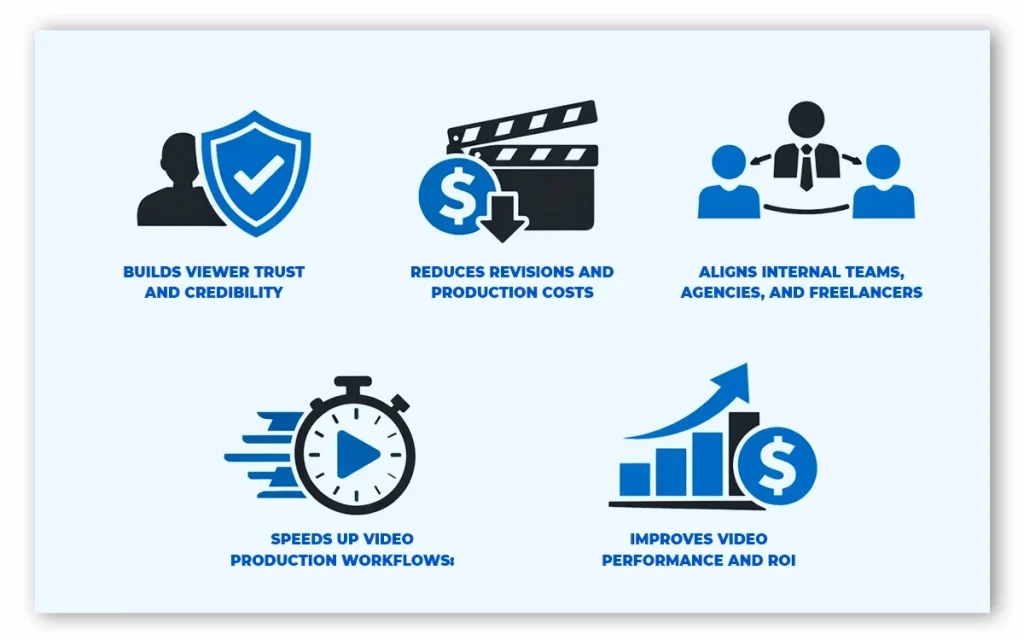
Consistent visuals, tone, and appearance create a predictable and familiar experience for the viewers. A 2021 article by Forbes, titled Building Brand Recognition Through Your Content And BI Tools referred to a LucidPress Report that consistent brand presentation across all platforms can increase revenues by up to 23%. Style guide makes videos stay aligned and on track for brands and businesses.
5 more reasons for video style guides are as follows.
1. Builds Viewer Trust and Credibility: The style guide plays an important role in building trust through clear and consistent video. It signals professionalism and reliability, making consumers trust a brand before making a purchase.
2. Reduces Revisions and Production Costs: Video style guides prevent off-brand edits and mismatched styles, resulting in reduced rework, saving time, and cutting post-production costs.
3. Aligns Internal Teams, Agencies, and Freelancers: A branded style guide for video is the single source that everyone follows to preserve the creative standards, making it easier to produce videos without losing quality or consistency.
4. Speeds up Video Production Workflows: A style guide eliminates guesswork for both the organization’s internal and external members. It defines visual rules, tone, formats, and editing standards, so teams and other involved members (Shareholders, or 3rd Party Collaborators) can proceed faster from planning to final delivery.
5. Improves Video Performance and ROI: Professionally created style guides make videos perform better across all platforms, improve viewers’ engagement, and increase ROI in video marketing.
Is a Video Style Guide Useful for Social Media Videos?
Yes, a video style guide is useful for social media videos due to its keeping content on-brand across the fast-paced, high-volume platforms. By following style guides, video editors shape the videos with the right visuals, formats, tones, colors, and captions. So, viewers on any platform can recognize the content, understand the brand message, and feel familiarity to form a connection.
Who Needs a Video Style Guide?
Any individual or company that creates video content needs a video style guide. From individual freelancers, content creators, e-commerce businesses, advertising and marketing companies, startups, and online course instructors, to YouTubers, and startups need editing guidelines to fulfill the following purposes.
- Managing consistent marketing and promotional videos
- Producing regular social, ad, and campaign videos
- Handling multiple clients and brand identities
- Building a visual identity through video
- Creating products, ads, and social videos
- Delivering structured, professional video content
- Outsourcing video editing
How Do You Create a Video Style Guide?
To create a video style guide, define your brand goal, set visuals, establish tone, voice, and storytelling, set editing and motion guidelines, decide audio standardization, define technical and accessibility specifications, and update and maintain the style guide.
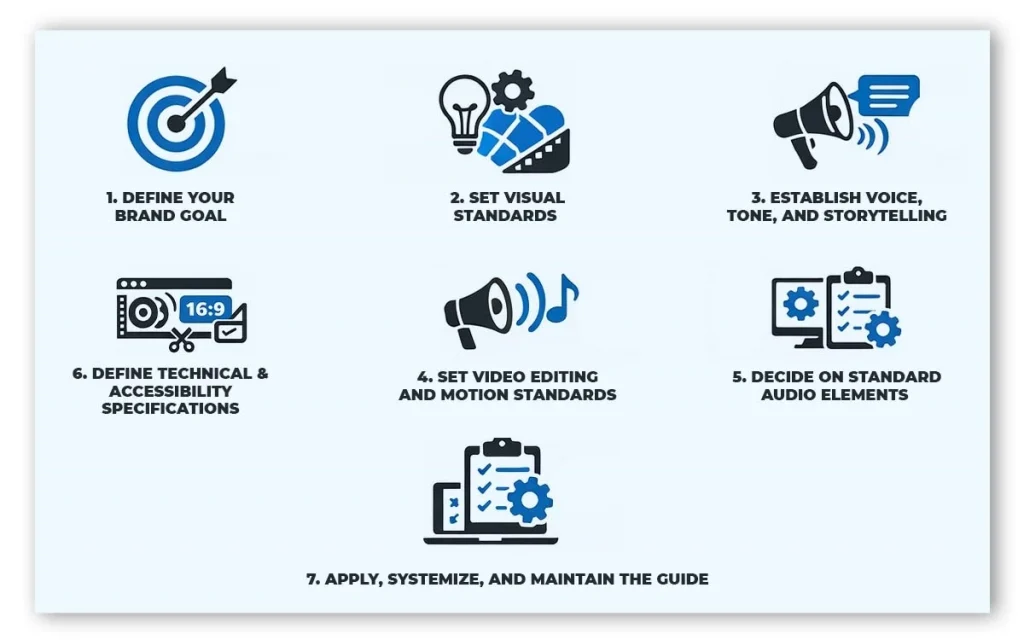
1. Define Your Brand Goal
Start with your purpose ‘why‘ and the people ‘who’ are your target audience. Depending on your offering, the video can be used for educating, converting, entertaining, or building trust. Note down your audience’s age, platform behavior, attention span, and expectations. All this information creates a foundation for your brand to appear on screen.
2. Set Visual Standards
Upon deciding your brand goals, define logo placement, brand colors, fonts, logo, safe margins, backgrounds, framing, and composition rules.
- Logo Placement: Ways to use logos: watermarks, intro/outro bumpers, transitions, or corner placement.
- Color Palette: Primary and secondary colors and how they appear in motion graphics, text overlays, and backgrounds.
- Typography: Fonts, sizes, weights, and hierarchy for titles, subtitles, captions, and CTAs.
- Graphic Elements: Document lower-thirds, framing devices, callouts, and branded overlays.
3. Establish Voice, Tone, and Storytelling
Define how the videos will feel on screen and communicate with the audience. Tone, voice, and storytelling should be consistent to develop viewers’ trust and ensure clarity. So decide on the tone, whether it would be formal, casual, humorous, technical, cinematic, or educational. Add the accent, energy level, scripting style, rules on language, jargon, pacing, and sentence length to outline the video’s presentation.
4. Set Video Editing and Motion Standards
Fix rules on how videos are assembled to ensure a consistent viewing experience. Whether the video editors are in-house or outsourced, they follow the same rules and create consistent output. Outline the editing rules, such as cuts for social media, and balanced pacing for explainers. Mention transitions and animation styles for the same rhythmic output.
5. Decide on Standard Audio Elements
Analyze the industry and decide on the audio to drive viewers’ emotions and make brand recognition. The right selection of music, SFX, or voiceover sets a brand apart from the competition. While selecting the audio elements, the defiance genre, transitions, clarity, and volume consistency.
6. Define Technical and Accessibility Specifications
Clear technical standards standardize the video output quality and platform readiness. Follow platform-specific rules for your video resolution and aspect ratio, such as 16:9 (YouTube, web), 9:16 (Reels, Shorts, TikTok), 1:1 (feeds). Set file formats, frame rates, audio bitrates, and accessibility.
7. Apply Systemize and Maintain the Guide
Make your style guide flexible. The best video style guides are easy to use and regularly updated. To create a well-structured guide, use a reusable asset library such as Intros, outros, lower-thirds, motion presets, and LUTs. Adjust platform-specific outlines for ads and social videos. Check and update your guide every 8 to 12 months to stay aligned with platforms and formats.
What Tools Can You Use to Maintain Video Style?
Tools you can use to maintain a video style guide include guide documentation tools, brand kit platforms, video editing and motion graphics tools, centralized systems for review and approval, and asset management solutions. Together, these tools ensure consistent visuals, motion, tone, and formats across all video content.
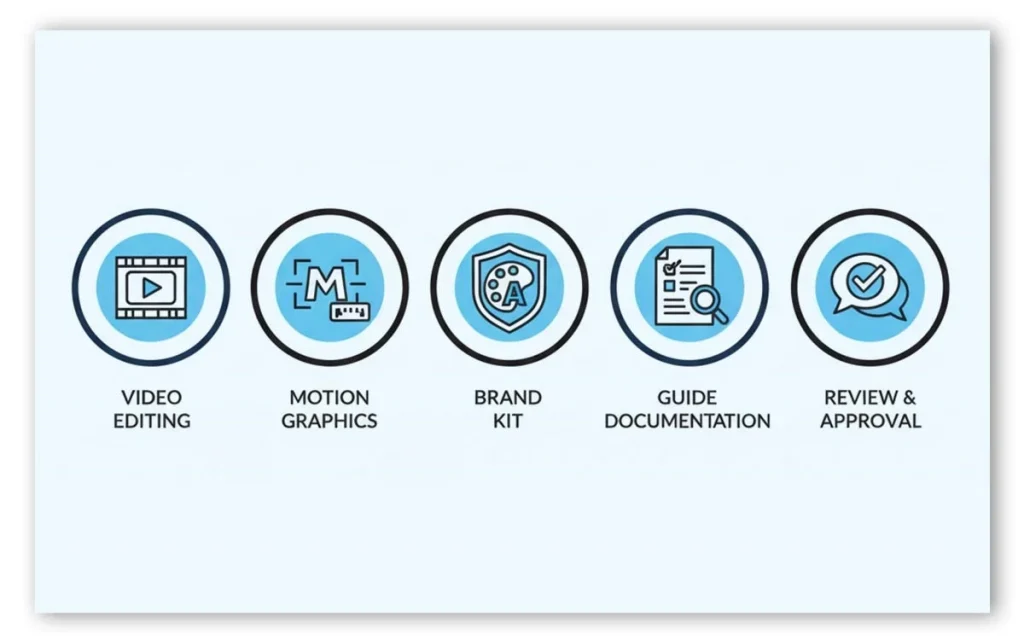
1. Video Editing Tools
Video editing tools are the most vital tools where the style guide develops its existence. Using these tools, video editors control video pacing, color, framing, transitions, and overall visual consistency. A standard video editing tool creates the perfect video style guide that is flexible and becomes a documented standard. Examples of video editing tools are Adobe Premiere Pro, Final Cut Pro, DaVinci Resolve, etc.
2. Motion Graphics Tools
Motion graphics tools outline the appearances and movement of a brand on screen. Video editors create consistent animations for text, logos, and transitions for style guides, which become a core part. Examples of motion graphics tools are After Effects and Apple Motion.
3. Brand Kit Tools
Brand kit tools are the centralized platforms that style guide creators use for centralized approved colors, fonts, logos, and templates. As a result, these tools ensure every video follows the same visual identity, especially in high-volume content production, and content production becomes fast and accurate. Tools like Canva Brand Kit and Adobe Express are used to fulfil this purpose.
4. Guide Documentation Tools
Guide documentation tools store and organize all rules of video style guide in one location. Teams access these documents for standard content creation, visual references, and maintain mass production. Documentation tools ensure the style guide is easy to share, follow, and maintain, for example, Notion, Confluence, and Google Docs.
5. Review & Approval Tools
Review and approval tools are used for confirming videos follow the defined style guide before publishing. These tools allow team members review, give feedbac,k and enforce consistency during revisions to convert style guide rules into quality control checkpoints. Review and approval tool examples include Frame.io and Vimeo Review.
6. Asset Management Tools
Asset management tools store and organize reusable brand assets such as logos, LUTs, audio files, and templates. Right asset control prevents off-brand usage and supports consistent video production. Popular asset management tools include Google Drive, Dropbox, and Brandfolder.
What Are the Best Video Brand Style Guide Examples?
The best video brand style guide examples are those that exhibit consistency, clarity, scalability, and platform adaptability. For instance, the brand style guides of Google, Apple, and Audi excel by defining motion rules, tone, accessibility, formats, and storytelling standards that scale across teams and platforms. Best style guides generally have brand elements, tones, colors, etc professionally implemented.
According to offshore clipping analysis, the top 10 examples of video brand style guides are as follows.
| Company Name | Used Component | Reasons to Excel |
|---|---|---|
| 1. Google Marketing Platform | Color systems, motion graphics, typography, UI animations | Shows how motion supports usability and brand clarity across digital videos. |
| 2. Audi | Typography, cinematic motion, sound design, and pacing | Uses premium motion language and restrained visuals to promote luxury and innovation. |
| 3. Apple | Minimal motion, typography timing, sound | Make videos instantly recognizable and ensure an easy viewing experience through simple and precise elements. |
| 4. Zendesk | Tone, illustration, motion, pacing, brand voice | Displays balances of friendly storytelling, professional visuals, and emotional consistency. |
| 5. Washington State Dept. of Transportation (WSDOT) | Video formatting, captions, public messaging tone | Prioritizes clarity, public accessibility, and compliance for government communication. |
| 6. UC Berkeley | Color rules, logo usage, typography, accessibility standards | Prioritizes accessibility and institutional consistency across all videos. |
| 7. Nike | Fast cuts, emotional pacing, bold typography | Uses storytelling and rhythm to reinforce motivation and performance-driven branding. |
| 8. Shazam | Bold color motion, energetic transitions, audio-reactive visuals | Blends sound and motion to reflect its music-first brand identity. |
| 9. Netflix | Motion branding, logo animations, and color contrast | Scales global content while maintaining strong brand recognition. |
| 10. Spotify | Dynamic typography, audio-driven motion, vibrant colors | Translates music energy into motion. |
How Video Editing Trends Influence a Modern Video Style Guide?
Video editing trends influence a modern video style guide through platform algorithms, viewing habits, audience expectations, and behaviour. An updated style guide adapts the latest changes by updating rules around aspect ratios, pacing, captions and subtitles, motion graphics, storytelling, etc. By following video editing trends, brands stay relevant and platform-ready, without losing consistency or identity.
What Mistakes Should Be Avoided in a Video Style Guide?
To create a video style guide, you should avoid the following mistakes.
- Making the guide vague or generic, instead of specific and brief
- Ignoring platform-specific video requirements
- Failing to define tone, pacing, and motion rules
- Not updating the guide with time or platform
- Ignoring the target audience or the well-written script
- Excluding real examples or templates
- Using unnecessary technical details
- Forgetting to use CTAs
Is a Video Style Guide Necessary for Outsourcing Video Editing?
Yes, a video style guide is necessary for outsourcing video editing to guide external editors to create brand-specific content, maintain consistency, help remove miscommunication, and accelerate video production. Having a guide helps outsourcing video editors produce creative content from the very first draft.
Other key reasons to use a video style guide for 3rd-party video editors are as follows.
- Sets clear visual and editing expectations
- Maintains consistent tone and pacing
- Standardizes formats and resolutions
- Helps prevent off-brand motion graphics
- Protects brand identity at scale
Can a Video Style Guide Help Batch Video Editing?
Yes, a video style guide helps batch video editing by standardizing videos’ output, including templates, transitions, and formats. Following the guide during the batch process results in faster processing, consistent output, and fewer revisions for both internal and external video editor teams. You get high-volume videos produced efficiently without sacrificing quality or brand guide.
FAQ’s
What tone should a video style guide follow?
A video style guide should follow the brand’s tone and voice that the target audience prefers. It can be professional, serious, friendly, and educational, depending on the video topics. Style guides should reflect brand consistency regardless of the tones of the script, voiceover, or pacing.
How do motion graphics fit into a video style guide?
Motion graphics fit into the video style guide by defining the ways of animations, transitions, lower-thirds, and effects placement and use cases. It generally includes rules for the use of motion speed, easing, text movement, icon animation, and visual effects so that the appearance of graphics feels cohesive.
What color rules should be included in a video style guide?
A video style guide should include color rules about brand color palettes, which include primary, secondary, and neutral colors, color codes, use of color ratios, use of limits, background-safe colors, contrast rules, etc. Color rules prioritize visual harmony, readability, and brand recognition across all publishing platforms.
What aspect ratios should be included in a video style guide?
A video style guide should include all the platform-specific ratios that the videos will be published on, 16:9 for company websites and YouTube, 1:1 for Instagram feeds, 9:16 social media reels, shorts, and 4:5 for social media ads, etc.
What is the difference between a brand guide and a video style guide?
The difference between a brand guide and a video style guide is the content they cover. A brand guide outlines overall brand identity, from logos, colors, fonts, to messaging, and a video style guide only maps out the videos’ appearance to execution, including motion, editing, audio, formats, and storytelling rules.