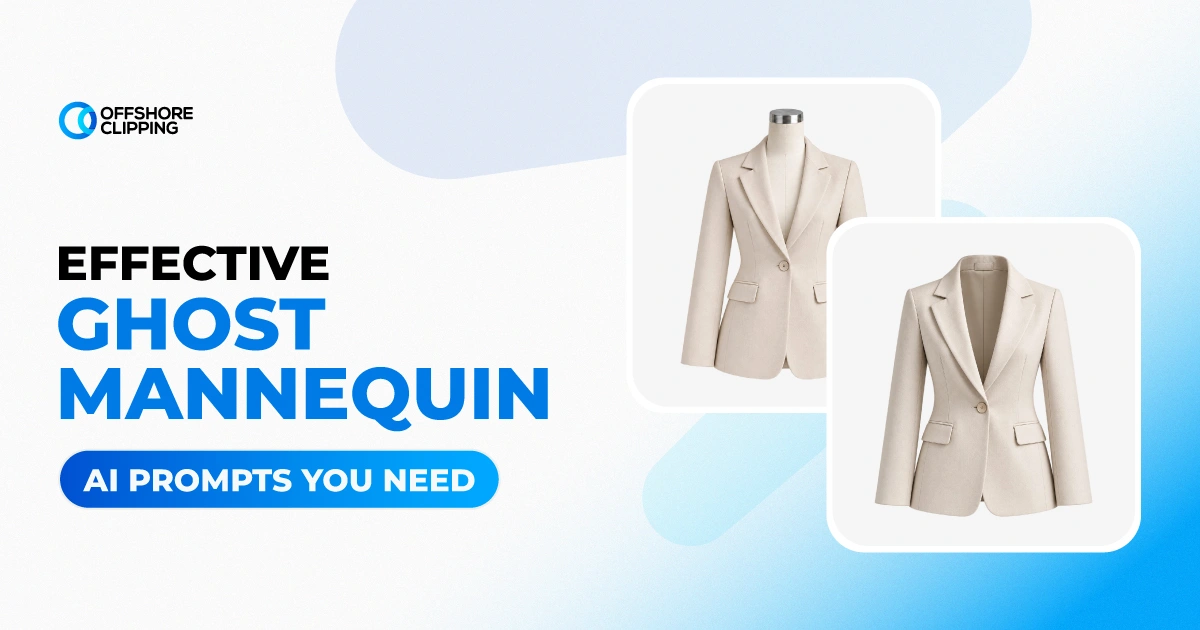
Without ghost mannequin effects, clothing product photos don’t tell everything about products. Customers won’t be able to understand how the outfit will look when worn on the body.
You’ve captured tons of product photos on mannequins. Now, you have to remove the mannequin from the frames to make those clicks ready for upload. You can either ask for ghost mannequin services or do it yourself. When I’m saying doing it yourself, I’m not saying learn photo editing and do the whole thing professionally. I am saying you can easily do the job using the best ghost mannequin AI prompts.
With the right prompts, you can easily edit bulk images in your own studio without hiring an expert. Although AI mannequin effects might not be as good as professional edits, it still works for a certain time when you don’t have the time and money on hand.
At Offshore Clipping, we offer ghost mannequin services for clothing ecommerce store owners or fashion photographers. We even upscale ghost mannequin photos sent by our clients. Recently, we’ve been getting AI ghost mannequin photos for upscaling from our clients. Most of the time, the quality isn’t up to the mark. So, we thought, why not share the proven prompts to use for AI ghost mannequin effects?
What is Ghost Mannequin & Why You Need It?
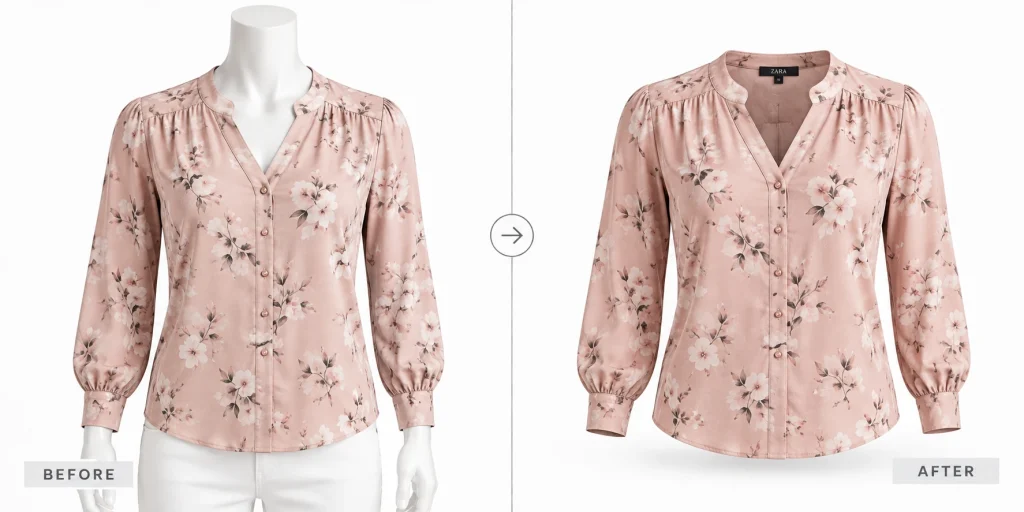
Ghost mannequin is a post-production method widely used in upscaling fashion or apparel product photos. It is a e method where the mannequin or model is removed from the frame, leaving only the apparel with a 3D view.
Flat-lay photos or photos with models or mannequins don’t show complete details about the products. When the product is in a 3D view without a model or mannequin, the visitor can easily picture how the outfit will suit them and be convinced to purchase.
The ghost mannequin effect is a complex task that requires professional editing. But nowadays, a similar level of output is possible by using generative AI models. We’re going to tell you how below.
Ghost Mannequin AI Prompts by Garment Type (Copy & Paste)
Here are the ghost mannequin prompts you can try. We’ve already tested them and found them useful for ecommerce and fashion site owners. You can use any AI model you have to use these prompts. Just copy from here and paste it along with the image you want to edit; that’s it.
T-Shirts and Casual Tops
Basic Ghost Mannequin T-Shirt
Best for: Crew necks, v-necks, casual tees
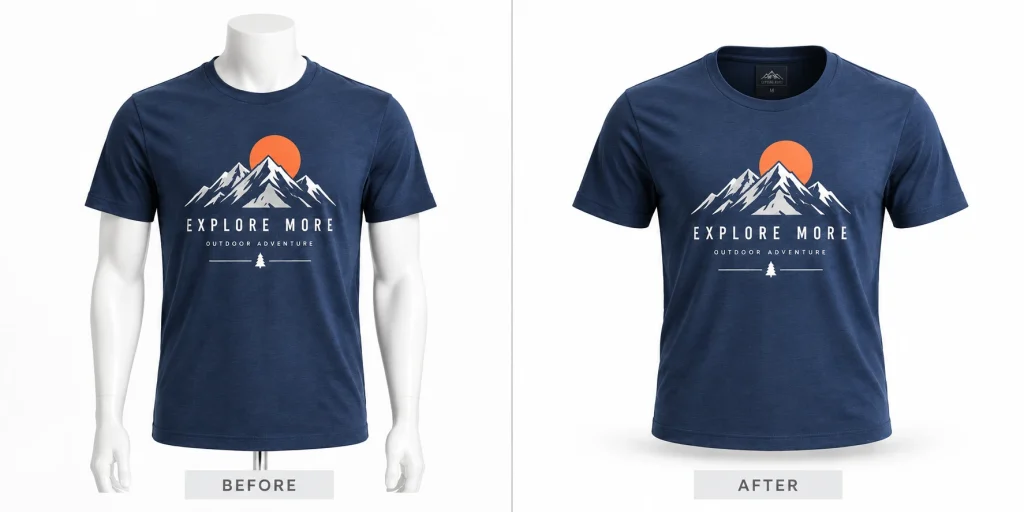
Polo Shirt Ghost Mannequin
Best for: Collared casual shirts
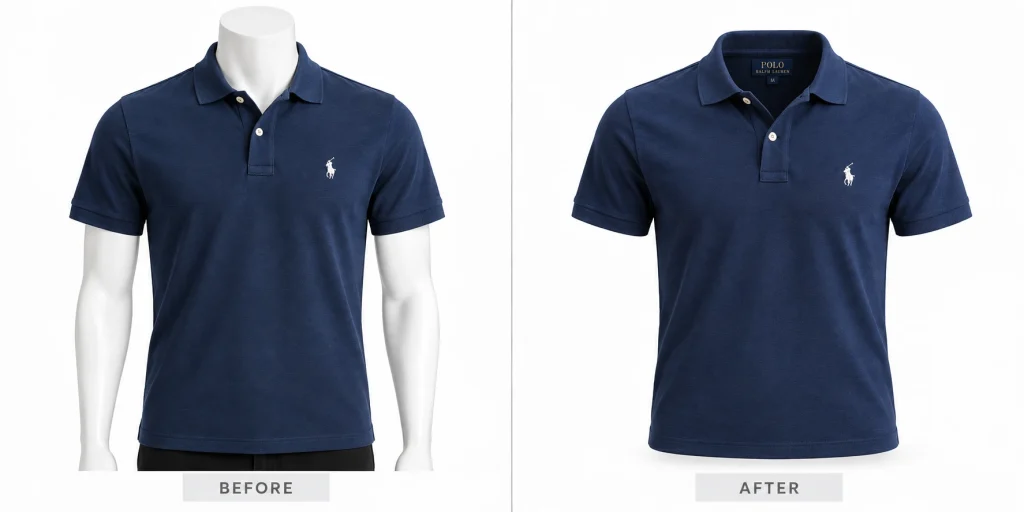
Tank Top or Sleeveless Top
Best for: Activewear and summer tops
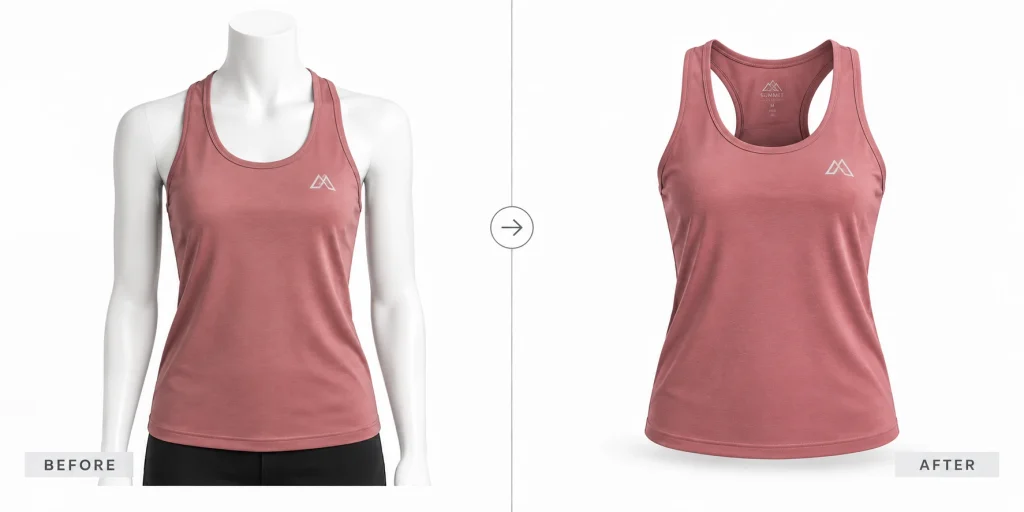
Dress Shirts and Formal Tops
Formal Dress Shirt
Best for: Button-down shirts, office wear
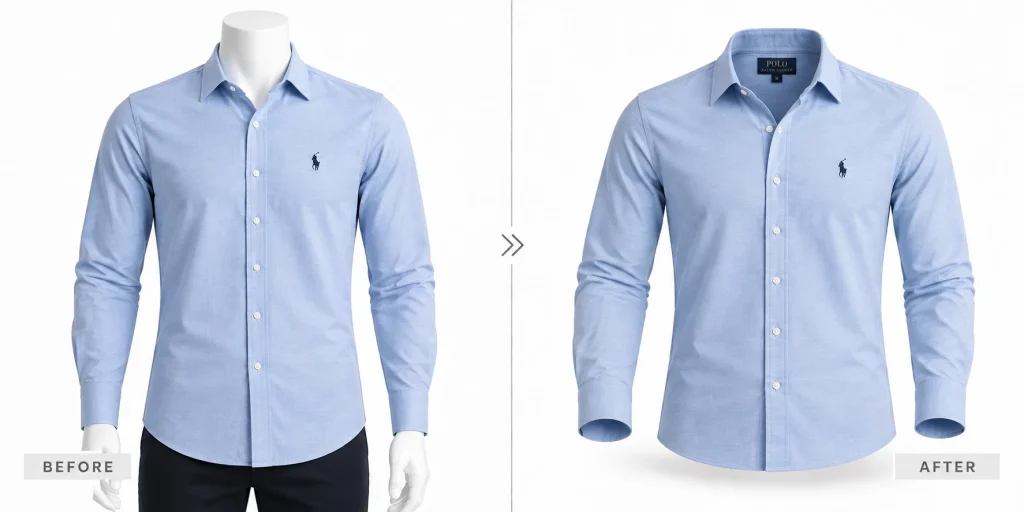
Blouse Ghost Mannequin
Best for: Women's formal and casual blouses
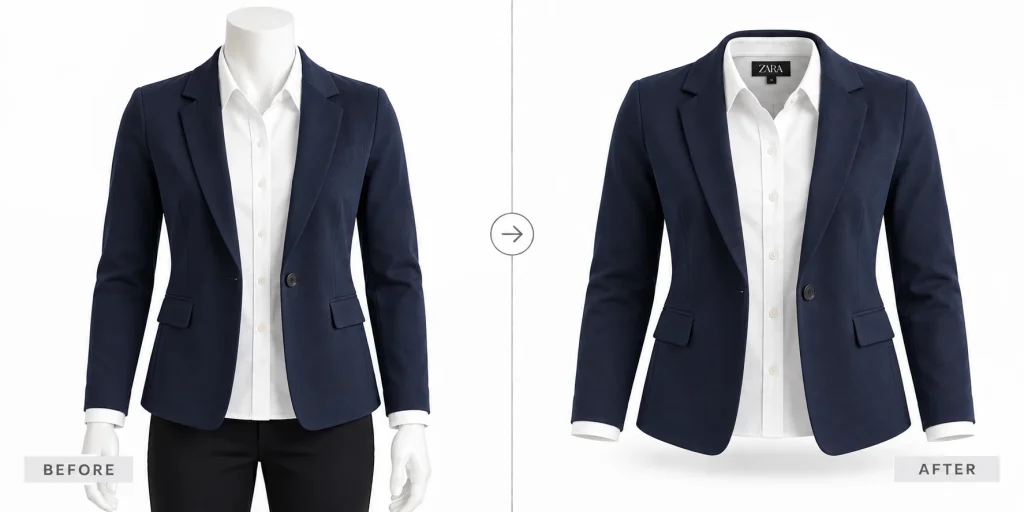
Layered Look: Shirt Under Blazer
Best for: Styled office and smart-casual sets
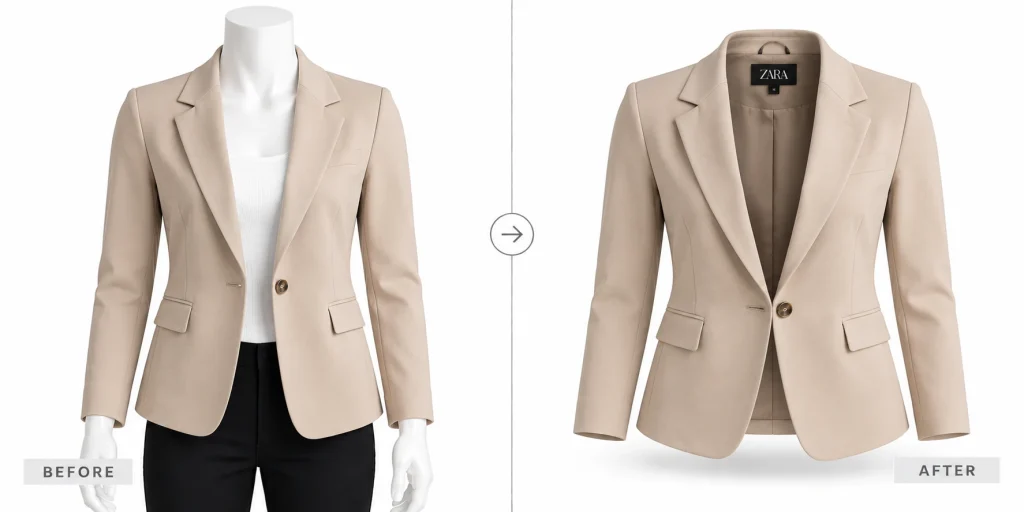
Jackets, Blazers and Outerwear
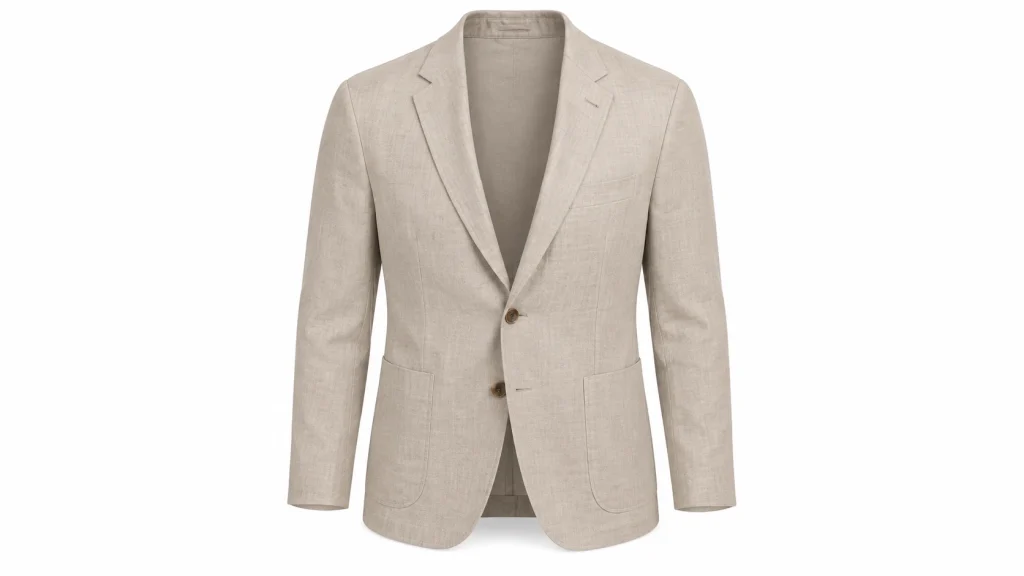
Structured Blazer
Best for: Tailored jackets, suit separates
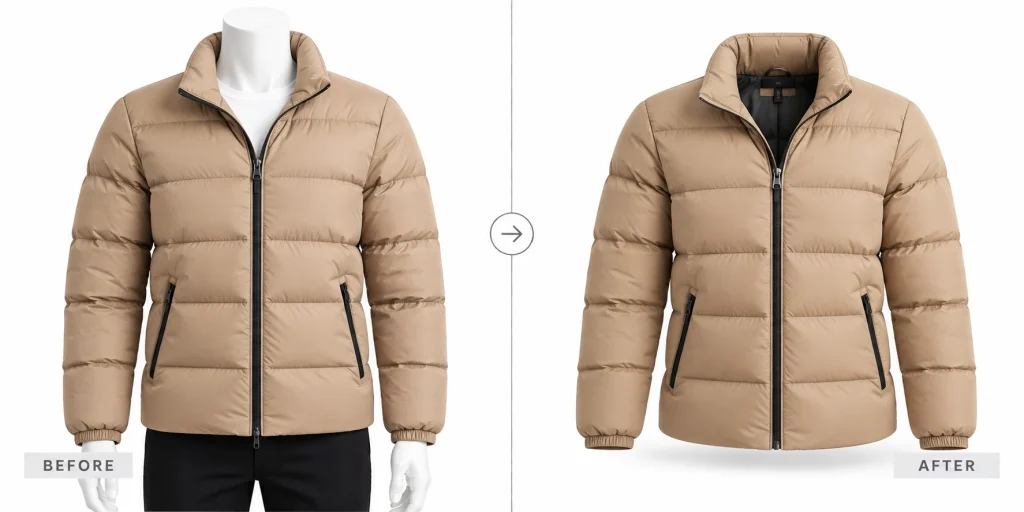
Puffer or Down Jacket
Best for: Winter outerwear, padded jackets
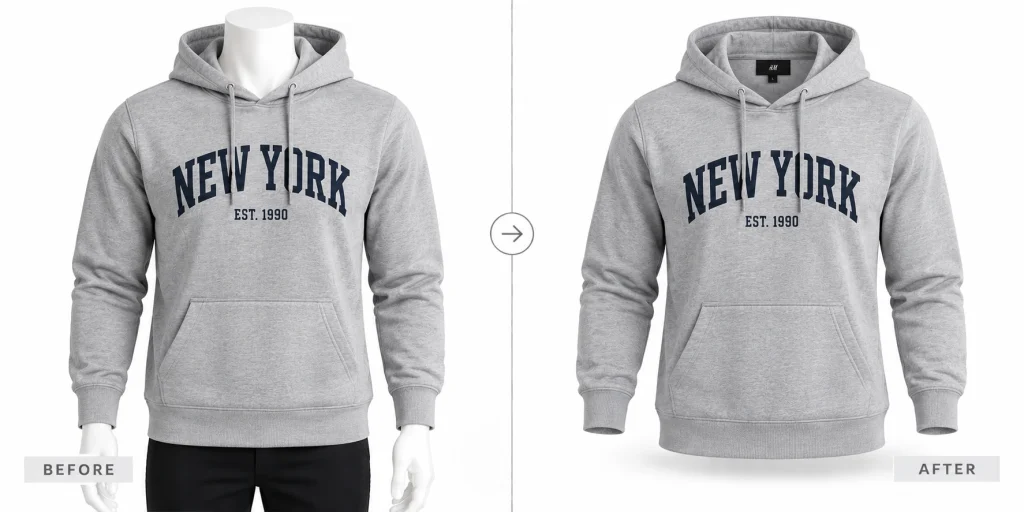
Hoodie Ghost Mannequin
Best for: Casual hoodies and zip-ups
Dresses and Skirts
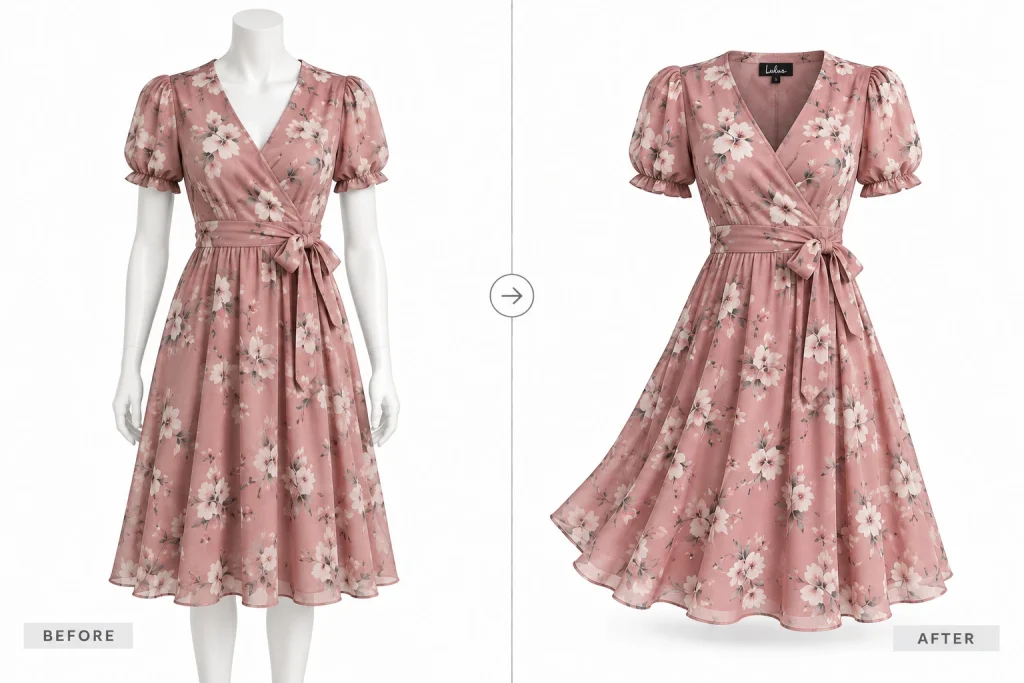
A-Line or Fit-and-Flare Dress
Best for: Everyday and occasion dresses
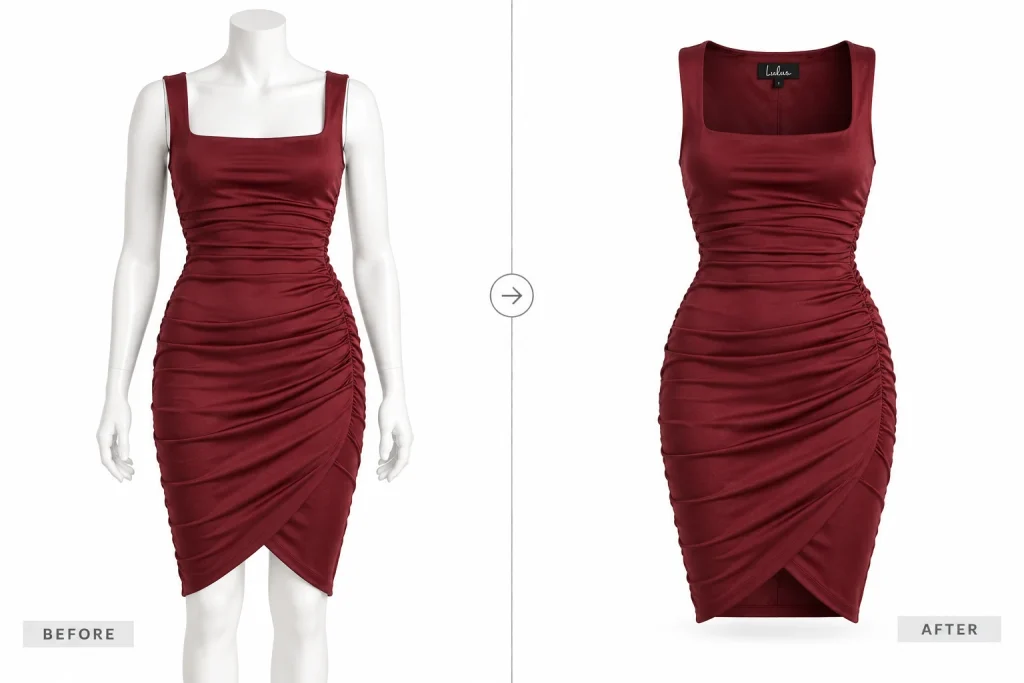
Bodycon or Fitted Dress
Best for: Form-fitting evening and party dresses
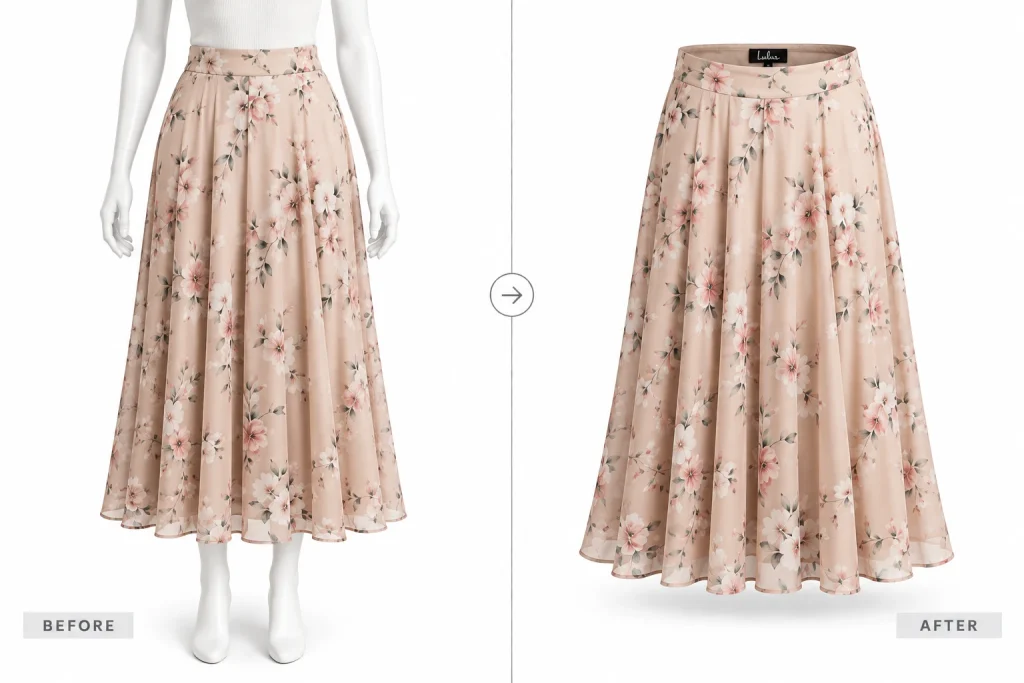
Midi or Maxi Skirt
Best for: Longer skirts for listings
Pants, Trousers and Jeans
Slim-Fit Jeans
Best for: Denim listings
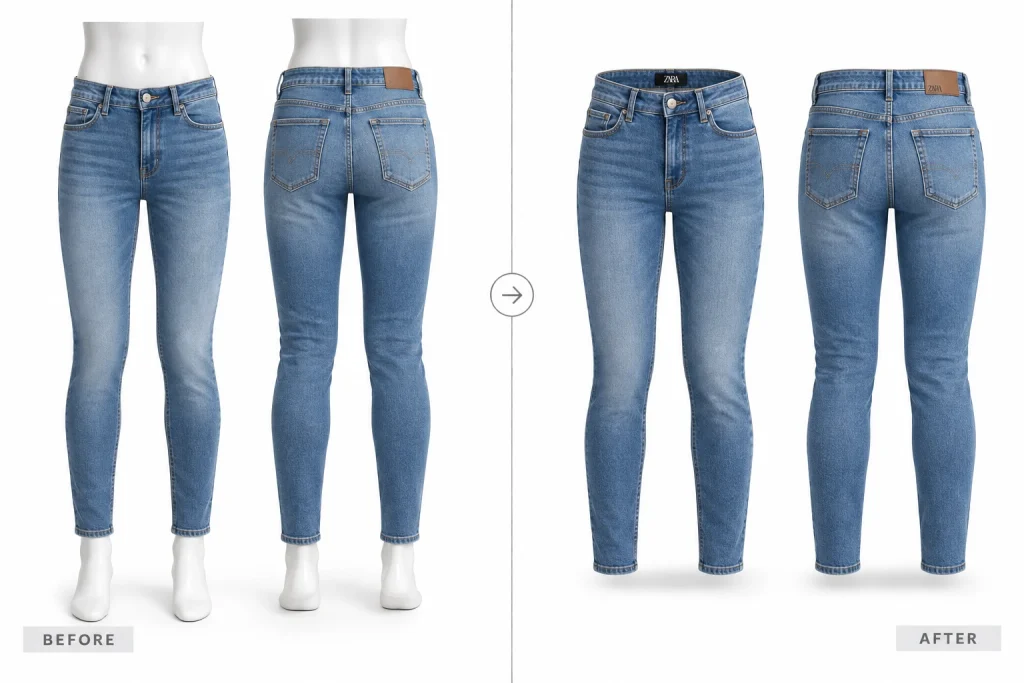
Formal Trousers
Best for: Suit pants, chinos
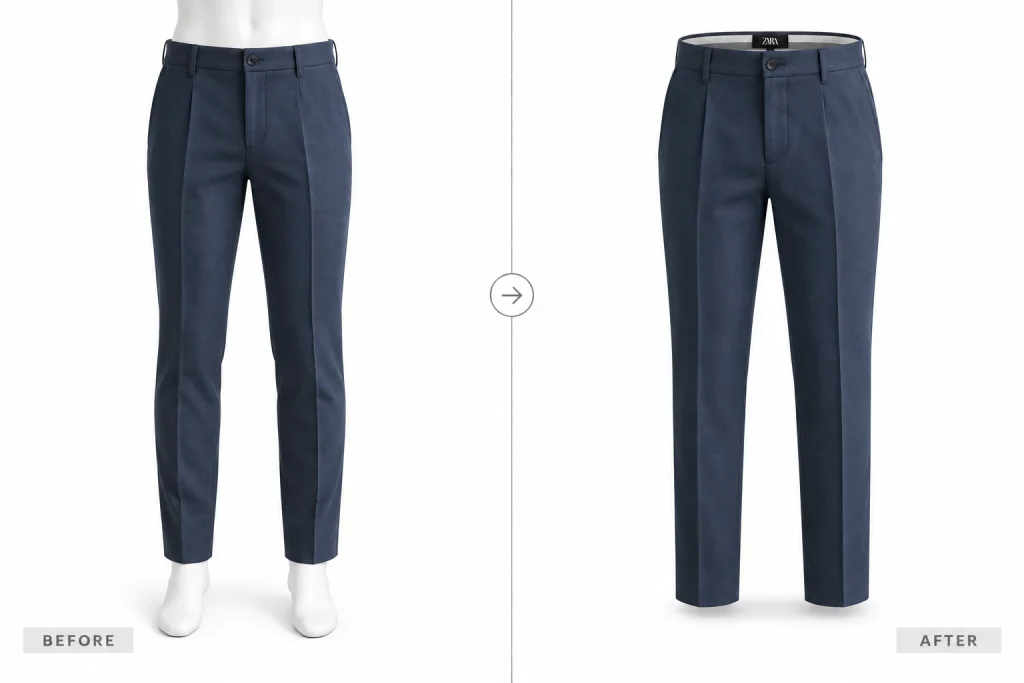
Shorts or Casual Bottoms
Best for: Summer and casual lines
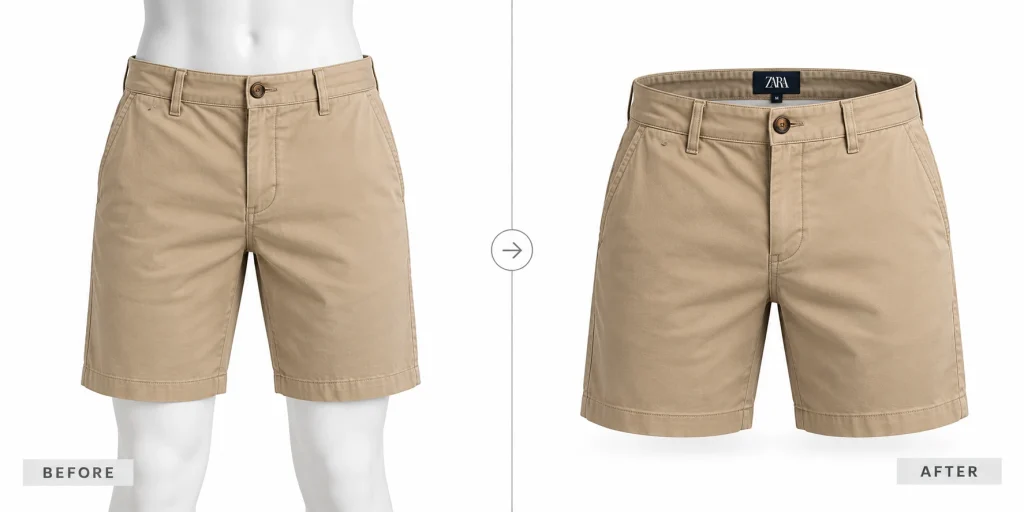
Hoodies and Sweaters
Crew Neck Sweater
Best for: Knitwear, pullovers
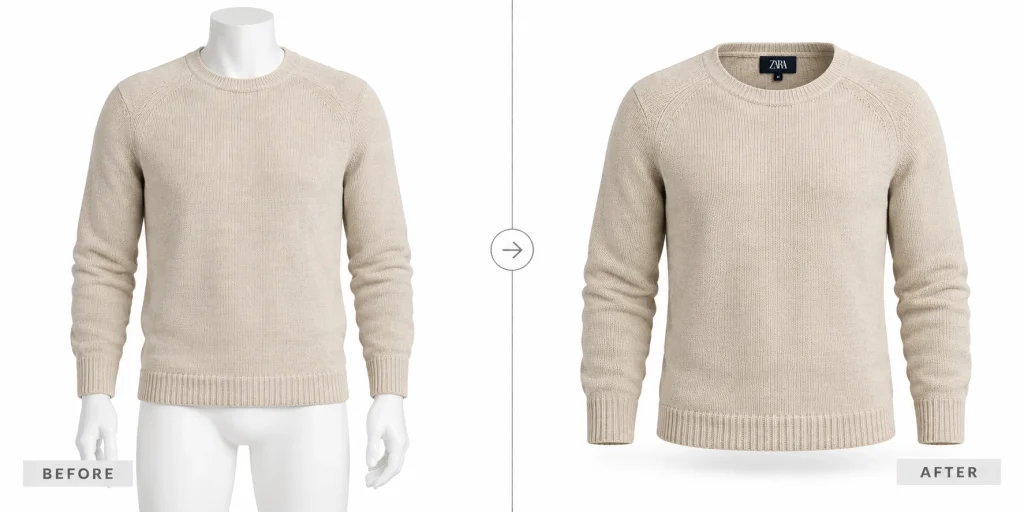
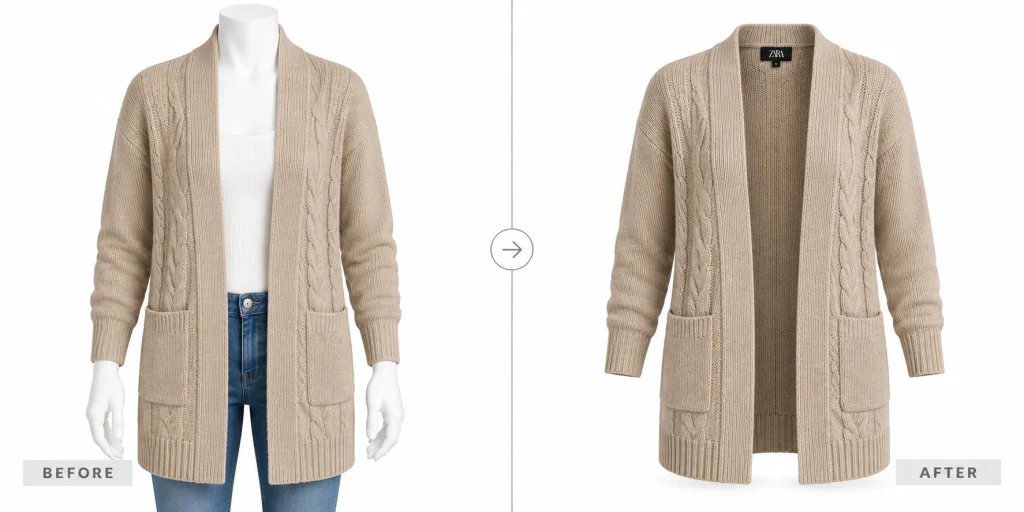
Cardigan Ghost Mannequin
Best for: Open-front knitwear
Activewear and Sportswear
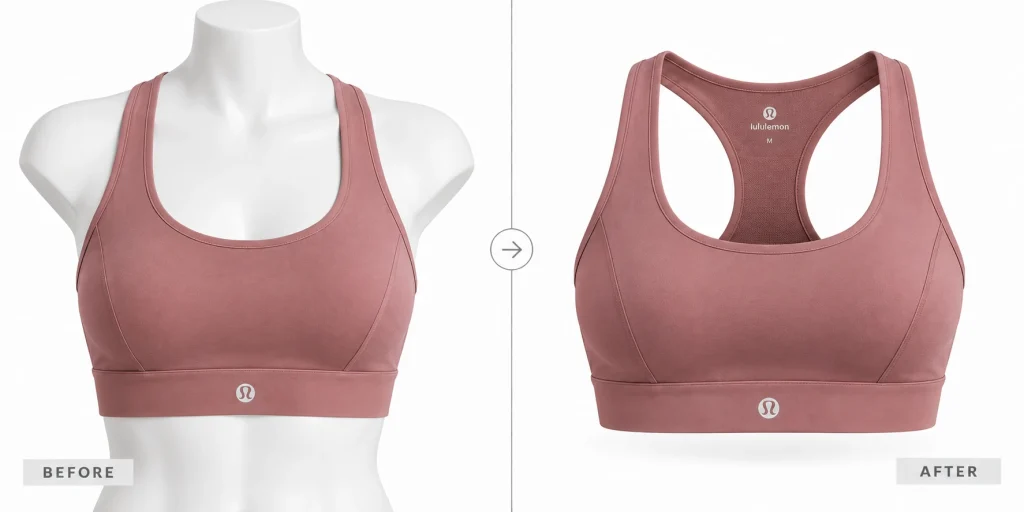
Sports Bra or Crop Top
Best for: Athletic and gym wear
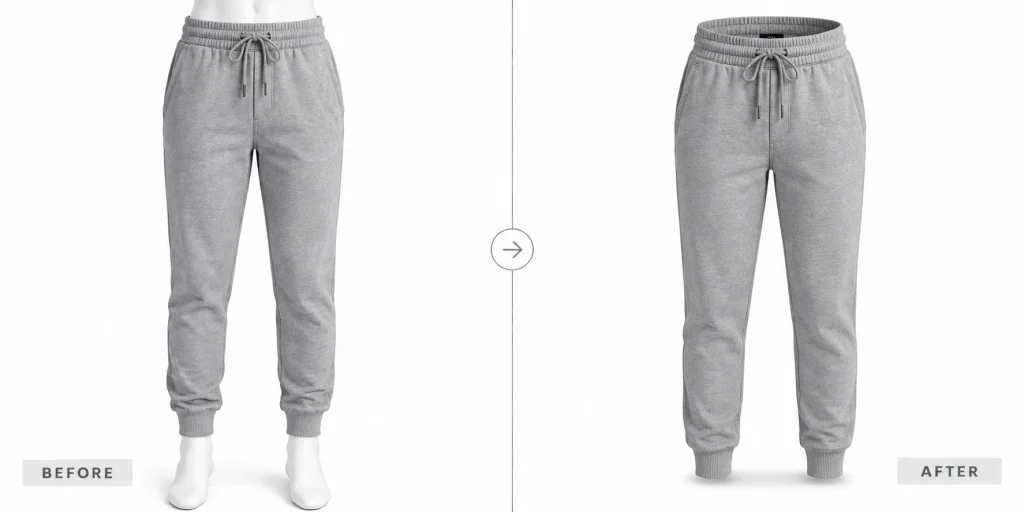
Track Pants or Joggers
Best for: Athletic bottoms
Children's and Baby Apparel
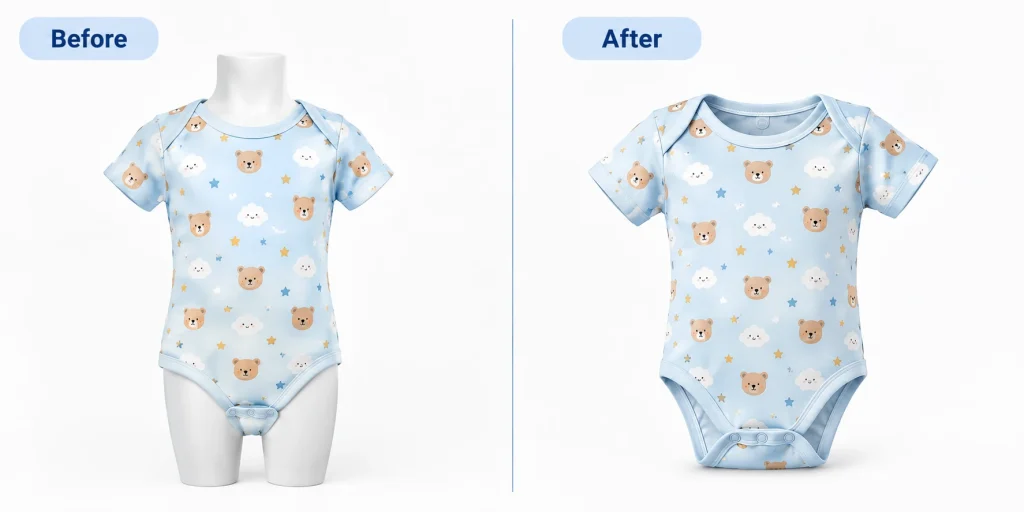
Kids' T-Shirt or Onesie
Best for: Children's clothing listings
Kids' Jacket or Hoodie
Best for: Outerwear for children's lines
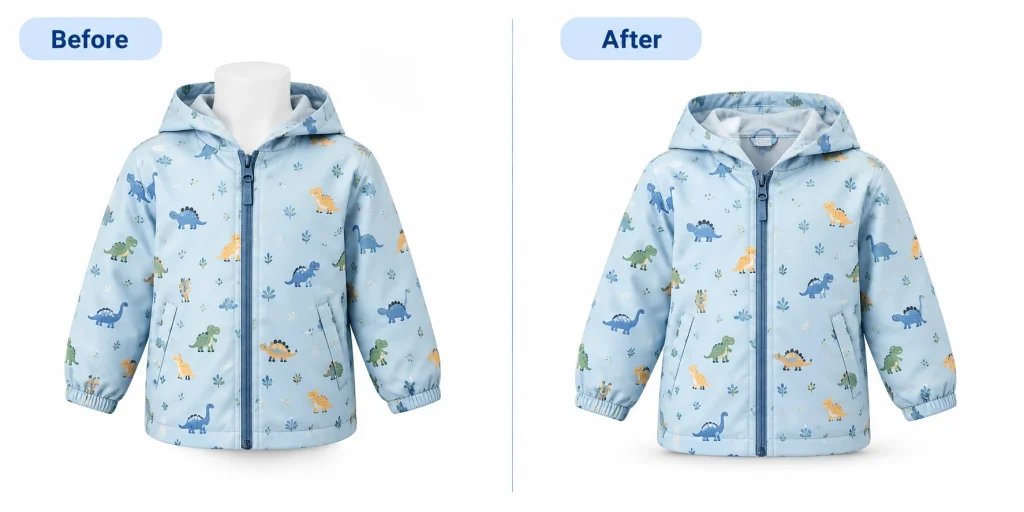
Turn a Flat Lay Into a Ghost Mannequin Image
This is one of the most searched conversions in apparel ecommerce. You already have flat lay photos. Can AI turn them into 3D ghost mannequin images without a reshoot? The answer is yes, with limits.
Flat Lay to Ghost Mannequin (Standard)
Best for: Any garment photographed flat
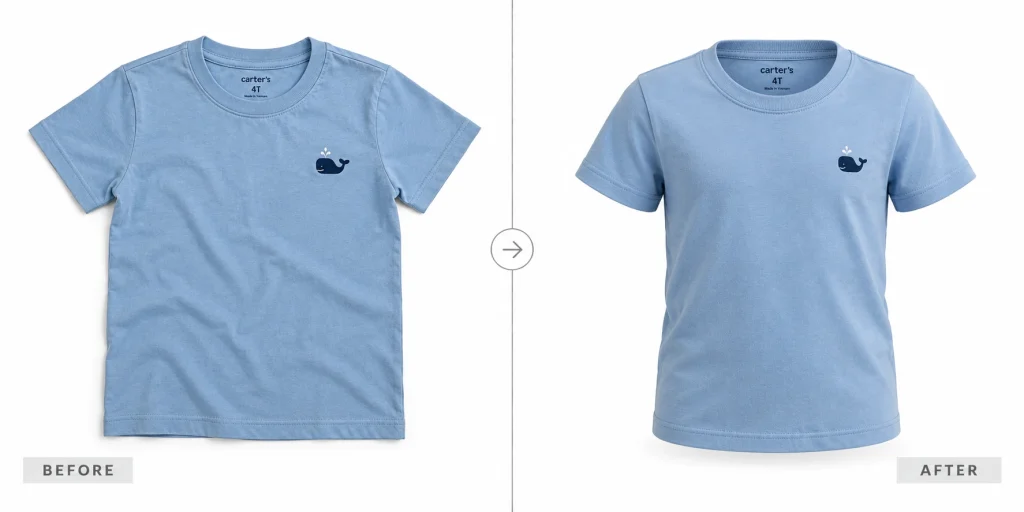
Flat Lay to Ghost Mannequin (Back View)
Best for: Showing the reverse
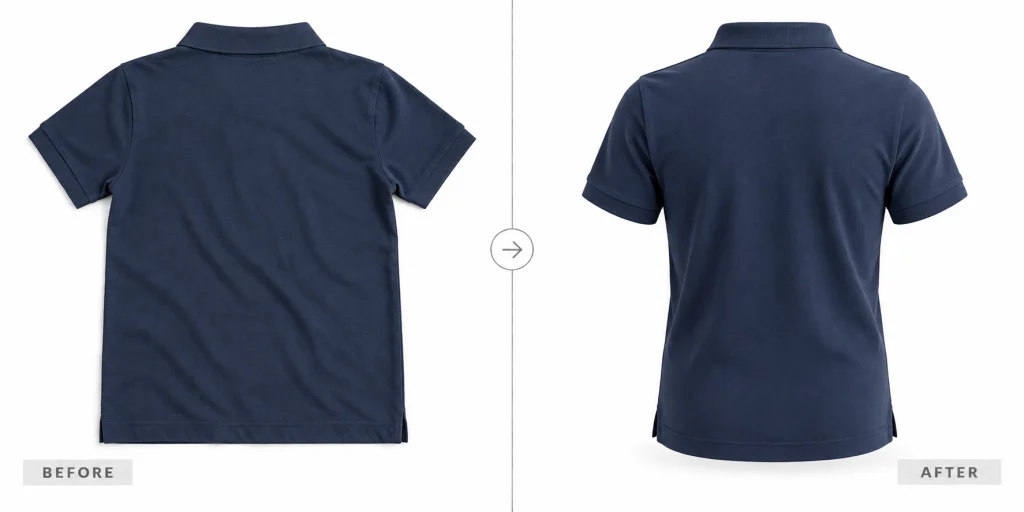
Flat Lay to Ghost Mannequin (Angled for Label)
Best for: Highlighting brand tags
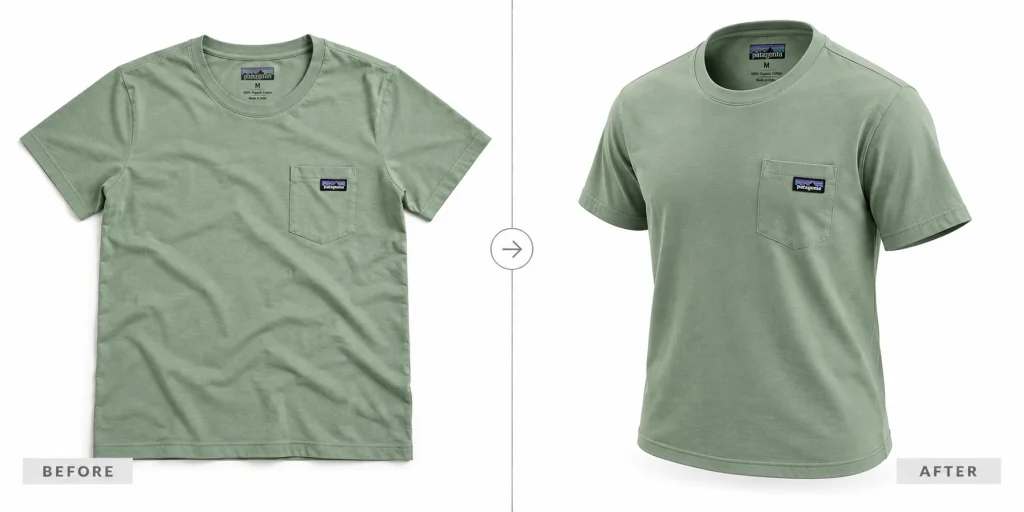
The AI works best when the flat lay is well-lit, uncluttered, and shows the full garment with clear edges. Wrinkled, shadowed, or cropped flat lays produce noticeably worse results and often need manual cleanup afterward.
How to Write Your Own Ghost Mannequin AI Prompt
Once you see the structure, you can build any ghost mannequin prompt yourself. Almost every strong prompt follows the same five parts.
1. Name the garment. "This men's Oxford shirt," "this women's wrap dress." The more specific you are, the better the shape holds.
2. State the edit. "Remove the mannequin and create a ghost mannequin effect, hollow and three-dimensional."
3. Say what to preserve. "Keep the exact fabric color, print, texture, stitching, and brand label." This is the clause people skip, and it causes most failures.
4. Name the interior detail. "Show the inner collar, neckline, and cuffs." This is what makes a ghost mannequin image look professional rather than flat.
5. Set the output. "Clean white background, soft studio lighting, high resolution, 1:1 square." Match your marketplace specs here.
Weak:
Make this a ghost mannequin photo.
Strong:
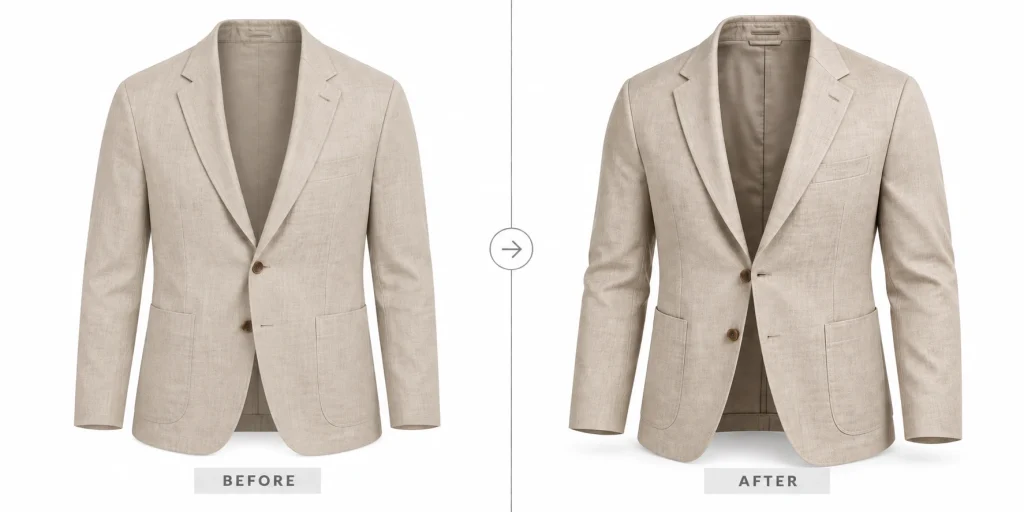
This formula works in ChatGPT, Gemini, and dedicated fashion AI tools. For the full prompting framework with 70-plus examples, our Gemini photo editing prompts guide goes deeper.
Where AI Ghost Mannequin Prompts Fall Short
As I’ve already said, AI editing doesn’t work like the ones manually edited by the professional editors. Now, let’s tell you when you should actually look for professional help.
Neck Joint and Interior Detail
The neck joint is the defining feature of a professional ghost mannequin image. It is the composite where the inner collar, lining, and label blend seamlessly with the outer garment. AI cannot composite what it has not seen. It guesses, and the guess is often flat, blurred, or missing entirely.
Fabric Accuracy and Color Drift
AI ghost mannequin tools regenerate the garment rather than editing your original pixels. That means fabric patterns can shift, prints can warp, and colors can drift from the true product. For a brand that sells the same shirt in eight colors, that drift means eight slightly different fabrics on eight listings, and returns from customers who received something that does not match the photo.
Batch Consistency
Every AI generation is a fresh roll of the dice. Run the same prompt on ten garments and you get ten slightly different lighting temperatures, shadow angles, and garment proportions. A catalog needs to look like one photographer shot it in one session. AI does not give you that.
Marketplace Compliance
Amazon, Shopify, and regional platforms across the US, UK, Australia, and Asia enforce specific image standards: pure white background, product filling the frame, no watermarks, and accurate representation. AI watermarks, resolution limits on free tiers, and the color drift above can all trigger listing rejections or, worse, customer disputes.
Ghost Mannequin Photo Editing Company: When to Hand It Off
AI ghost mannequin prompts are genuinely useful for drafts, concepts, and small runs. When the stakes rise, so does the cost of getting it wrong.
Hand it to a professional ghost mannequin photo editing company, like Offshore Clipping, when you have more than a handful of SKUs and need them to match, when your listings must pass marketplace review on the first submission, when the neck joint and interior detail have to hold up at zoom, or when your brand reputation depends on the image looking exactly like the real product.
We do not provide AI ghost mannequin generation. We edit and fix AI-generated ghost mannequin output to meet catalog standards, and we also provide traditional, manual ghost mannequin editing from your raw photos. Both paths end at the same place: images that are marketplace-ready, batch-consistent, and accurate to the garment.
Have AI output that needs fixing, or raw photos that need the full treatment? Request a free trial and send us a few garment images to test.
Frequently Asked Questions
Can I use ChatGPT or Gemini for ghost mannequin images?
Yes. Both accept garment photos and respond to ghost mannequin prompts. The results are a decent starting point, though neck joint quality, pattern accuracy, and batch consistency usually need manual cleanup before the images are listing-ready.
Does AI ghost mannequin work for all garment types?
It handles simple, structured garments like T-shirts and blazers best. Complex items with layering, transparent fabrics, or intricate draping produce weaker results and need more post-editing.
Can AI do a proper neck joint?
Not reliably. A neck joint requires compositing the inner collar and lining from a separate angle, and AI tools approximate it rather than building it from real interior detail. For professional results, manual neck joint editing is still the standard.
Can I turn a flat lay into a ghost mannequin with AI?
Yes, and it works surprisingly well as a first pass. The AI reconstructs a 3D shape from the flat photo. Clean, well-lit flat lays convert best. Wrinkled or cropped ones need significant cleanup.
Do marketplaces accept AI-edited ghost mannequin images?
Marketplaces judge the image itself, not how it was made. If the image meets their requirements for background, resolution, and accurate product representation, it passes. The risk is that AI output often does not meet those standards without manual finishing.
What is the best free AI ghost mannequin tool?
ChatGPT and Gemini both offer free tiers and handle basic ghost mannequin prompts. Dedicated fashion tools like Photta and Fashion Diffusion offer more garment-aware workflows but limit free usage.
The Bottom Line
Ghost mannequin AI prompts are a real tool in the apparel ecommerce workflow. They save time on first drafts, they let you test angles and garment types before a shoot, and they bring the cost of a single image close to zero.
What they do not give you is the last mile: pixel-clean neck joints, true-to-fabric color, and the batch consistency that makes a catalog look professional. That is where manual editing earns its place, whether you outsource your photo editing or handle it in-house.