
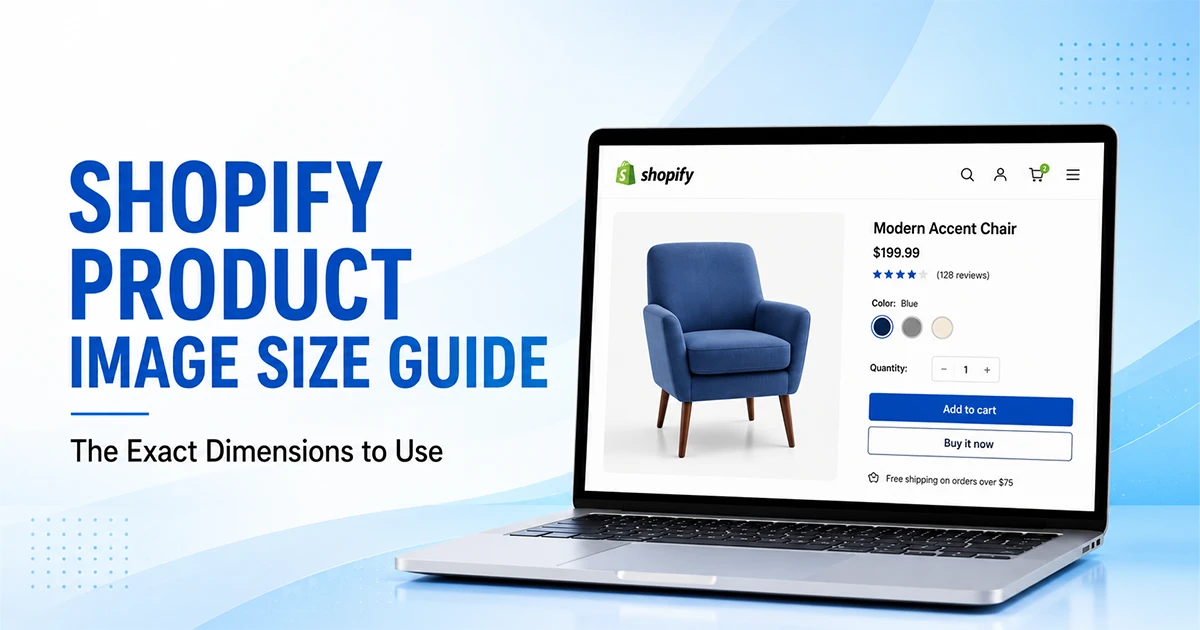
If you just want the number: the recommended Shopify product image size is 2048 x 2048 pixels in a 1:1 square ratio. That’s the Shopify-recommended product image size we reach for on nearly every client project, whether it’s jewelry, apparel, or furniture.
But that number needs some context before you resize your whole catalog to it. Shopify actually supports images far larger than 2048px, and there’s a real difference between what the platform allows, what it recommends, and what performs best once your store is live. This Shopify product image size guide breaks all three apart so you’re not left guessing.
Here’s the Shopify product image size in pixels, at a glance, before we get into the reasoning behind each number.
| Specification | Recommendation |
|---|---|
| Working size (recommended) | 2048 x 2048 px |
| Shopify’s maximum for product and collection images | 5000 x 5000 px (25 megapixels) |
| Minimum size for zoom to activate | 800 x 800 px |
| Aspect ratio | 1:1 square (most consistent across themes) |
| File format | WebP or JPEG for photos, PNG for transparency |
| File size target | Roughly 100 to 300 KB after compression |
| Color space | sRGB |
What Is the Best Shopify Product Image Size?
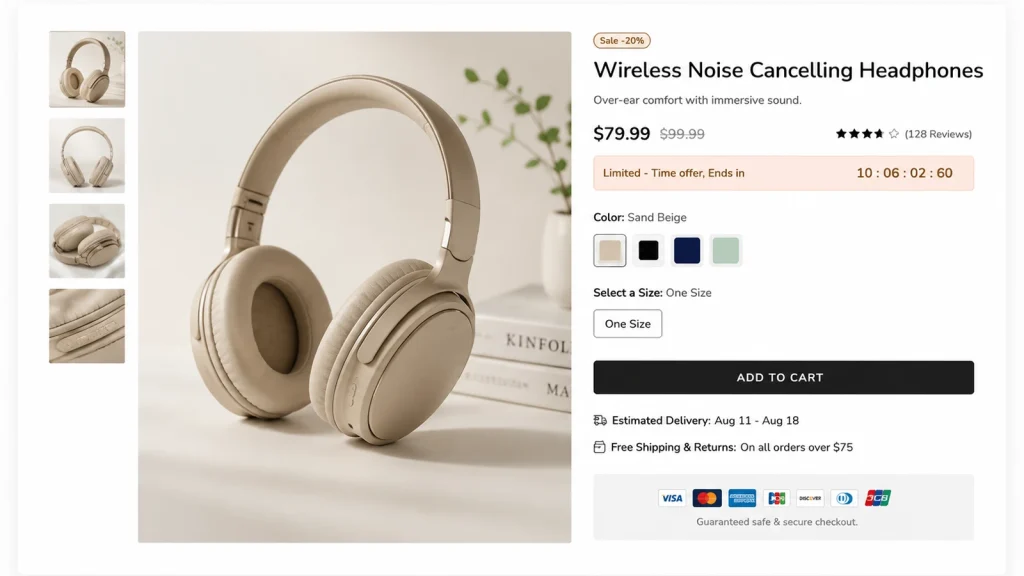
We’ve resized thousands of product photos for Shopify sellers, and 2048 x 2048 px is where we land almost every time, unless a client’s theme or product category calls for something different. It isn’t a rule Shopify enforces anywhere in its upload process. It’s simply what performs best once you weigh image quality against page load speed.
Most phones and laptops today use high-density, retina-style screens that render at roughly double the standard resolution. A 1024px image can look soft on those displays. 2048px gives enough headroom for that sharpness, plus Shopify’s built-in zoom functionality, without forcing shoppers to download a file heavier than it needs to be.
Anything past 2048px rarely adds visible detail on a product page; it mostly adds load time. If a photographer hands you 4000 x 4000px originals, that’s completely normal; just plan to resize the image without losing quality before upload rather than shipping the raw file straight to your store. And if you’re applying the same product image size for website use beyond just Shopify, on your own landing pages or in email campaigns, the same 2048px square logic still holds up.
Getting the product image size for Shopify right before your first shoot saves a full re-edit of the catalog later, and that’s worth the two minutes it takes to set your canvas correctly from day one.
Does Shopify Require Square Product Images?
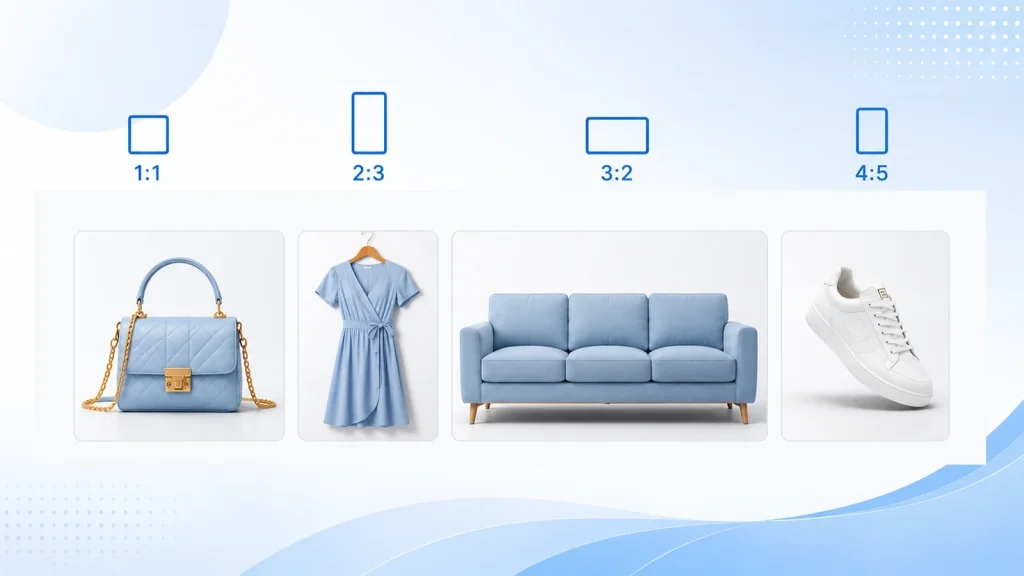
No, Shopify doesn’t force a square crop, though the platform and most themes are clearly built around it. A 1:1 square aspect ratio is still the safest default for a general catalog, since it lines up cleanly across product listing pages and collection grids without odd gaps or awkward cropping.
That said, plenty of product categories genuinely look better in something other than square. Dresses, bottles, and furniture often photograph more naturally at a portrait ratio like 2:3, while wide items such as sofas or shelving can work well cropped landscape. Footwear tends to sit somewhere between the two, depending on the angle you shoot from.
The rule that actually matters is this: pick one Shopify product image size ratio and hold it across the entire collection. Mixing square, portrait, and landscape images on the same collection page is what makes a store look unpolished, not the specific ratio itself. It’s also worth checking your live theme directly, since some themes crop differently than your image editor suggests, so a photo that looks perfectly framed in Photoshop can still get clipped once it lands on the actual collection page.
What Is the Maximum Shopify Product Image Size?
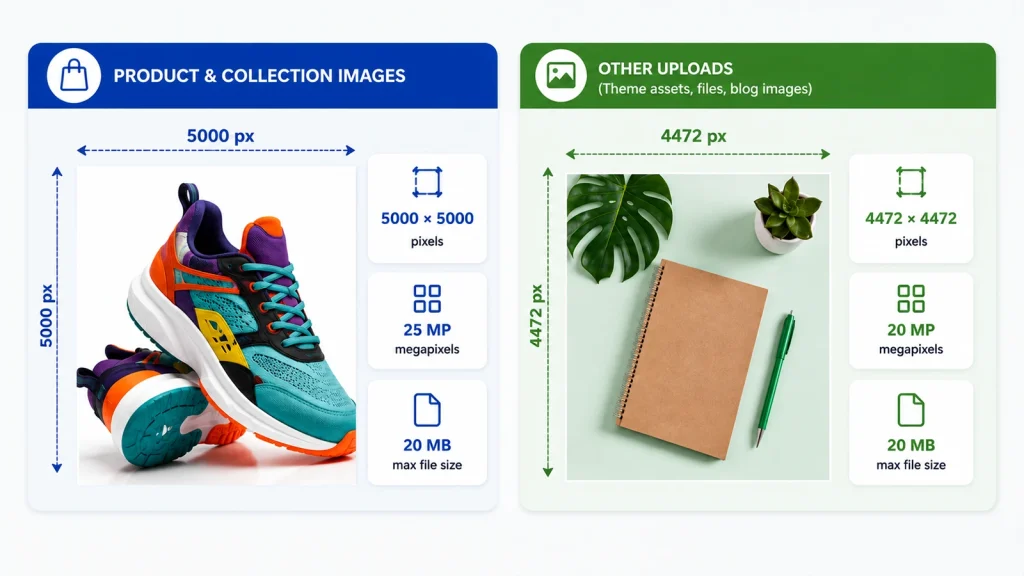
This is the part most guides get muddled, including a few of the bigger ones. Shopify actually enforces two separate caps on every image you upload: one based on file size in megabytes, and one based on resolution in megapixels, which is just width multiplied by height, divided by a million.
For product and collection images specifically, Shopify allows up to 5000 x 5000 pixels, or 25 megapixels, with a 20 MB file size ceiling. Other uploads on your store, like theme assets, general file uploads, and blog images, are capped lower at roughly 4472 x 4472 pixels, or 20 megapixels.
Same platform, two different limits depending on where the image lives, which is exactly why you’ll sometimes see 4472 quoted as “the” Shopify limit when it’s really only one of two. This distinction matters more for Shopify product image resolution than most sellers realize, according to Shopify’s own product media documentation.
None of this means you should upload at the maximum, though. A 5000px file is far heavier than a product photo needs to be, and Shopify generates smaller responsive versions from it behind the scenes anyway. If you also sell on Amazon, keep in mind their image requirements differ from Shopify’s, so a file that clears one marketplace’s bar won’t automatically clear the other’s.
Shopify Product Image File Types: JPEG vs PNG vs WebP
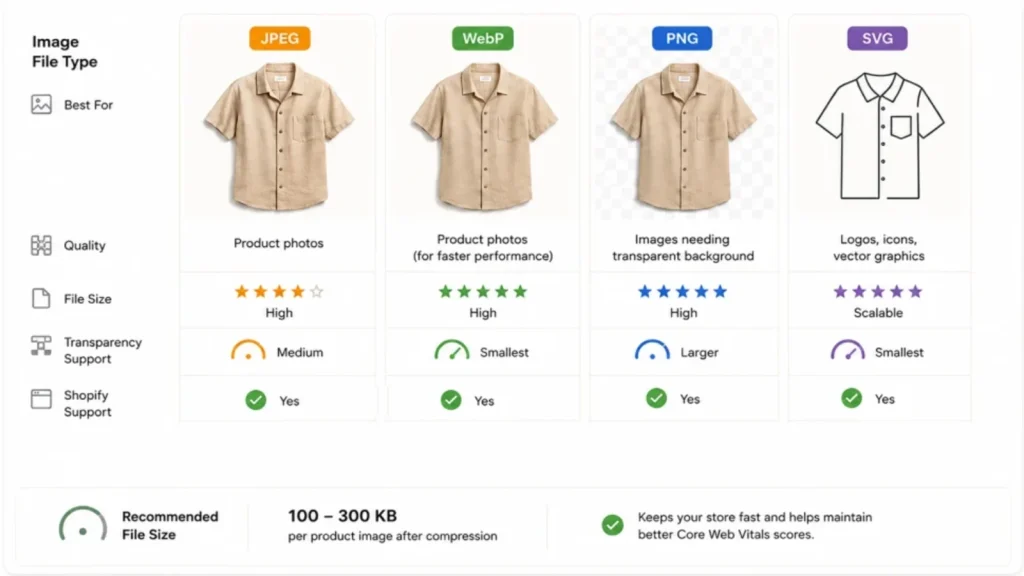
- For most product photography, JPEG is still a safe, dependable default. It compresses photographic detail well and keeps file sizes reasonable without a visible drop in quality, which starts to matter once you’re managing a few hundred product images rather than a handful.
- WebP is the format we’d actually point clients toward going into 2026. It typically produces files 25 to 35 percent smaller than an equivalent JPEG at the same visual quality, and Shopify’s content delivery network serves WebP automatically to browsers that support it, regardless of what you originally uploaded.
- PNG still earns its place too, mainly when an image genuinely needs a transparent background rather than a plain white or colored one.
- SVG files are worth knowing about as well, though they belong to logos and icons rather than product photography itself.
One thing worth clearing up: bigger dimensions don’t automatically mean a bigger file. A 2048 x 2048 px WebP export can end up noticeably smaller than a 1024 x 1024 px PNG of the same photo, since file weight depends on compression and format as much as pixel count.
As a target, aim for roughly 100 to 300 KB per product image after compression. That’s a performance goal rather than a Shopify-enforced rule, but it’s a range that keeps your page load speed and Core Web Vitals scores, including Largest Contentful Paint, in decent shape.
Running a page through Google’s PageSpeed Insights occasionally is a quick way to confirm your images aren’t the bottleneck.
What Is the Minimum Shopify Product Image Size?
Shopify documents 800 x 800 px as the point where its built-in zoom feature switches on. Below that threshold, the image still displays completely fine; shoppers just won’t be able to zoom in for a closer look at fabric texture, stitching, or fine detail, and that loss matters more than people expect for conversion rate on higher-priced items.
Treat 800 x 800 px as a practical floor rather than an official minimum Shopify enforces on every single upload. It’s tied specifically to the zoom feature, not to whether an image is technically allowed onto your store at all. If your theme leans on large, gallery-style product displays, you’ll generally want to stay closer to that 2048px working size regardless.
How to Keep Every Shopify Product Image Consistent
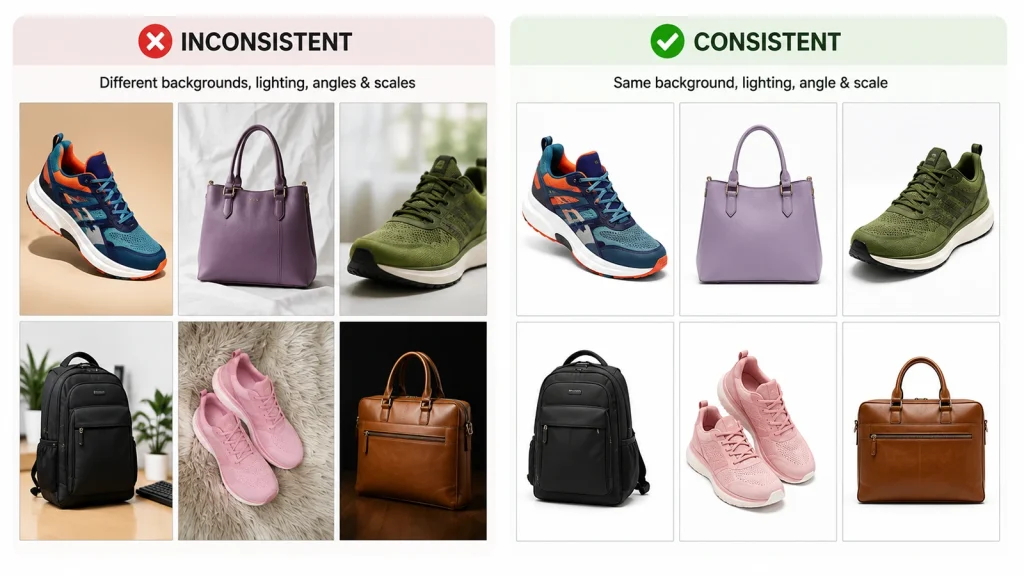
Getting one image right is easy. Keeping a hundred, or a thousand, product photos consistent across an entire catalog is where most stores actually lose ground with shoppers, even when every individual photo technically meets spec on its own.
A few things worth locking down before you shoot or edit at scale:
- The same canvas dimensions for every product shot
- The same background treatment, whether that’s pure white or a repeatable lifestyle setting
- Consistent product scale within the frame, so a ring and a ring holder don’t end up looking randomly sized next to each other
- Even margins and padding around the product on every image
- Matching lighting and shadow treatment across the whole set
- The same crop and aspect ratio decision, applied catalog-wide rather than product by product
This is exactly the kind of work we handle daily for Shopify sellers: resizing, background swaps, and shadow consistency across a whole catalog in one batch rather than editing product by product. If your shots came from different photographers, lighting setups, or even different phones over time, our ecommerce photo editing service can bring the entire set into one consistent standard without you ever opening Photoshop yourself.
A clean, consistent background does a lot of that heavy lifting too, whether that means swapping every image to a plain white background for a marketplace-style listing, or building out a repeatable lifestyle scene across the catalog.
Only the backgrounds are inconsistent?
If background work alone would fix most of your product photos, our background removal service handles that on its own, without bundling in a full catalog overhaul you don’t need yet.
Common Shopify Product Image Mistakes
- Uploading straight from a DSLR or phone without resizing first, so files end up carrying weight they don’t need
- Mixing aspect ratios across one collection, which breaks the visual grid even when each photo looks fine alone
- Shipping images under 800 x 800 px on products where buyers actually rely on zoom to check detail
- Saving every image as PNG out of habit, even plain product shots that would compress far better as JPEG or WebP
- Skipping alt text and clear file names, which costs both accessibility and a shot at Google Image Search traffic
FAQ
What is the best image size for a Shopify product?
2048 x 2048 px in a 1:1 square ratio is the recommended working size for most Shopify stores. It’s large enough to support zoom and stay sharp on retina displays, without adding file weight the page doesn’t need.
What is the maximum image size Shopify allows for product photos?
Product and collection images can go up to 5000 x 5000 px, or 25 megapixels, with a 20 MB file size cap. That’s higher than the roughly 4472 x 4472 px limit that applies to other uploads, like theme assets and blog images.
Do Shopify product images have to be square?
No. Square is the safest default because it fits collection grids and product listing pages cleanly, but portrait or landscape ratios work fine for products that genuinely suit that shape, as long as the ratio stays consistent catalog-wide.
What’s the minimum size for Shopify’s zoom feature to work?
800 x 800 px is the documented threshold for zoom to activate. Below that, the image still displays normally; it just won’t zoom in.
JPEG, PNG, or WebP for Shopify product photos?
WebP is the best all-around choice heading into 2026, JPEG is a dependable fallback, and PNG is worth reserving for images that specifically need transparency.
In Fine
That’s the complete Shopify product image size guide, from the exact number to plug into your image editor today, to how it holds up once your catalog grows to hundreds of products. Get the working size and ratio locked in early, and the rest of your store’s visual consistency tends to follow.