A post-production workflow is the step-by-step sequence a project moves through. The workflow includes footage intake, briefing, editing, review, revisions, and final delivery. Video agencies and producers, marketing teams, e-commerce and retail brands, fashion or apparel brands, YouTubers, etc., need this workflow while editing their videos. And Offshore Clipping strictly follows it.
Once a wise man said,
"Unity is strength. When there is teamwork and collaboration, wonderful things can be achieved." – Mattie Stepanek
This is quite relevant to the topic I am discussing with you today. Offshore Clipping is a reputable company with over 10 years of experience in post-production. Moreover, Offshore Clipping has satisfied more than 800 clients with 12,000+ projects to date.
This success came not by accident and not with just one hand. Our dedicated team, their collaboration, and mainly the exceptional video editing workflow are the pillars of this success. And today I’m going to share our video editing process and post-production workflow with you.
What Does Post-Production Workflow Mean?
A post-production workflow is not a task; it’s a system at its core. Footage intake, briefing, editing, internal review, client feedback, and final delivery are included in the flow in order. Each step completes the next one.
If you skip a random step from the flow, problems will show up fast. Your missed instruction turns into a wasted revision round. Do you know what to break first in this term? It is called the unstructured process in your video editing workflow steps.
Offshore Clipping’s Post-Production Workflow: Free Trial to Final Delivery
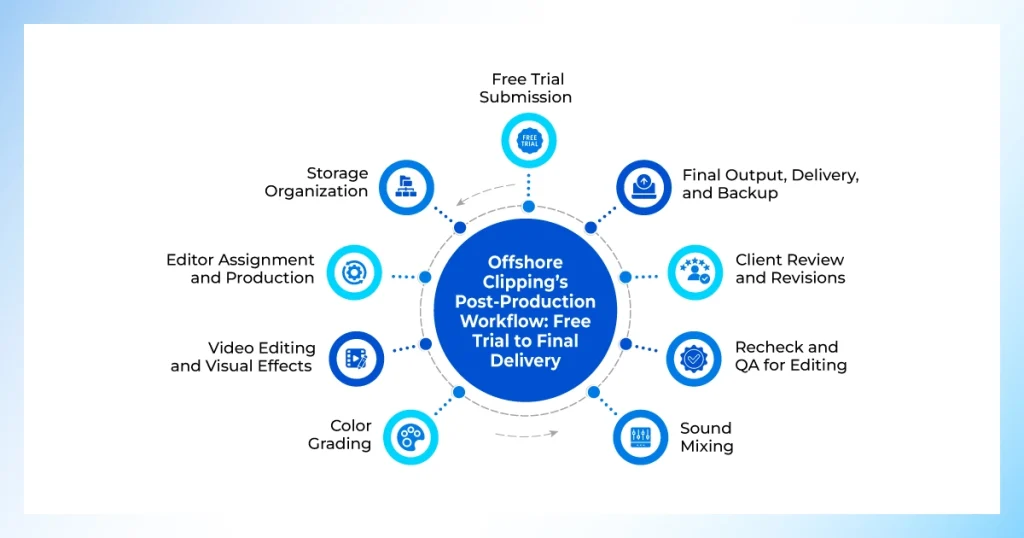
We have achieved success with our optimized editing workflow. And here is what a working post-production workflow actually looks like end-to-end. The key steps in your workflow for post-production and video editing can bring you real success.
1. Free Trial Submission
I’m keeping this section short. Because this is not a core step or part of a video editing process. I will explain it later.
Let’s step into the story. A user just submitted the free trial. Then our client support team reaches out to them. Users upload and define in the form how they want us to make the edit.
The CS team delivers it to the video team or to the manager. They discuss whether the editing requirements they got were proper or not. Then they start editing, and after that they provide the draft to the CS team again. Then they send it to the user.
Then our CS team discusses the pricing and turnaround for bulk orders with them. After the deal, users provide bulk footage to edit. This is how a random visitor turns into our client.
2. Storage Organization
Storage is an important factor when we take orders from clients. Because a certain amount of space is needed until a specific project is handed over or the backup limit is reached.
The interesting thing is, our production house contains more than enough storage to maintain multiple clients' projects at the same time, including when the backup limit is reached.
You can’t create creative work until you store and organize raw footage properly. Offshore Clipping knows that without a clear system, files get messy fast, confusion follows, and delays or costly mistakes become guaranteed.
That's why we set up a clean folder structure before a single cut gets made. We separate spots for raw footage, audio, graphics, and project files every time. A little organization upfront saves our editors and your project from a ton of headaches later.
3. Editor Assignment and Production
Our video team manager assigns the project to a dedicated, professional editor matched to the footage and the client's industry. Wedding footage,
product shots for an online store, and a corporate training video each call for different editing instincts. So this match matters more than it might seem.
For larger or bulk projects, we assign more than one editor to keep the turnaround realistic. Subsequently, our editors complete the editing within the stipulated timeframe. Within this time, they complete cutting, pacing, color correction, audio syncing, captioning, and any effects or motion graphics specified in the project brief.
4. Video Editing and Visual Effects
Once the footage is organized and a dedicated editor is assigned, we move into the actual edit. Our editor cuts for pacing, layers transitions, and builds the visual story according to the instructions. We add necessary visual effects that our clients are seeking. Our target is to satisfy our clients with exceptional work, not just to earn money.
5. Color Grading
Color grading makes your footage more vibrant than it ever was. Offshore Clipping contains multiple color grading experts. For every project, our dedicated color grader spends their time with exceptional creativity behind the footage.
With their expertise, you see the delightful output in the end. Clients praise us for our precise work, and thus we build good relationships with the clients. No client told about the color problem until now from us.
6. Sound Mixing
Our editors also provide the same attention to sound as the visuals. They sync dialogue, balance background music, and clean up noise so nothing pulls focus from what's on screen. We don’t finish until the footage gets pixel-perfect output in time.
Sometimes our client leaves the music decision totally on us in some part of their footage. You can get confused about which music you should use in any particular video. But our editors don’t get confused at all. They work hard for clients’ satisfaction.
They have years of experience and have worked in different industries. They understand the geographical and cultural tone of music with their experience. So they can easily relate and choose the perfect music and sounds for the client’s project. Sometimes we use AI tools to generate these types of music, when the responsibility is totally on us.
7. Recheck and QA for Editing
Once the editing is complete, editors send it to the project manager. The project manager reviews it according to the client’s brief. If he finds it flawless, he sends it to the CS team. Then the CS team reviews it and sends it to the client. We don’t leave any single flaw in the edited video. The correction is continuous until the editing is precise.
After multiple checks and reviews of the quality, it finally reaches the client. That’s why our team gets less feedback and no revisions from the clients most of the time.
8. Client Review and Revisions
The edited video goes to the client for feedback. It is here that a well-organized process proves its utility. Because we captured the brief properly at the start. Feedback at this stage is usually about fine-tuning, a pacing tweak, or a color adjustment.
We assign the same editor who worked on the project for revisions. So continuity holds throughout. Keeping revision rounds structured protects both sides: the client gets a clear process, and our editor is not stuck making endless small changes against an undefined brief.
The feedback is also very minimal in most cases. At maximum time, we get no feedback at all from the client. This is the advantage that separates us from other video editing service providers. Clients get happy with our work, and thus the bonds get stronger. And the relationship leads to more tasks from the same clients.
9. Final Output, Delivery, and Backup
Our video team prepares the final output in the format the client needs. The CS team sends the files through a secure link. We keep the format ready to publish or hand off to a wider team.
Once a project wraps, the draft files are not deleted right away. Our editing team keeps the file for several months as a backup. If a client needs a small tweak after launch, or a platform re-encodes a file and something looks off, having the original project on hand means a fix takes minutes.
Tools and Software We Use in Video Post-Production
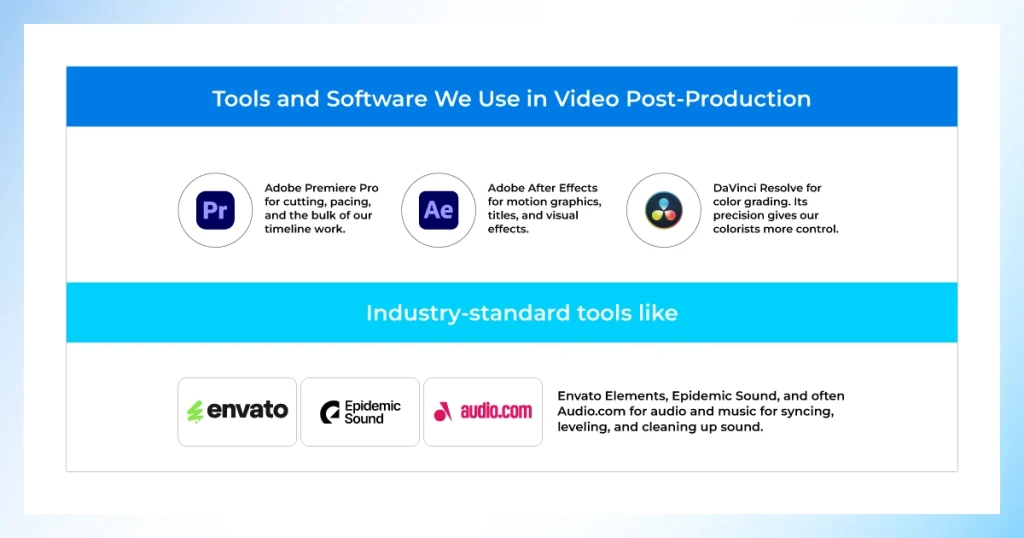
Consistency matters more than novelty. We don't chase every new editing software. We stick to industry-standard tools that our editors have mastered over years of real project work. The video editing software and tools we use to satisfy our clients include:
- Adobe Premiere Pro for cutting, pacing, and the bulk of our timeline work.
- Adobe After Effects for motion graphics, titles, and visual effects.
- DaVinci Resolve for color grading. Its precision gives our colorists more control.
- Industry-standard tools like Envato Elements, Epidemic Sound, and often Audio.com for audio and music for syncing, leveling, and cleaning up sound.
For long-form or 4K footage, we utilize proxy editing to ensure smooth playback. As for generating music using AI, we only employ it when we retain full creative control over the decision-making process.
How Offshore Clipping Overcomes Roadblocks
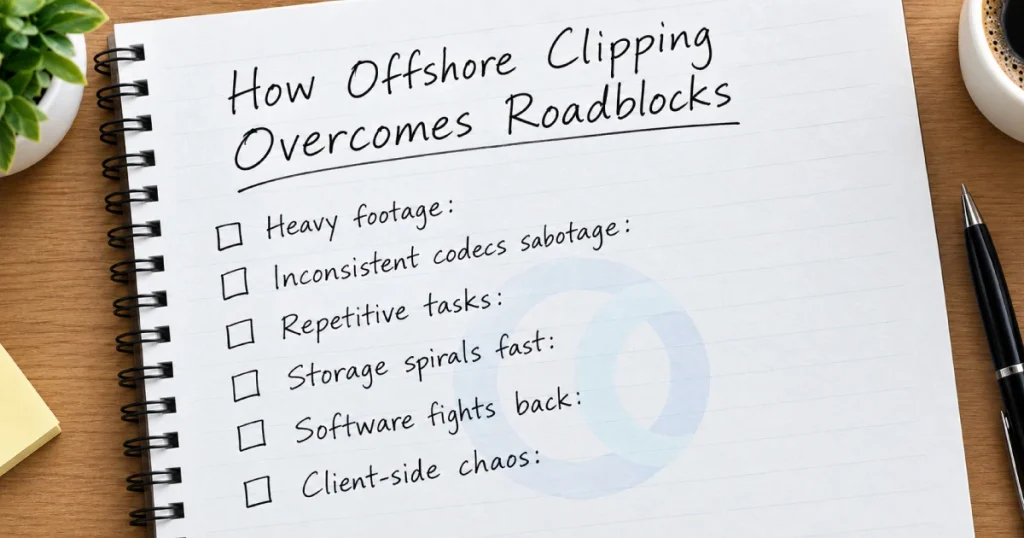
We get interrupted many times while maintaining our post-production workflow. But those are not the point. The point is how Offshore Clipping handles and overcomes the roadblocks.
- Heavy footage: Sometimes clients provide long-form or 4k clips. This is time-consuming. Our professionals edit off proxy files to keep playback smooth.
- Inconsistent codecs sabotage: Variable frame rate footage confuses editing software before the actual work even begins. Our editors apply proper intake checks for codec-related issues and detect them before starting the edit.
- Repetitive tasks: Color correction, audio syncing, and caption placement often drain a lot of time. You can spend this time on the creative calls for moving your clip forward. Our video editors apply batch processing for any specific project, and it saves a lot of time.
- Storage spirals fast: Old drafts and raw files pile up until managing storage becomes a project in itself. We follow a specific backup window. It keeps drafts readily accessible without overwhelming our editors with a flood of files.
- Software fights back: The learning process is complex and time-consuming, which slows the workflow for solo creators and small teams. Furthermore, a software crash during rendering can instantly waste an entire work. Meanwhile, our experienced editors process their tasks without this complex learning curve.
- Client-side chaos: Sometimes clients try to shift the price after the quote. Often, they provide the necessary footage late. This initially seemed perfectly feasible on paper but fell into disarray. But Offshore Clipping’s CS team defines the scope of work, cost, and revision limits at the very beginning. This prevents client-side chaos.
Why Manual Video Editing Wins Over Automated Tools
Automated tools handle a quick cut. They fall apart the moment a brand needs consistency, nuance, or a human read on pacing.
| What Matters | Automated Tools | Offshore Clipping |
|---|---|---|
| Brand consistency | Applies the same preset regardless of context | We match tone and color across every video in a series, by hand |
| Pacing and mood | Cuts on fixed rules and is blind to emotion | Our editors adjust rhythm to fit the story scene by scene |
| Continuity errors | Misses jump cuts, mismatched frames, overlapping captions | We catch these before a client ever sees the draft |
| Quality check | Software flags technical errors only | A real editor reviews whether the video actually feels right |
| Complex footage | Struggles with multi-camera, low-light, or mixed formats | We handle it without cutting corners |
| Brand and story-driven projects | Treats every video the same | We treat every project like it's the only one we're working on |
Best Practice for Post-Production Workflow
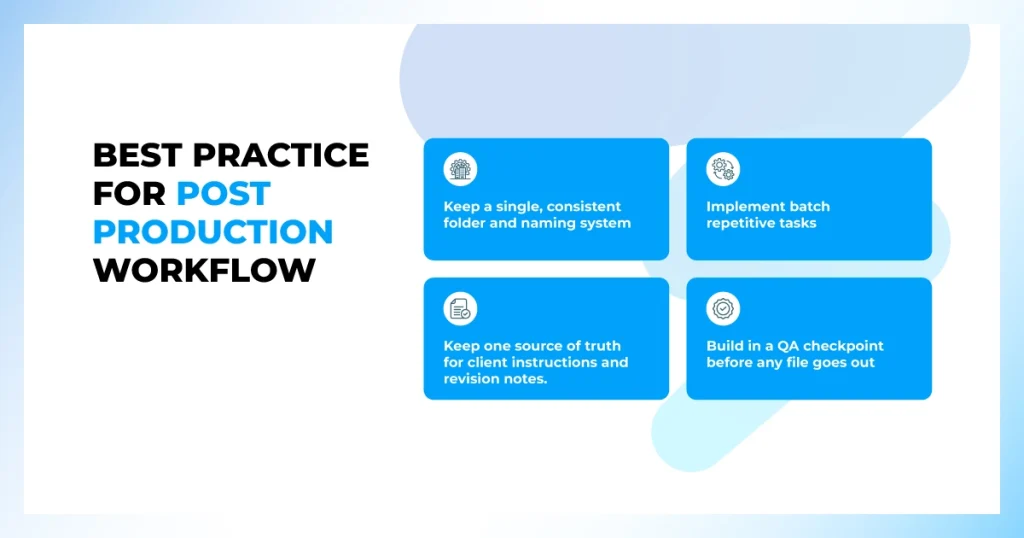
Let me tell you the post-production and video editing workflow tips from the insights of Offshore Clipping. I hope this will work out just like we achieved success by following these:
- Keep a single, consistent folder and naming system for every project before editing starts. So nothing gets misplaced mid-edit.
- Implement batch repetitive tasks, such as color correction, audio leveling, and caption placement, instead of handling them clip by clip.
- Edit long or 4K footage using proxy files. So playback stays smooth even on ordinary hardware.
- Keep one source of truth for client instructions and revision notes. Don’t scatter threads across email and chat.
- Build in a QA checkpoint before any file goes out, even on small projects.
- Retain drafts and backups for a defined window. Make this long enough to cover post-launch fixes without holding onto everything indefinitely.
None of these workflow secrets are complicated on their own. Implement these from now on and see the improvement within just one optimized project delivery.
What’s the Future of Post-Production?
Post-production doesn’t stand still, and neither do we. AI tools are speeding up repetitive tasks already. Our editors can control and manipulate AI tools professionally for their editing needs.
We utilize AI where it can genuinely save time. This includes rough transcription, initial color matching, or auto-syncing. But we never hand over creative decisions that shape a video. We keep that part human, and we always will.
We are also reshaping how projects move. Cloud-based collaboration has made faster reviews and real-time feedback the norm. We’re structuring our workflow around this shift. So multi-editor projects and bulk orders move even faster.
But one thing won’t change in video editing post-production. A stronger structure makes the post-production workflow stronger. With AI tools, we’ll keep refining our process. But we will not exclude the same discipline, clear intake, dedicated editors, and real quality checks. These will be at the center of everything we deliver.
FAQs
How does post-production workflow work step by step?
It runs through intake, briefing, editor assignment, the edit itself, an internal quality check, client review, and final delivery.
What should a video editing workflow checklist include?
A solid checklist includes footage organization, a clear brief, an assigned editor, a scheduled QA pass, a defined revision window, and a backup plan for the draft files.
How is a professional workflow different from editing solo?
The biggest difference is the quality check. Editing solo means there is no second set of eyes before a client sees the video.
Does the editing process change based on the type of video?
The core workflow stays the same. But we adjust pacing, turnaround, and focus depending on the project. For example, a product video prioritizes consistency across a batch, while a SaaS explainer prioritizes clarity above everything else.
Can this workflow handle bulk or multiple projects at once?
Yes. Larger or bulk orders get more than one editor assigned so the turnaround stays realistic. And the same intake and QA steps apply regardless of project size.
How long does the process typically take for offshore clipping?
Turnaround generally runs between 12 and 48 hours depending on footage complexity and volume. This is confirmed during the initial consultation.
Do you edit 4K and higher-resolution footage?
Yes. 4K, 5K, and higher-resolution footage all go through the same workflow. Just with proxy editing built in to keep playback smooth during the production and review stages.
What happens if I am not happy with the edited video?
Offshore Clipping ensures you get the best quality. Most projects include a set number of revision rounds. You can find more detail on this on our video editing pricing page.
Where This Leaves You
A working video editing workflow is about making sure the same problems do not have to be solved over and over on every project. It can range from a missed instruction to a missing backup.
If you’re managing a single product launch or a full content calendar, structure is what lets quality hold steady as volume goes up. If you want this process to apply to your own footage, our video editing team can put it to work on your next project!